 Contact Us
In order to do more detailed analysis of AFM, users will need to run the 3D FEA analysis in ANSYS Maxwell. This blog will show you how to use ANSYS RMxprt to generate ready-to-run 3D AFM models in ANSYS Maxwell.
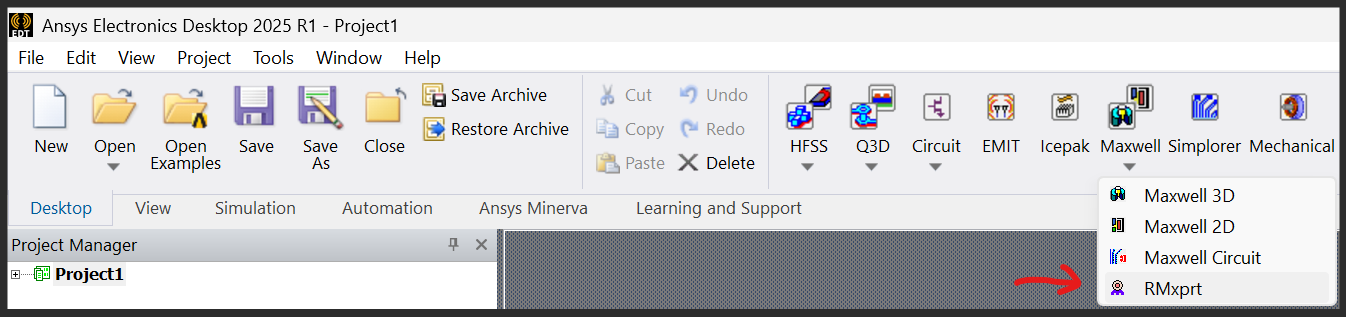
Step 1: Launch ANSYS AEDT and create a new RMxprt model
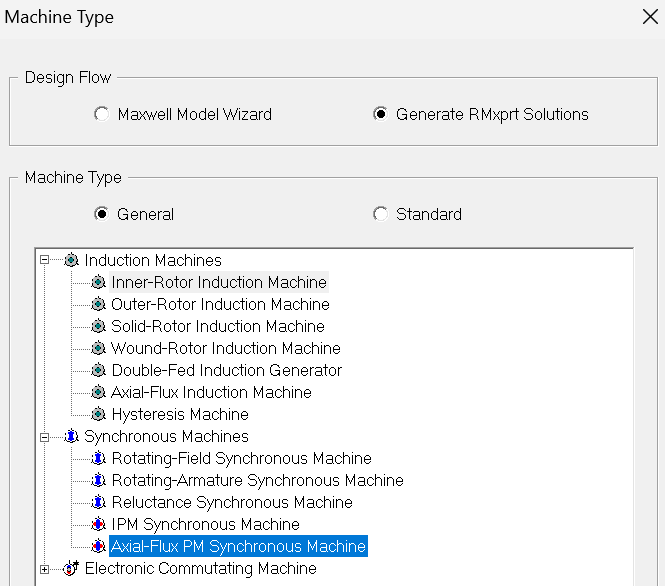
Design Flow: Generate RMxprt Solutions
Machine Type: General –> Axial-Flux PM Synchronous Machine
Step 2: Select machine types and define parameters
Click “Machine” in the Project Manager window.
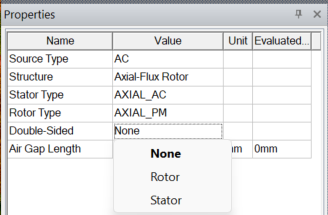
Double-Sided:
“None” = single stator single rotor
“Rotor” = double stator single rotor
“Stator” = single stator double rotor
Make sure that the air gap length is larger than zero.
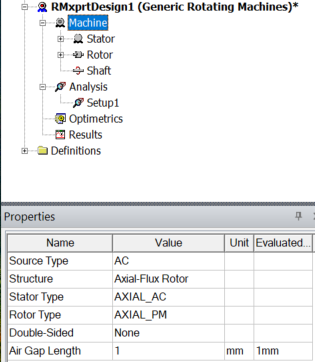
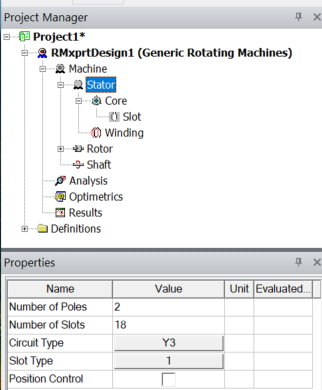
Click “Stator” in the Project Manager window.
Users need to define # of poles/slots, circuit type and slot type.
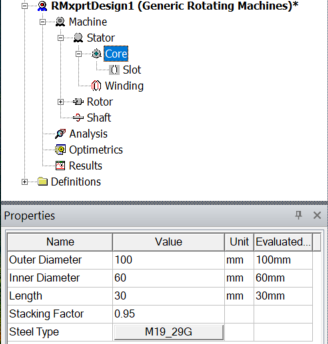
Then the stator “Core” dimensions, and material need to be defined. “Length” is the axial length of the stator core.
The “Slot” parameters need to be defined.
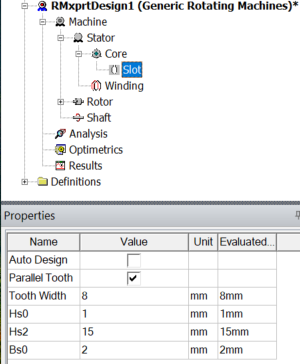
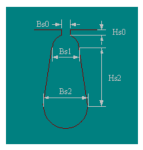
The next one is the “Winding” parameters. Winding Layers, Parallel Branches, Coil Pitch and Conductor Type need to be defined. Others can be default.
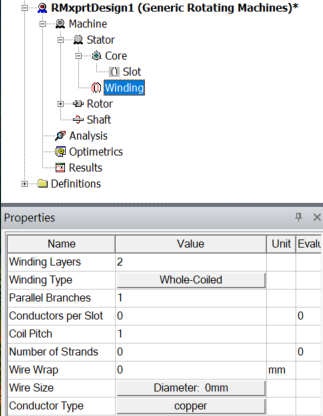
The “Rotor” # of poles must be the same as the one defined in “stator”.
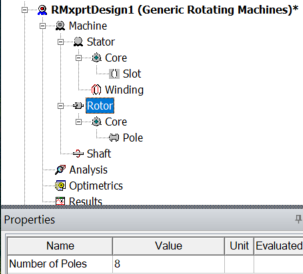
For the rotor “Core”, the diameters can be different than the stator diameters. The “Length” is the axial length of the rotor iron.
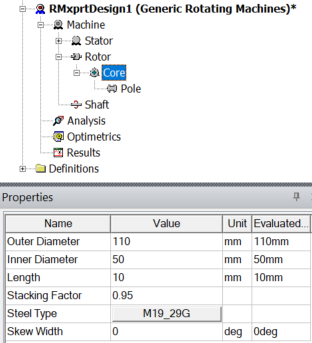
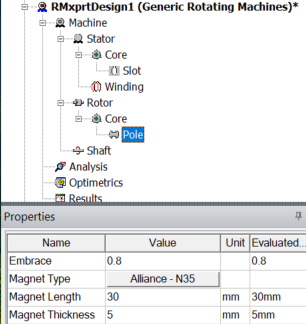
The rotor “Pole” defines the magnets. “Embrace” defines the gap between magnet poles (1 means no gap). “Magnet Length” is the radial length of the magnets. “Magnet Length” = (rotor_OD-rotor_ID)/2. “Magnet Thickness” is the axial length of the magnets.
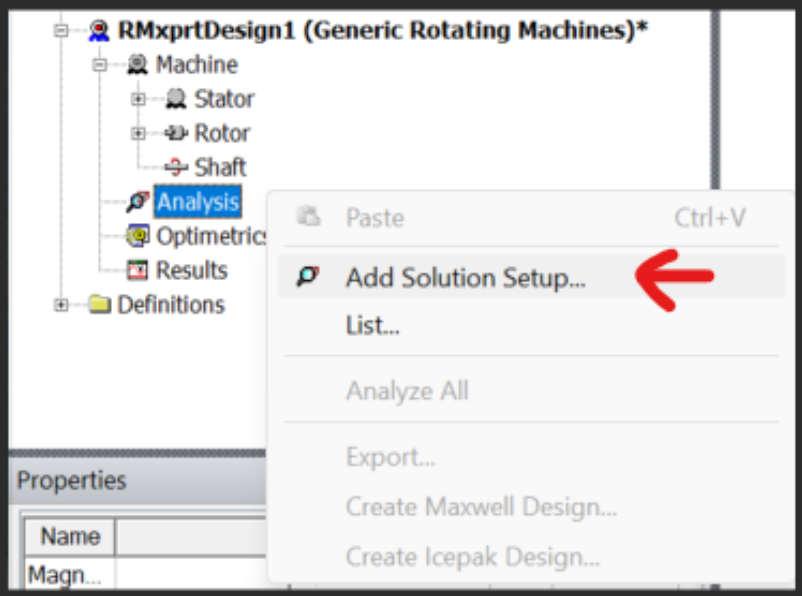
Step 3: Add Solution Setup
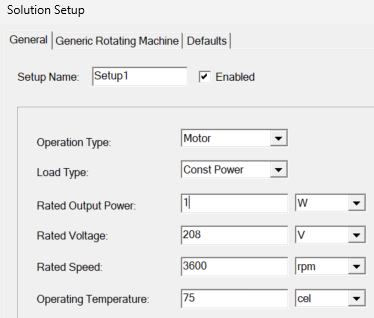
Just make sure the rated output power is non-zero. All the others can be default.
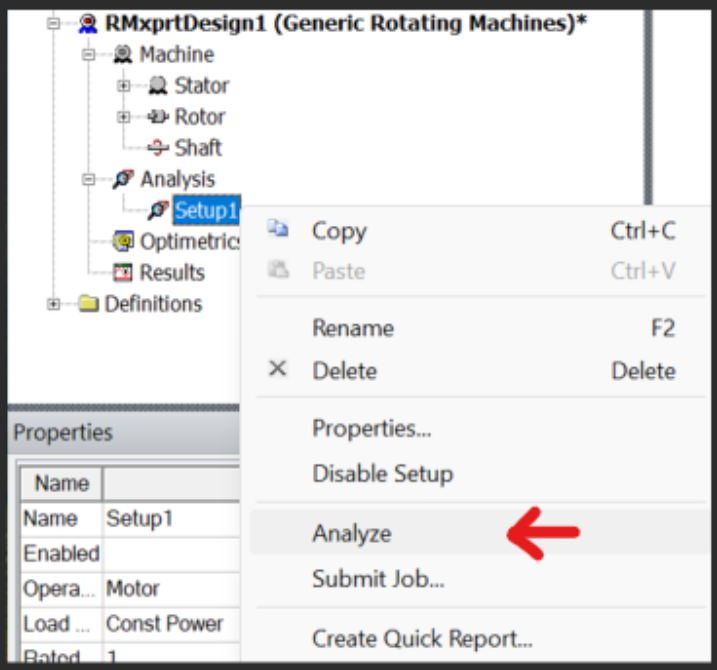
Step 4: Analyze the model
Users must run the RMxprt model before creating the Maxwell model.
Step 5: Create the AFM Maxwell Model
Users now will have the option to create 2D or 3D AFM Maxwell models. For 2D models, they are similar to those in MotorCAD which models the equivalent linear motors. In this blog, 3D models are created.
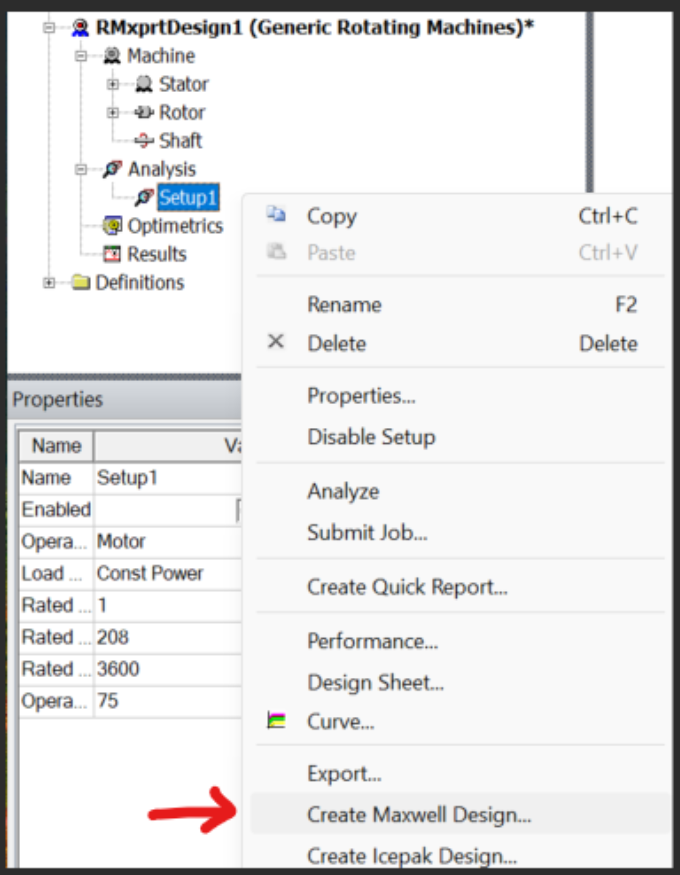
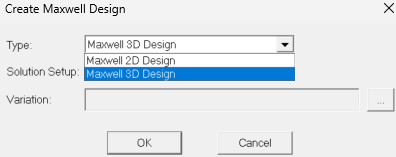
Once “OK” is clicked, a 3D Maxwell model will be created. If there is any symmetry, a partial model will be created automatically. All the boundary conditions will be created, and the model will be ready to run.
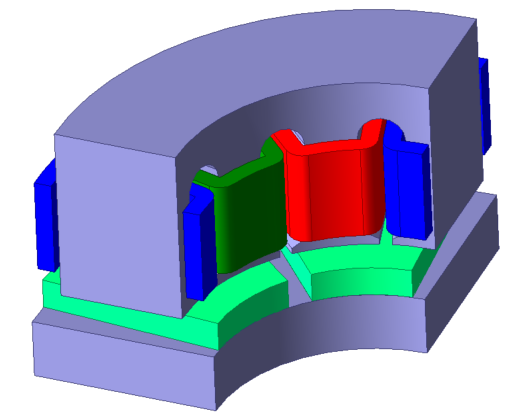
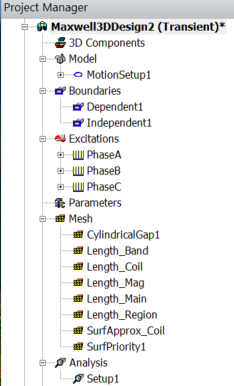
The video below walks through building this AFM Maxwell model in detail, and the model shown is available in the downloadable resources.