 Contact Us
Introduction: Ansys Fluent AI automation
AI-assisted engineering workflows are making it possible to automate increasingly complex simulation tasks through natural-language instructions, Python APIs, and reusable scripts. For Ansys Fluent users, PyFluent provides a programmatic interface for launching sessions, building meshes, configuring physics, applying boundary conditions, and controlling solver workflows.
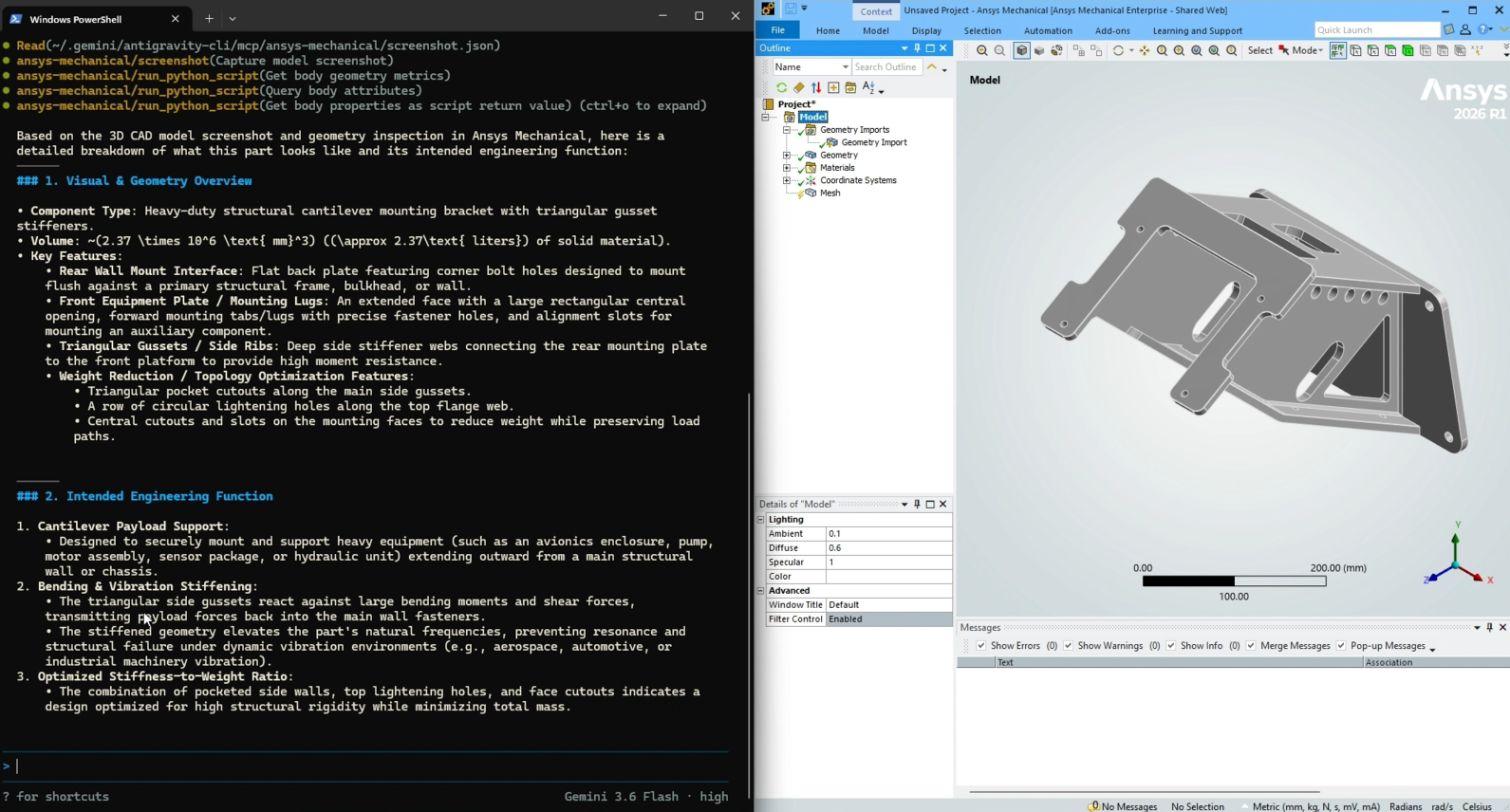
In a previous Tips & Tricks article, we explored Google Antigravity in an Ansys Mechanical workflow. Here, we extend that experiment into CFD using Claude and Ansys Fluent, with the same space-capsule model used in earlier Fluent demonstrations.
The goal is not simply to see whether an AI tool can generate Python code. Instead, this example examines whether Claude can interpret Ansys PyFluent documentation, construct a usable CFD automation workflow, respond to Fluent errors, and refine the script when the first attempt does not work as intended.
Google Antigravity provides a useful point of comparison throughout the exercise.
The Antigravity Baseline
We started with the Google Antigravity CLI, powered by Gemini, which had previously established a working baseline for this project. After first studying PyFluent through publicly available Ansys documentation and examples, it generated a script capable of launching Fluent, importing the space capsule CAD geometry, and running the Watertight Geometry meshing workflow. This provided a functional starting point for the subsequent AI-assisted automation experiments.
Building an Ansys Fluent Automation Workflow with Claude
Similarly, we asked Claude to study the publicly available PyFluent developer documentation from Ansys and build a reusable skill based on the Settings API.
Using that skill as its primary reference, Claude was then tasked with setting up the same case from start to finish:
- Launch Fluent in meshing mode with the GUI visible and keep the session running.
- Import the Discovery geometry using the Watertight Geometry workflow.
- Generate a coarse surface and volume mesh.
- Switch to solver mode and enable the energy equation with ideal-gas density.
- Configure a pressure-far-field boundary condition at Mach 1 and a 45° angle of attack in the X-Z plane.
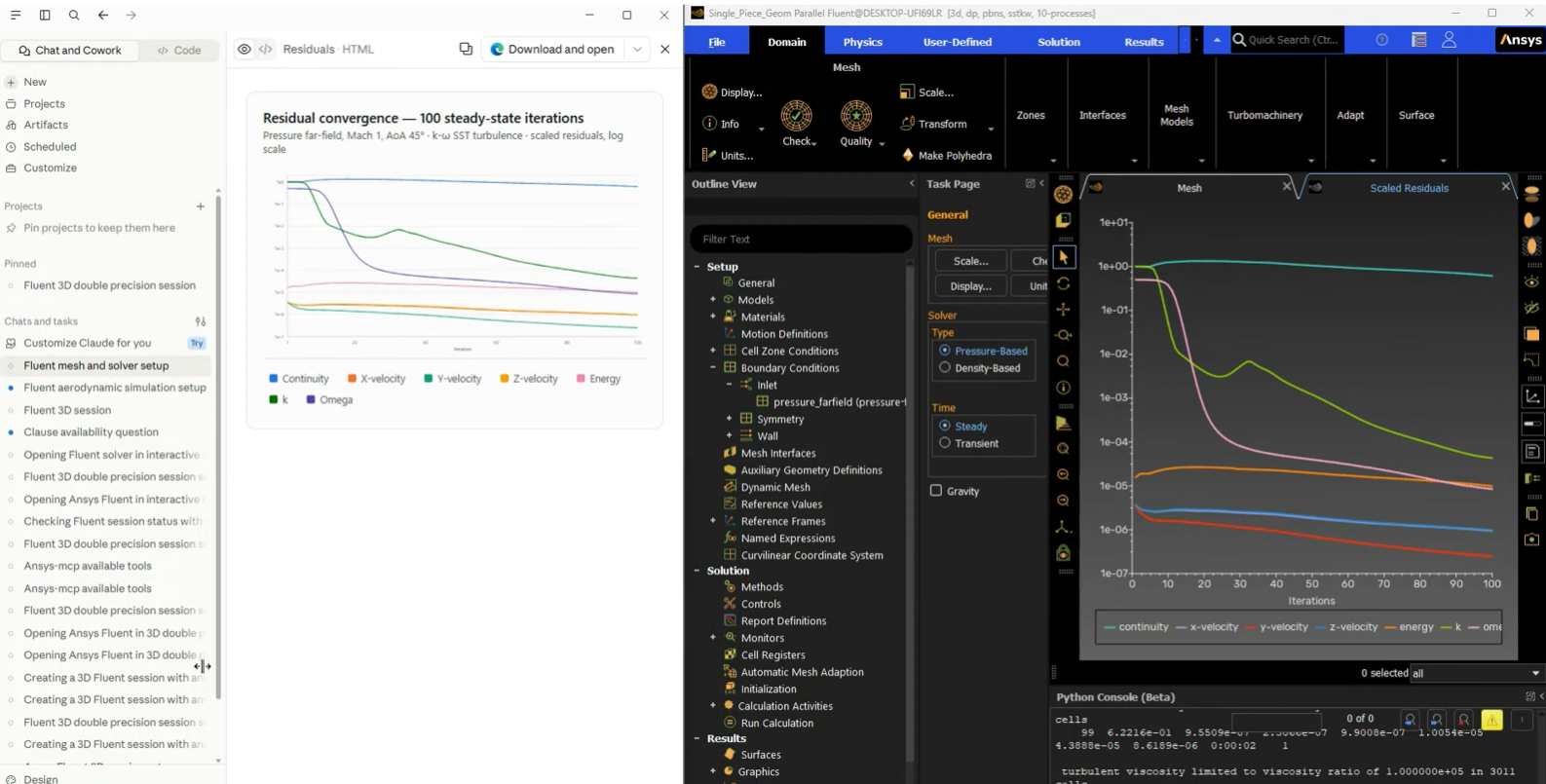
Claude generated a PyFluent script implementing these steps and saved the resulting workflow for execution. During the initial run, the script progressed successfully through meshing and solver setup but failed while configuring the boundary conditions. The issue stemmed from two incorrect assumptions: Claude attempted to modify a boundary zone without first verifying that the zone existed with the expected type, and it introduced a viscosity setting that was not required by the workflow.
The debugging process was straightforward. Using the Fluent error messages as feedback, we asked Claude to diagnose the failure and compare its script against the previously generated Google Antigravity implementation. Claude identified the root causes of the issues through this combination of error analysis and cross-comparison.
On the second run, script worked end-to end with properly configured pressure-far-field condition — Mach 1, with the 0.7071/0.7071 flow-direction split confirming the 45° angle of attack was set correctly. The mesh check passed and the session was left open and interactive for further work.
What This AI-Assisted Fluent Workflow Shows
Both Claude and Google Antigravity were able to support the development of a PyFluent workflow for the same CFD case, but neither approach eliminates the need for engineering oversight.
Claude’s initial script progressed through meshing and solver setup before encountering problems with boundary-condition configuration. By using Fluent’s error messages, additional guidance, and comparison with the previously working implementation, Claude identified the issues and produced a successful second run.
The exercise highlights an important point about AI-assisted Ansys Fluent automation: the effectiveness of the workflow depends not only on the AI model, but also on the quality of the technical references, requirements, engineering context, and feedback supplied throughout the process. AI can accelerate scripting and troubleshooting, but the engineer remains responsible for validating the setup and resulting simulation.
Watch the video to see the complete Claude and PyFluent workflow in action.
Exploring AI automation for your Ansys Fluent workflows?
SimuTech Group’s Fluids engineers can help your team develop, troubleshoot, and improve Ansys Fluent and PyFluent automation workflows, from repeatable model setup and scripting to CFD best practices and simulation support. Connect with SimuTech Group to discuss your application.

Ertan Taskin, Ph.D., Chemical Engineering
Principal Engineer, SimuTech Group
Ertan is a Principal Engineer with more than two decades of experience in CFD, fluid-structure interaction, and biomedical device design. He has advanced ventricular assist devices, transcatheter heart valves, and artificial lungs through hydraulic optimization, in vitro validation, predictive modeling, and AI-driven data analysis. His recent work integrates machine learning for performance prediction and design optimization. His career includes senior engineering roles at Medtronic, HeartWare, Roketsan, and Ozen Engineering, where he led projects spanning medical devices and aerospace propulsion. Ertan’s expertise includes blood damage modeling, uncertainty quantification, integrated thermo-fluid systems, and AI-assisted simulation workflows. He holds a Ph.D. in Chemical Engineering from Worcester Polytechnic Institute, along with Master’s and Bachelor’s degrees in Chemical Engineering from Middle East Technical University.