
 Contact Us
Ansys Computational Fluid Dynamics (CFD) Training in Ansys Fluent
Course Overview:
This paid CFD 101 course is suitable for beginners looking to get started with Ansys Fluent or revisit concepts and methods. Learn how to perform computational fluid dynamics (CFD) in Ansys Fluent.
Who should take this course:
- Beginners who need a comprehensive overview of Ansys Fluent.
- Intermediate users who do not have a strong foundation and would like to thoroughly learn basic concepts.
With completion of this Ansys CFD Training, you will:
- Become proficient in:
- Basics of CFD analysis
- Geometry preparation with Ansys Discovery Modeling
- Meshing using Fluent Meshing
- Applying Boundary Conditions
- Using Fluent solvers and options
- Reviewing Fluent results
- Receive an official certificate of completion with professional development hours that can qualify for the continuing education requirements upon renewal of a PE license in most states.
Contact for CFD 101 Training
Course Agenda | CFD 101
CFD Overview
Module 1: Discovery User Interface and Basic Operations
• Workshop 1.1: Extracting a Fluid Volume in Discovery
• Workshop 1.2: Repairing Geometry in Discovery
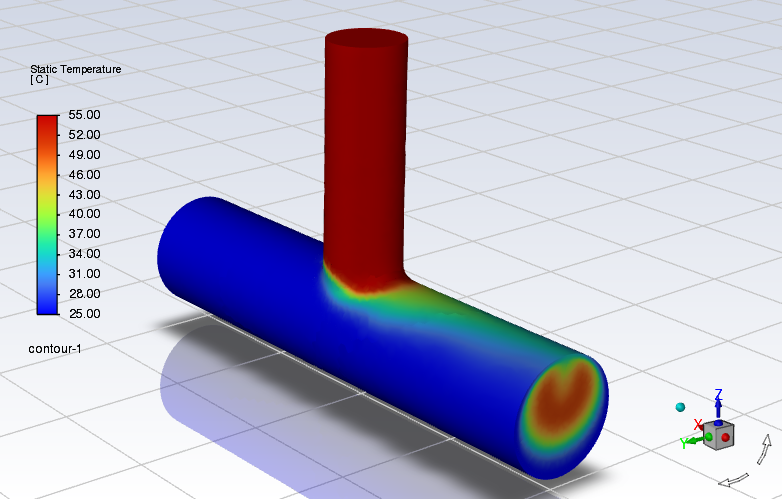
• Workshop 1.3: Creating Mixing Tee Geometry
• Workshop 1.4: Named Selections and Body of Influence (BOI)
Module 2: Fluent Single Window Workflow Demo
• Workshop 2: Mixing Tee
Module 3: Fluent Watertight Surface Meshing
• Workshop 3: Static Mixer
Module 4: Geometry Description and Volume Meshing
• Workshop 4.1: Heat Sink
• Workshop 4.2: Arcjet
Module 5: Fluent Workspace
• Workshop 5: Manifold
Module 6: Physics Tab
• Workshop 6: Addition of Turning Vanes to a Rectangular Duct
Module 7: Results Tab
• Workshop 7: Flow Over Heated Obstacles
Module 8: Solution Tab
• Workshop 8: Solution
Module 9: Best Practice Guidelines
• Workshop 9: Transonic Flow over an Airfoil
Module 10: Turbulence
• Workshop 10: Backward Facing Step
Module 11: Heat Transfer
• Workshop 11: Electronics Cooling
Module 12: Transient Flow
• Workshop 12: Vortex Shedding