Contact Us
Our comprehensive guide to building, validating, and evaluating Static ROM with Twin Builder CFD.
Why Static ROM Development for CFD Is Difficult
The CFD (Computational Fluid Dynamics) application of Twin Builder is a powerful tool for simulating fluid flow and heat transfer. It offers a detailed analysis of the interactions between fluids and surfaces, crucial for designing efficient systems.
Developing and validating a static ROM is not without challenges. Common issues include ensuring model accuracy, handling large datasets, and maintaining computational efficiency.
Addressing these challenges requires a deep understanding of both the CFD processes and the underlying physical phenomena being modeled.
How Twin Builder Simplifies ROM Development
A digital twin with a reduced-order model (ROM) can help engineers overcome the challenges of ROM development by leveraging advanced tools and methodologies. Twin Builder provides robust capabilities for model reduction, validation, and optimization.
A ROM is a simplification of a high-fidelity model. It preserves the essential and dominant behavior. Provides real-time physical prediction with fewer computational resources, in orders-of-magnitude faster times, with high accuracy. In Ansys Twin Builder, ROMs are classified by output behavior as static or dynamic (Figure 1).
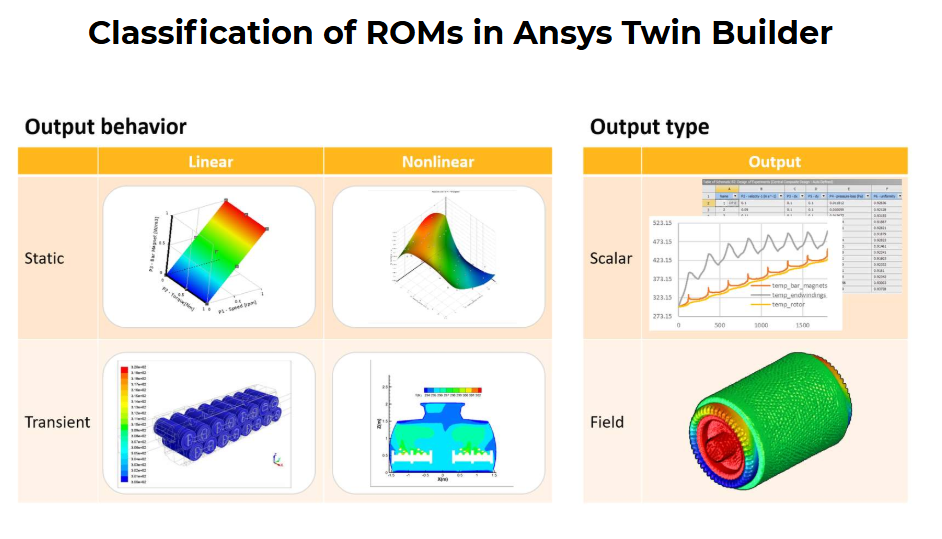
Figure 1. Classification of ROMs in Ansys Twin Builder
In this blog, we demonstrate a static ROM application on a simple 2D mixing elbow geometry. The Fluid flow analysis was carried out using Fluent for a range of velocity magnitudes at both large and small inlets (Figure 2).
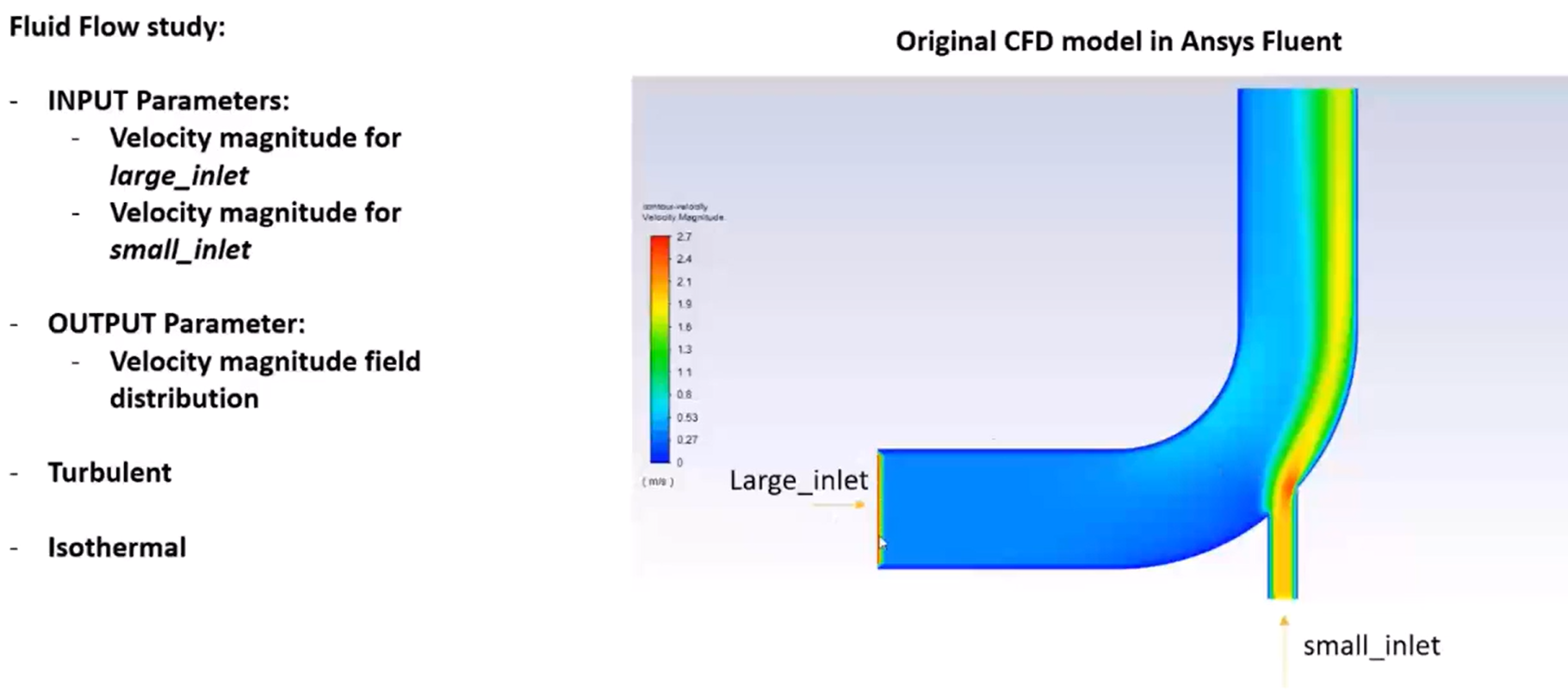
Figure 2. The mixing elbow geometry and model settings
Step-by-Step Static ROM Workflow in Twin Builder
The steps to build, validate, and evaluate the ROM are summarized as follows:
1. Open Ansys Twin Builder, and launch a Static ROM (browse the folder to open the already prepared files).
2. Once all the design points are loaded, explore the snapshots (Figure 3).
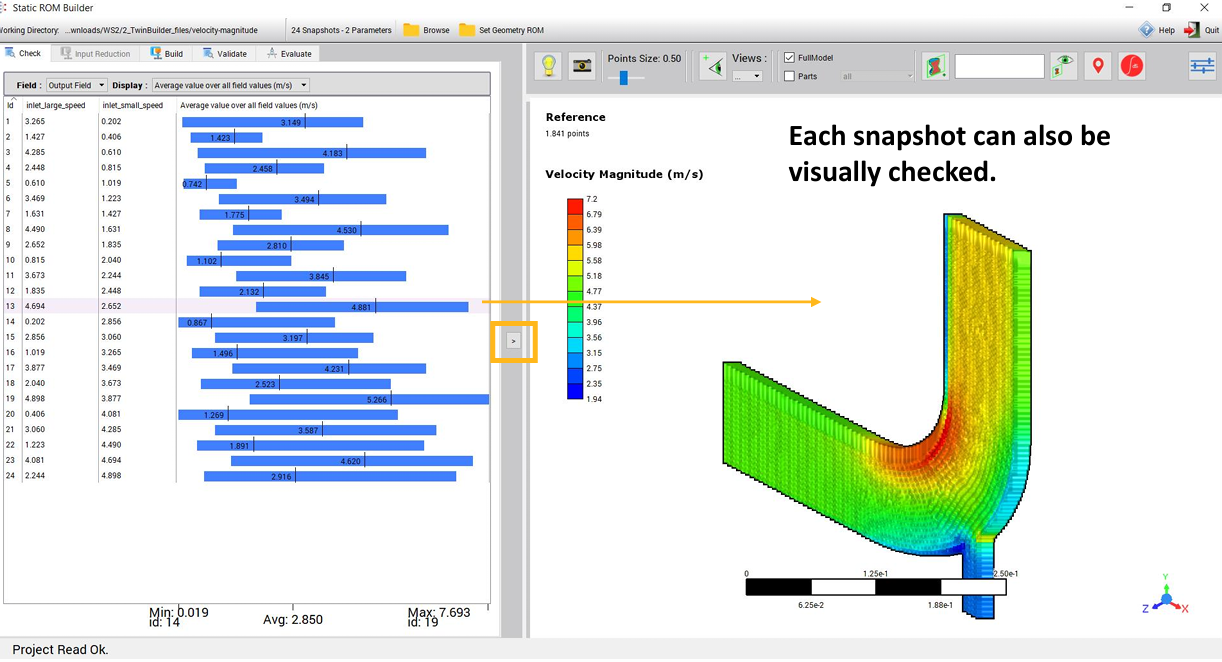
Figure 3. Explore the design points
3. Build the ROM with mode reduction. Add the design points with high errors to enhance the model (Figure 4).
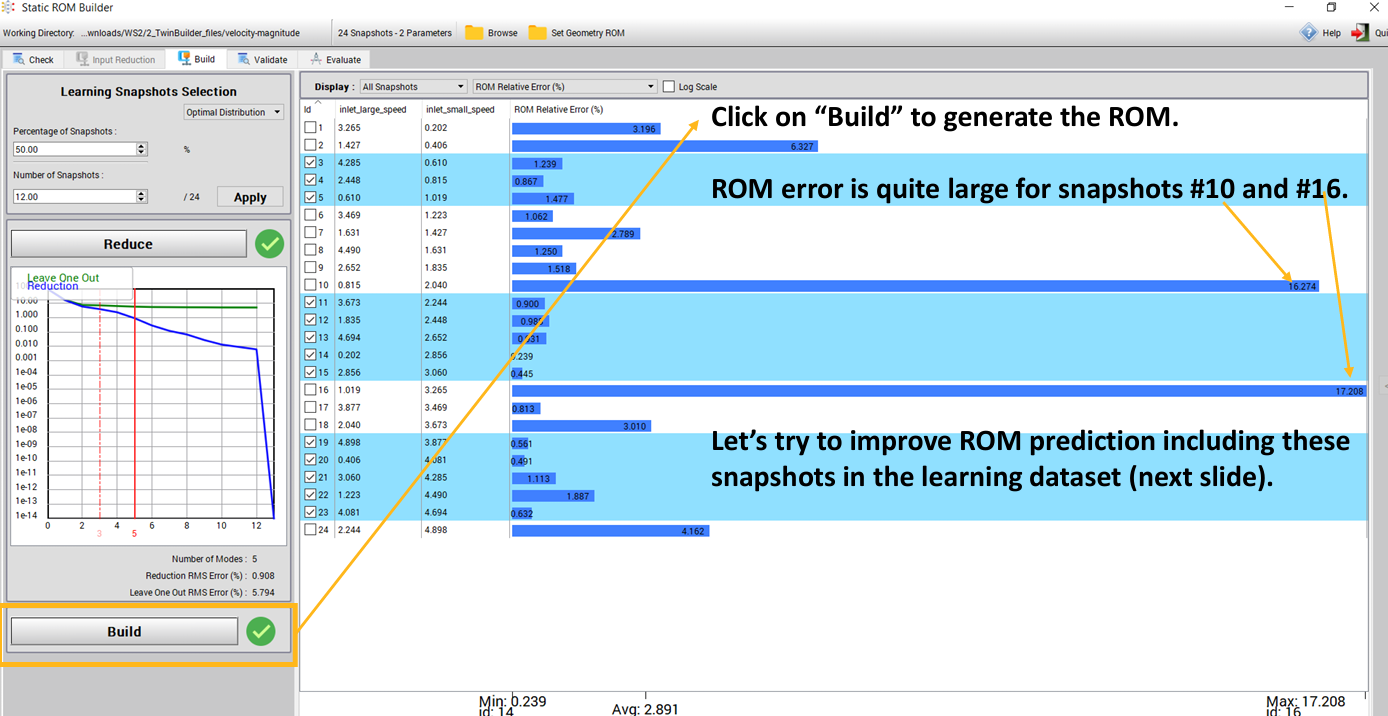
Figure 4. Build the ROM, modify to improve the ROM prediction
4. Validate the ROM predictions relative to the reference (the Fluent results – Figure 5).
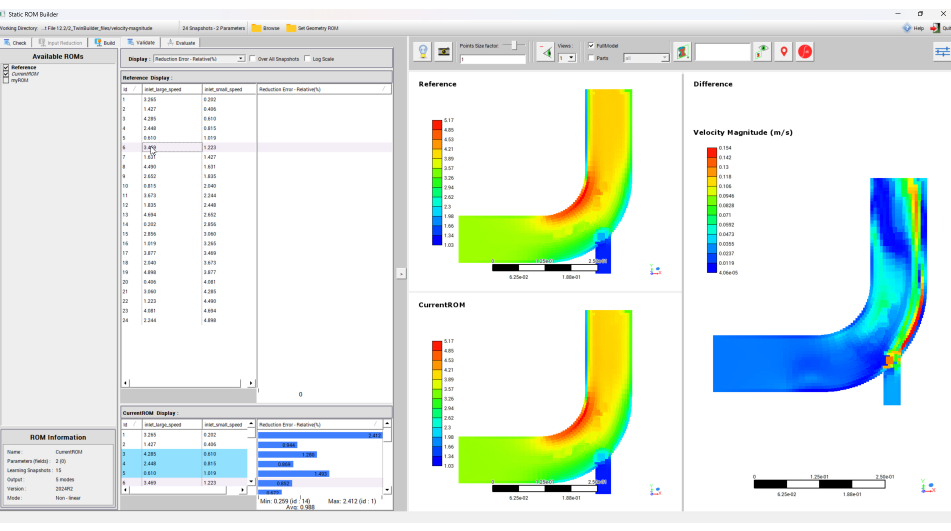
Figure 5. Validate the ROM for all design points
5. Export the ROM to Twin Builder.
The details of these steps can be found in the video below.
Benefits of Static ROMs for CFD Simulation
The primary benefit of using static ROMs is the significant reduction in computational time and resources. This enables faster simulations and more efficient design iterations.
Additionally, ROMs enable real-time analysis and decision-making, which is critical in dynamic, high-stakes environments.
Want to build digital twins or reduce CFD simulation time with ROMs? SimuTech Group’s CFD consulting engineers work with Ansys Twin Builder, Fluent, and the full digital twin workflow. For more on reduced-order modeling, see our article on SVD-based reduced-order models for battery module thermal simulation. Learn more about Ansys Twin Builder or contact us to discuss your project.