Contact Us
What Is Geometric Image Analysis in Zemax?
In Ansys Zemax OpticStudio, Geometric Image Analysis is an effective method for studying the behavior of optical systems governed by geometric optics. This blog article explains how to use the Geometric Image Analysis feature to create cross-section plots and obtain optical performance data for an extended source. The Geometric Image Analysis tool also enables examination of point or extended-source objects in systems effectively described by geometric optics.
Geometric Image Analysis is a valuable tool for assessing the image quality of an aberrated beam on any given surface. It allows the object to be modeled as either a point source (by setting the Field Size to zero) or an extended source (with a non-zero Field Size). The tool also provides options to define the size and pixel resolution of the detector used to capture the image on the surface of interest.
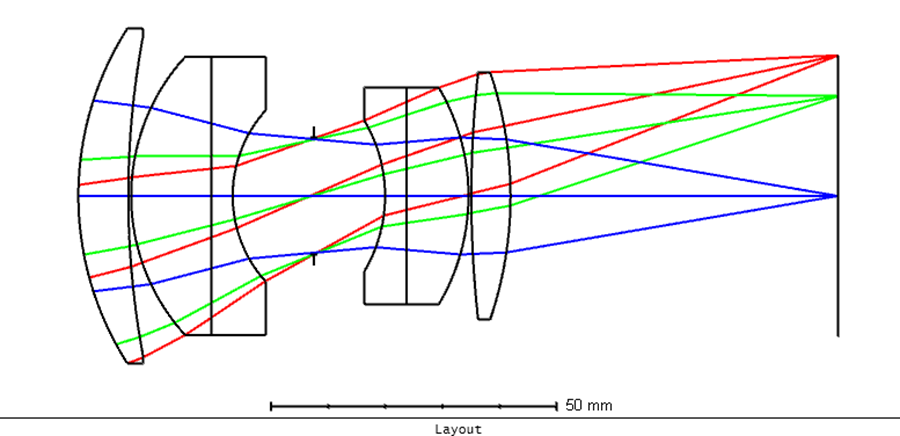
Here we use a Double Gauss lens with a 28-degree field as an example from the Zemax installation folder. The lens structure is shown below:
Setting Up Geometric Image Analysis
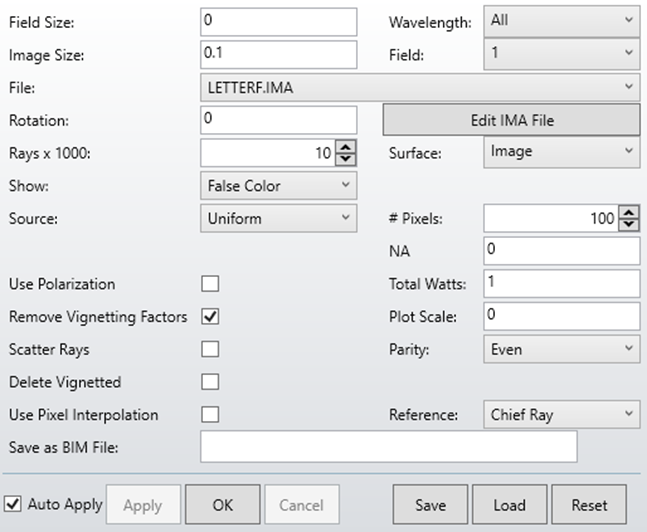
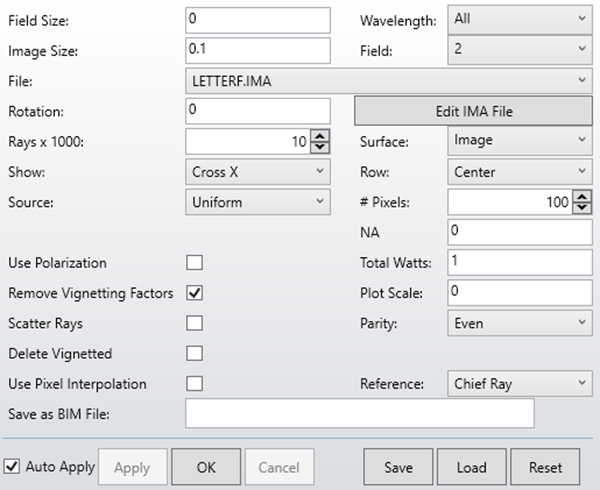
The Geometric Image Analysis settings can be found at: Analysis > Extended Scene Analysis > Geometric Image Analysis. The images below show results for 0-, 10-, and 14-degree inputs at a small image scale of 0.1 mm.
0 degrees
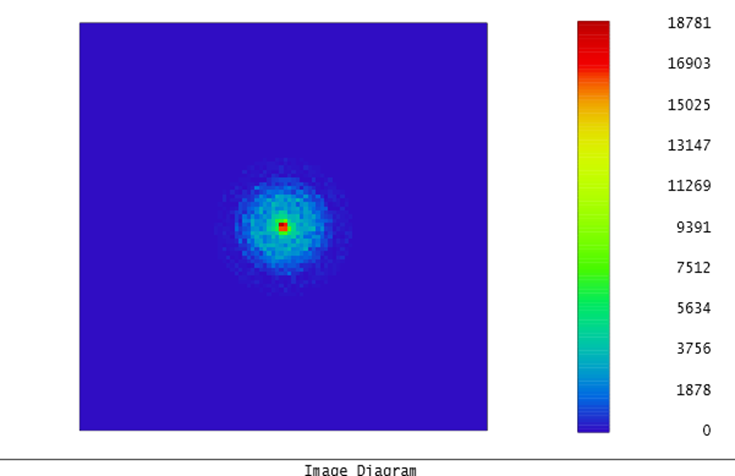
10 degrees
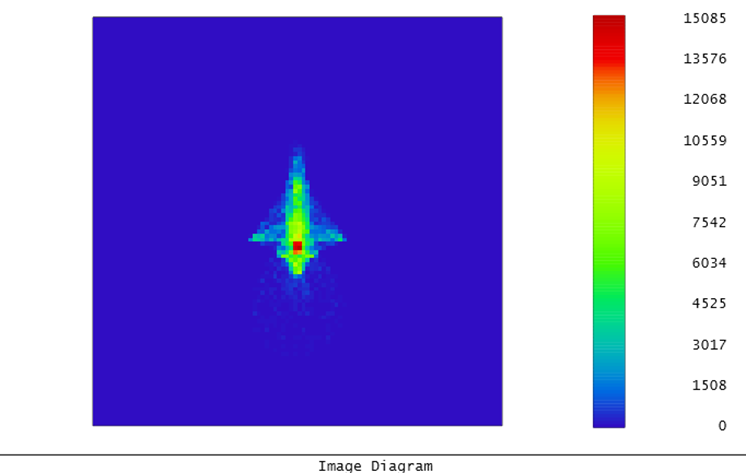
14 degrees
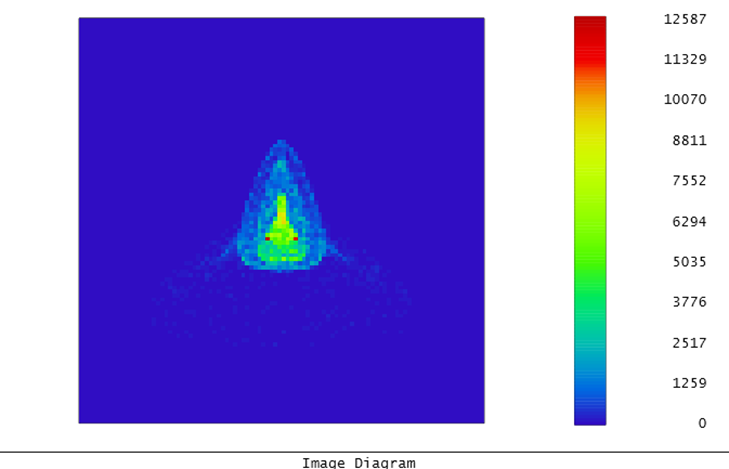
With the Field setting, the image file is centered on the defined field position. This allows a small target, such as a bar chart, to be moved to any location in the field of view. The resulting image is then centered on the chief ray coordinate of that field position.
Cross-Section Intensity Plots
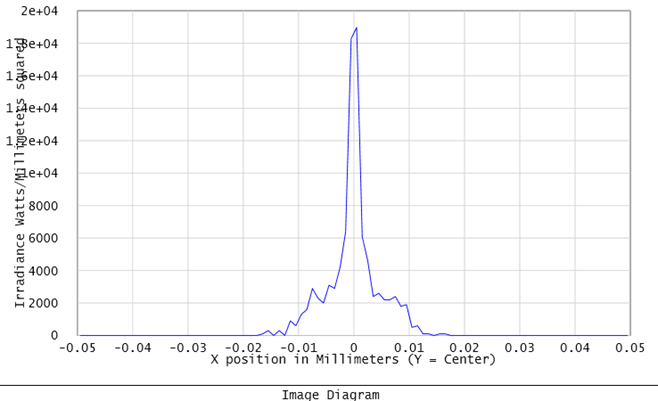
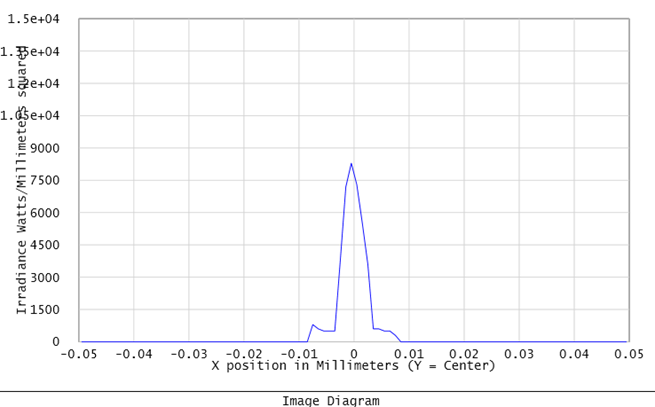
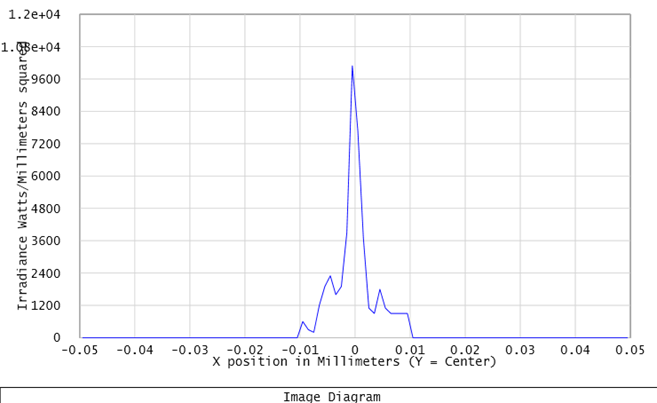
If “Show” is selected under the Cross Section option, the X or Y cross-section of intensity along the center row is displayed, as shown below:
0 degrees
10 degrees
14 degrees
Using the IMAE Operand for Image Analysis Data
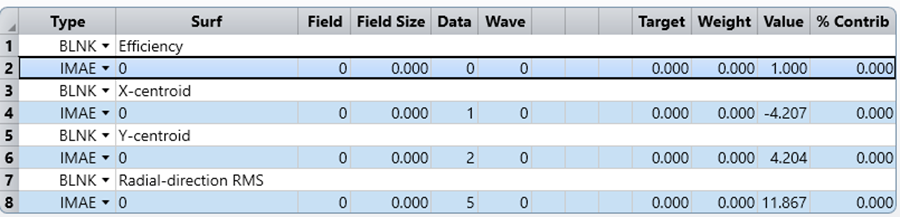
The operand IMAE returns image analysis data. This operand provides fractional efficiency, centroid, or RMS data computed by the Geometric Image Analysis feature, using the current default settings. To use this operand, first define the settings in the Geometric Image Analysis feature as desired, then press Save on the settings box. The IMAE operand will then return the desired data as computed by the image analysis feature.
The merit function below demonstrates the use of the IMAE operand to perform image analysis, returning estimates of the efficiency of an optical system. These estimates are made by launching many rays into the entrance pupil and computing the fraction of rays that pass through all surface apertures to any surface.
Enlarged Field and Grid Source Example
If we enlarge the field size to 1 and the image size to 3, using a Grid source file as input, the image result appears as shown below:
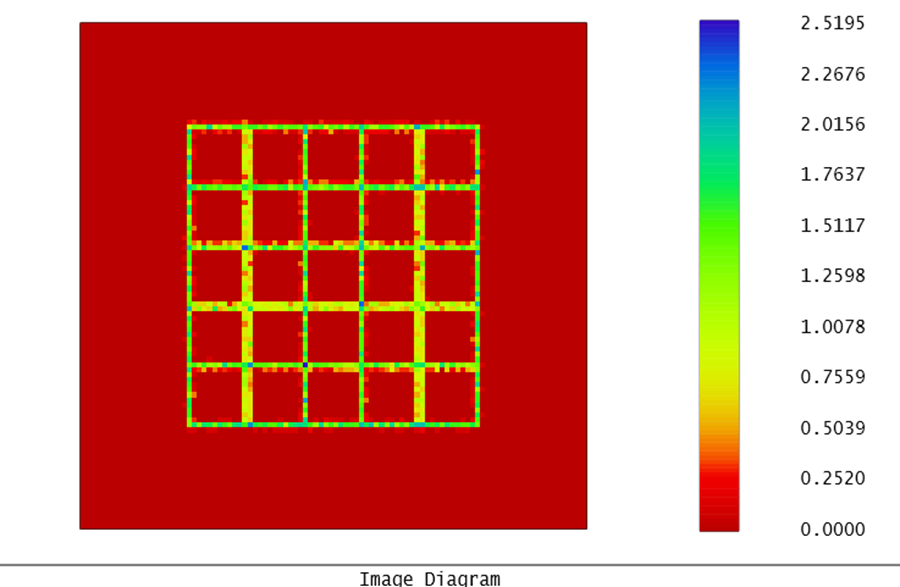
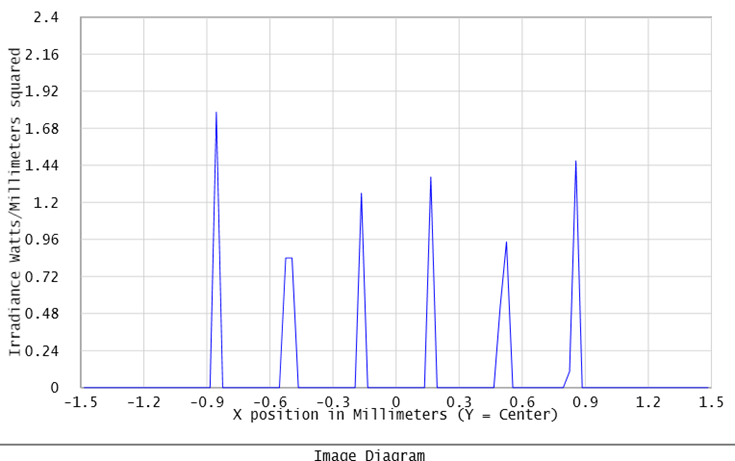
The cross-sectional view in X is shown below:
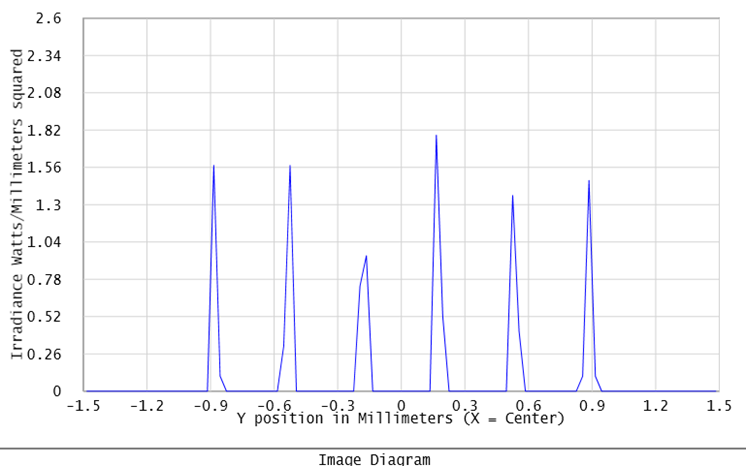
The cross-sectional view in Y is shown below:
Summary
Geometric Image Analysis provides a quick evaluation tool in Zemax sequential mode to visualize the light distribution at the image plane, given a defined field, aperture, and wavelength. Compared to non-sequential mode, it offers a limited selection of source shapes in the “File” tab, but provides a quick overall view of the light distribution without requiring conversion to non-sequential mode.
Want to build confidence with Zemax OpticStudio? SimuTech Group’s Zemax 101 training course covers optical design fundamentals including aberrations, optimization, and image simulation. For more on what Zemax can do across your full optical workflow, read our guide to maximizing optical workflows with Ansys Zemax. Contact us to discuss your optical design needs.