Contact Us
Simpleware and FreeFlow for Patient-Specific Blood Flow Modeling
Patient-specific blood flow modeling can help researchers and engineering teams better understand the complex hemodynamics inside cerebral aneurysms. By coupling Synopsys Simpleware with FreeFlow, medical imaging data can be segmented, cleaned, and converted into simulation-ready vessel models for advanced SPH-based fluid analysis. This workflow provides a practical path for evaluating velocity patterns, wall shear stress, and other flow indicators that are difficult to observe through imaging alone.
The Challenge
Blood flow patterns are extremely relevant for human health. CFD and SPH can provide valuable insight
One of the complications with blood flow and vessel are brain aneurysms, which are bulges in cerebral arteries that can rupture, causing serious medical emergencies. Predicting which aneurysms are at risk of rupture is difficult because the flow of blood inside them is complex. Within the aneurysm, blood may form recirculation zones, jets, and regions of very slow flow. These patterns influence the stress on the vessel wall, which in turn affects aneurysm growth and rupture potential. Traditional imaging alone cannot reveal the detailed flow dynamics inside these fragile structures.
The Engineering Solution
Computational modeling offers a way to study aneurysm hemodynamics safely and in detail. Using techniques like Smoothed Particle Hydrodynamics (SPH) or conventional CFD, engineers can simulate blood moving through patient-specific vessel geometries. Blood flow is usually modeled as pulsatile, representing the heartbeat with realistic period and amplitude.
Key metrics analyzed near the aneurysm wall include the wall shear stress (WSS) and how it changes and oscillates over time.
Blood vessel images were masked and processed using Synopsys Simpleware, and converted into STL. Synoposys Simpleware can also generate CFD meshes that can be used in other applications, such as Ansys Fluent.
These simulations often start with STL models of cerebral arteries or aneurysms, allowing engineers to recreate realistic vessel geometries.
Using Synopsys Simpleware and FreeFlow for Blood Flow Modeling
Synopsys Simpleware is an image processing and model generation platform that converts 3D scan data (such as CT or MRI) into high-quality, simulation-ready geometries and meshes. It enables engineers and researchers to segment complex structures, clean and refine anatomical or industrial models, and seamlessly prepare them for downstream analysis in CFD, FEA, and other simulation tools. DICOM images from AneuriskWeb project website were downloaded and opened in Simpleware for processing. To extract and clean the volume corresponding to the blood vessels, a number of steps were taken, including image segmentation to extract only the regions of interest, flood fill to remove isolated pixels or regions ensuring all vessels are connected, and Recursive Gaussian smoothing filtering to have a smooth surface. Mesh was also generated with the specified boundaries, including inlets and outlets. The mesh file (.msh) was then transferred as a geometry into FreeFlow.
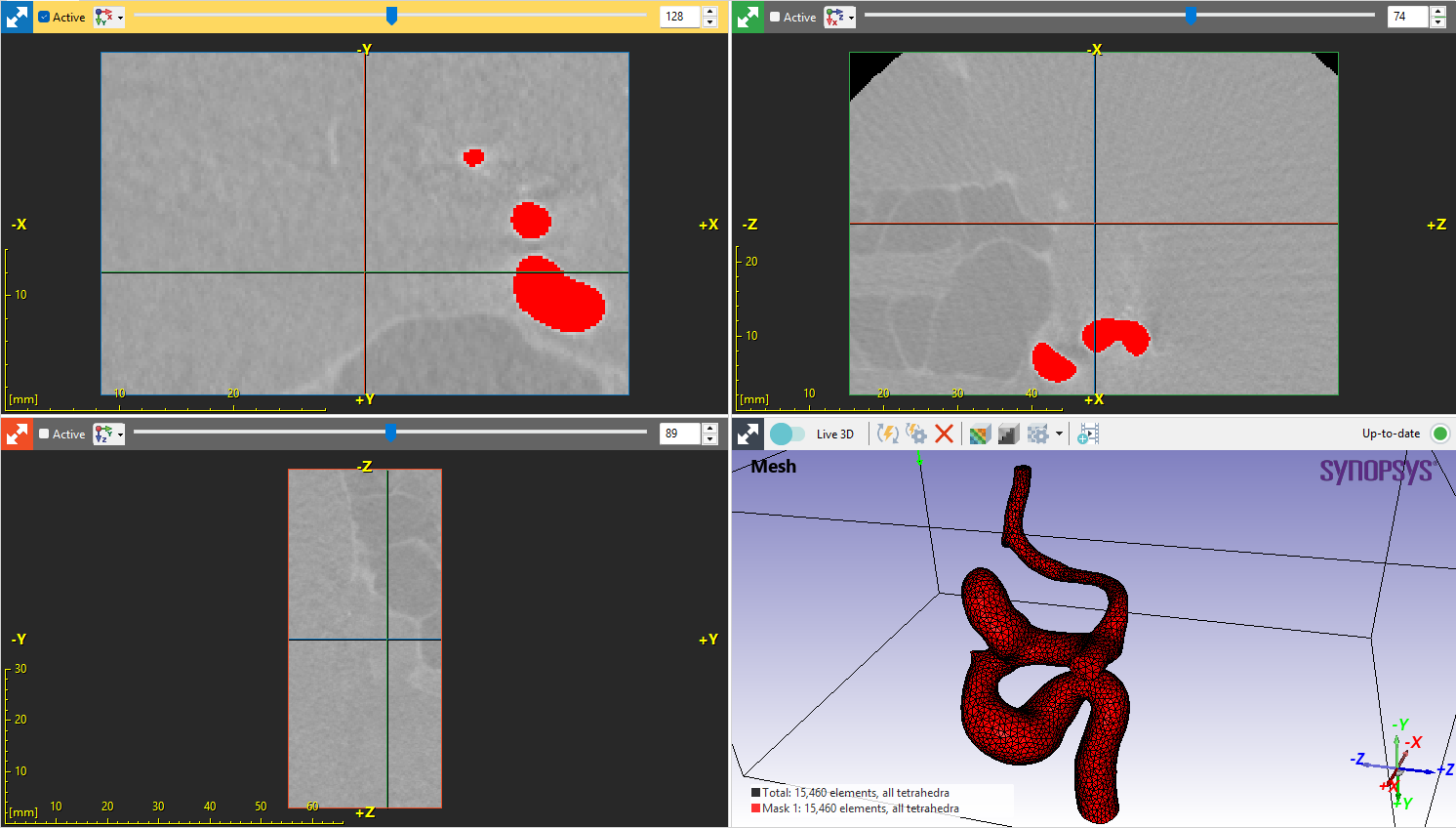
FreeFlow SPH Model
Building on the Simpleware model, FreeFlow is a particle-based simulation platform that uses Smoothed Particle Hydrodynamics (SPH) to model complex fluid behavior, including free-surface flows, multiphase interactions, and non-Newtonian fluids. It enables engineers to simulate highly dynamic fluid phenomena with adaptive resolution, providing detailed insight into flow patterns, forces, and transport processes in challenging geometries.
In this application, blood flow was modeled as a non-Newtonian fluid using the Non-Newtonian beta module with Power-Law.
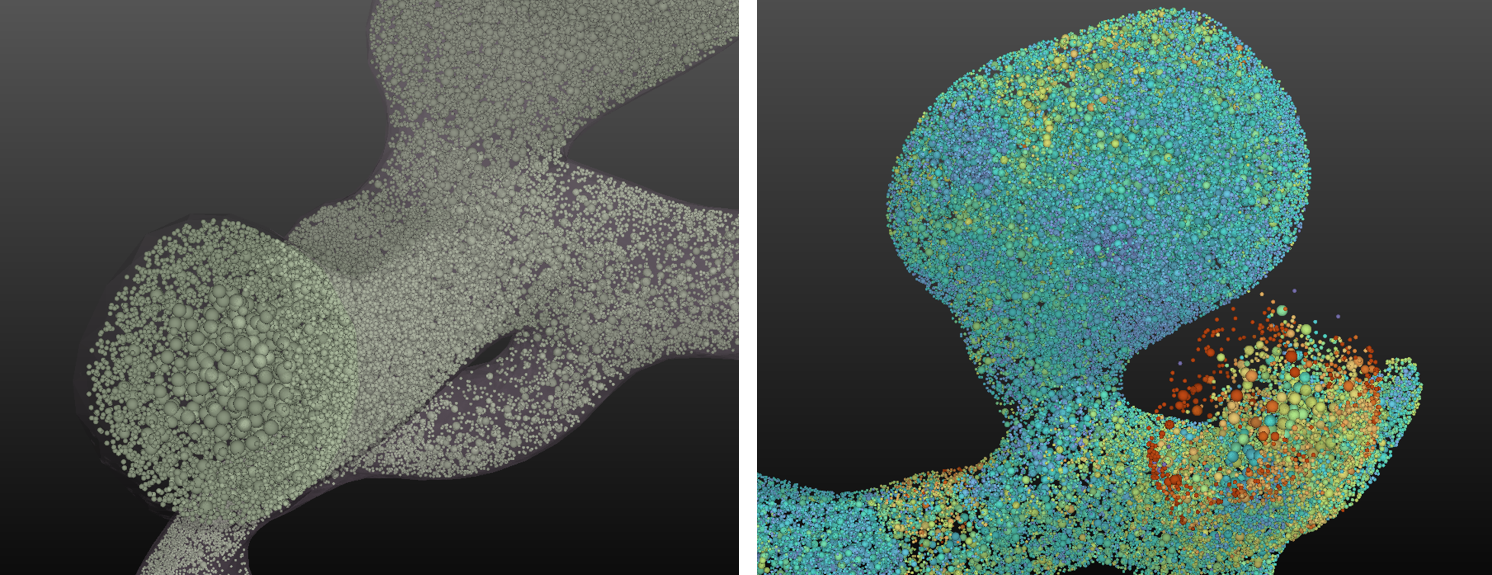
We employ the adaptive sizing for SPH directly within FreeFlow. This allows for refinement of SPH elements, especially in regions where it is needed the most, such as near walls. The refinement level can be visualized based on the element mass.
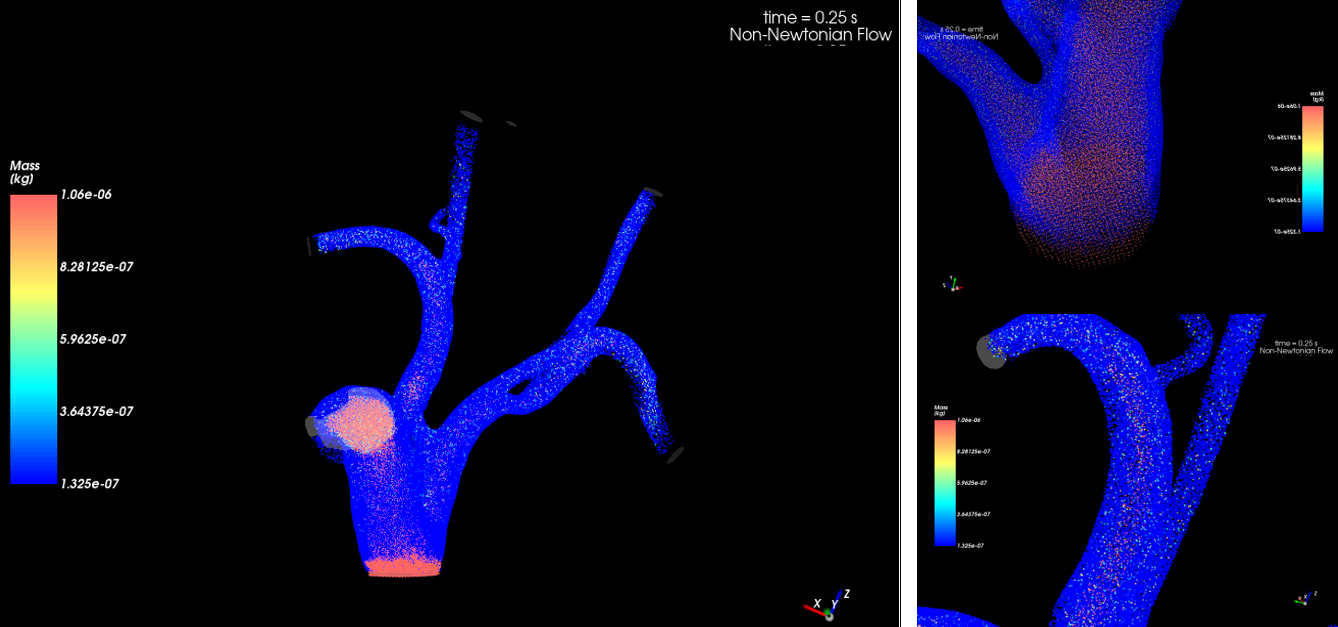
The change in SPH element size helps refine elements where it may be needed the most, such as near walls. We can visualize the different element sizes as rendered in EnSight.
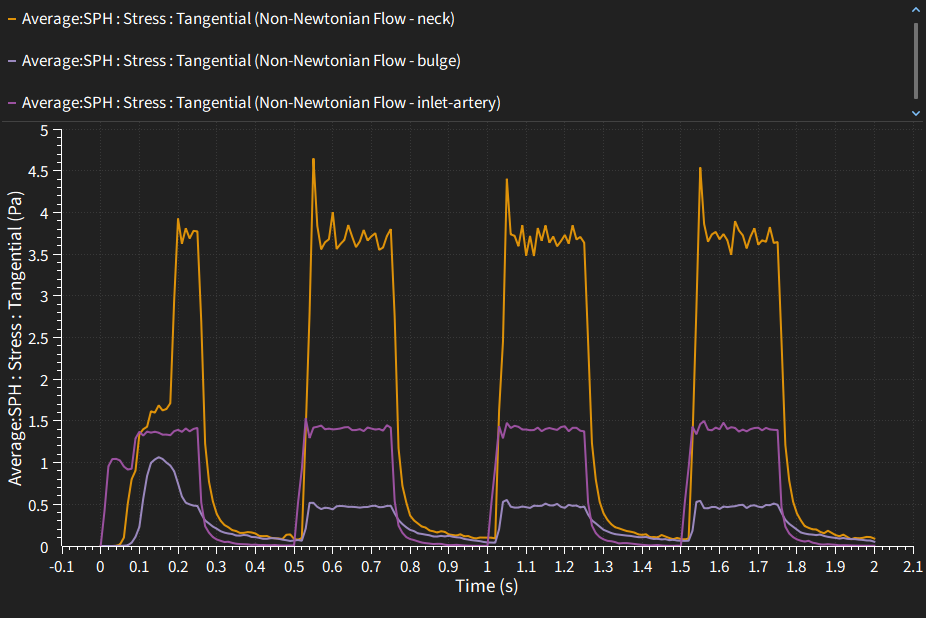
To better visualize the wall shear stress effects in different segments of the surface, we created three surfaces filters: one for a portion of the inlet artery upstream of the aneurysm, one for the “neck region” of the aneurysm, and another for the “bulge”, we observe a greater disparity in wall shear stresses between the neck of the aneurism and the bulge. When the blood flow turns into the aneurysm sac, a high-velocity jet forms, producing a large velocity gradient near the wall.
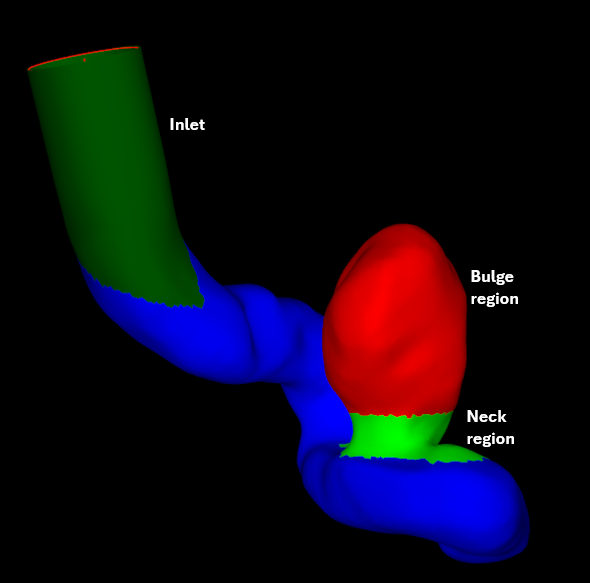
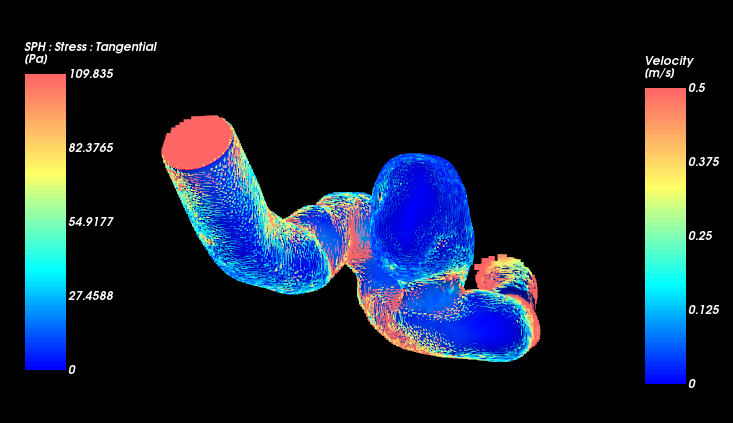
High WSS at the neck typically indicates:
Jet impingement zone
- Blood enters the aneurysm as a narrow jet.
- The jet strikes the wall near the neck.
Shear layer formation
- Strong velocity gradients between the jet and recirculating flow.
Vortex generation inside the sac
- After impingement, the flow usually forms a large recirculation vortex in the dome.
In contrast, we see a low velocity region in the bulge itself. This can cause wall Degeneration: Low flow, or “low wall shear stress” (WSS), is associated with pathological wall changes, such as inflammation and weakening. This occurs partly because of inflammation and weakening, as the slow-moving, recirculating blood flow allows inflammatory cells (like white blood cells) to settle and damage the inner wall, causing it to weaken and potentially rupture. With a more accurate model for viscosity, we also observe that regions with low velocity tend to see larger viscosity, because of the shear-thinning properties of blood itself.
Simpleware and FreeFlow Blood Flow Modeling: In Summary
Modeling brain aneurysms with computational fluid techniques bridges engineering and medicine by providing insight into blood flow patterns and wall stresses that cannot be observed directly in patients. By identifying regions of high and low wall shear, these models can help engineers, researchers, and clinicians better understand hemodynamic indicators associated with aneurysm behavior and treatment planning. As imaging and simulation tools improve, these workflows are becoming increasingly patient-specific, offering a safer, non-invasive way to study the delicate dynamics of cerebral aneurysms.
By analyzing flow patterns and wall forces, computational models produced using Simpleware and Freeflow, in this case, can also help evaluate high-risk regions and explore the potential impact of interventions such as stents or flow-diverting devices.
Turn Medical Imaging Data into Simulation Insight
From image segmentation to advanced blood flow modeling, SimuTech Group can help your team build patient-specific simulation workflows using tools like Synopsys Simpleware, Ansys Fluent, and other advanced solvers.

Tiago Lins
Staff Engineer Analyst – Fluids, SimuTech Group
Tiago Lins is a Staff Engineer Analyst at SimuTech Group, where he supports customers with advanced fluid dynamics simulation workflows and practical Ansys software expertise. His work helps engineering teams apply simulation more effectively across complex modeling, analysis, and validation challenges, including CFD, multiphysics workflows, and simulation-driven product development.