Contact Us
Built-In Antenna Tools in HFSS
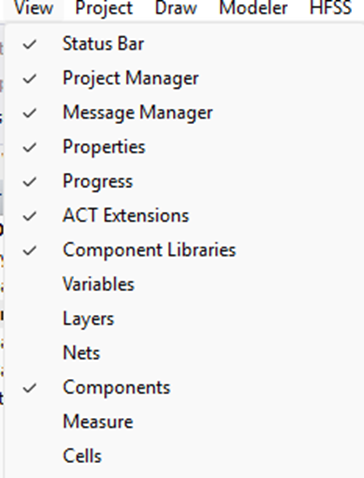
HFSS is equipped with many tools to help RF designers design components such as filters, matching networks, and antennas. One of these tools is the ACT extension. From View>ACT Extension.
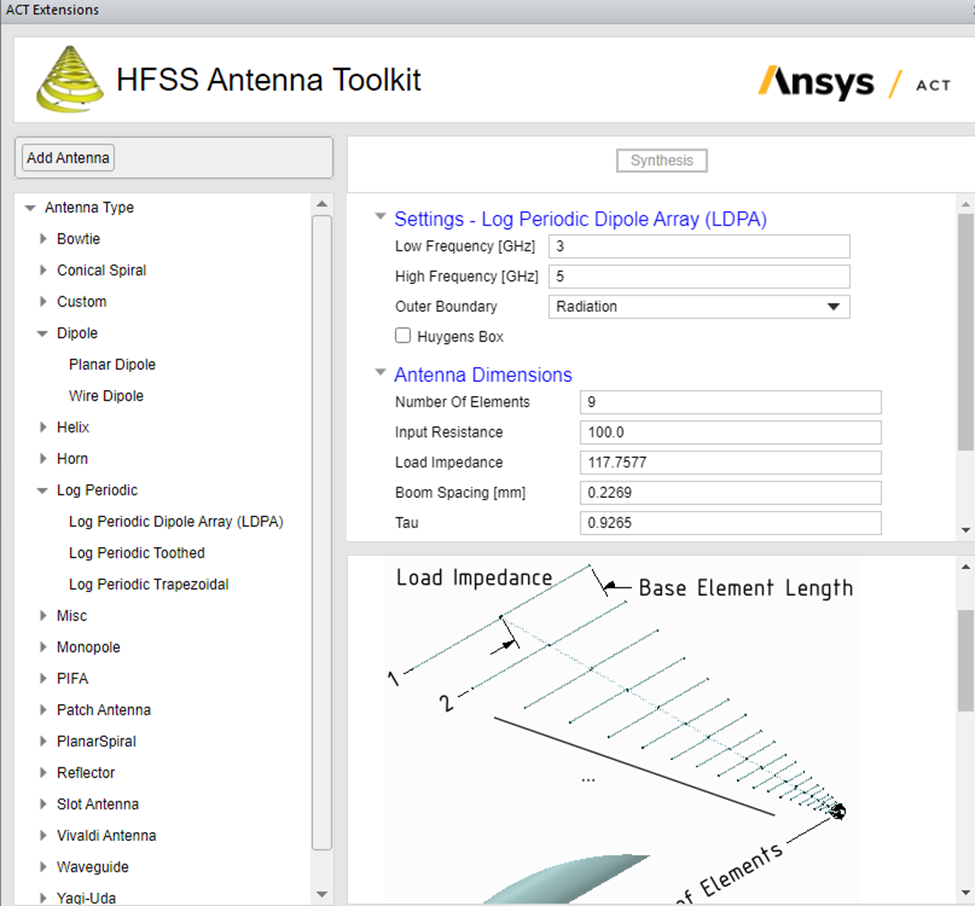
In the ACT extension, there is a section related to antennas. The user can use the ACT Wizard to design many antennas. One of these antennas is the log-periodic dipole antenna (LPDA). However, the tool does not allow for the synthesis of the antenna, so the user is limited to the given case.
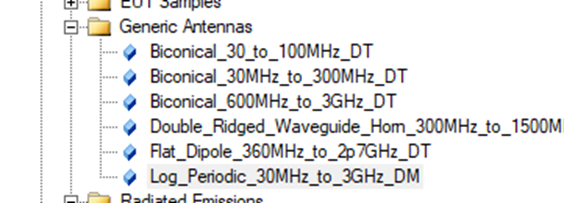
Also, HFSS has the component Libraries. Another location where users can find more components. View>Component Libraries. Additionally, this library features only one design.
Why Use a PyAEDT Script for Log-Periodic Antenna Design
This blog discusses how to create a script to design a log periodic antenna for any desired band. The script is written in PyAEDT format. HFSS can read many script types, including Python, IronPython, and PyAEDT. PyAEDT has more capabilities than IronPython and offers more functions. Therefore, the focus is on developing a PYAEDT program for this purpose.
PADL antennas have well-known formulae. We will be using these formulae to design the antenna. The designer can run HFSS and parametrize the antenna for further optimization.
Log-Periodic Dipole Antenna Formulae
The formulae of the log periodic antenna are:
L_max (longest dipole) = c/(2*Fmin)
L-min(shortest dipole) = c/(2*Fmax)
Where Fmin and Fmax are the limits of the band of interest.
N (number of elements) = int (max (log(L_min/L_max)/log(tau)))+1
Where tau stands for taper, and it is between 0.8-0.95.
sigma is the ratio of the spacing to the wavelength al Fmin
The antenna directivity is a function of tau and sigma. Decreasing sigma will decrease the antenna length, but decreasing tau will reduce both the length of the antenna and the number of elements (for unchanged spacing)
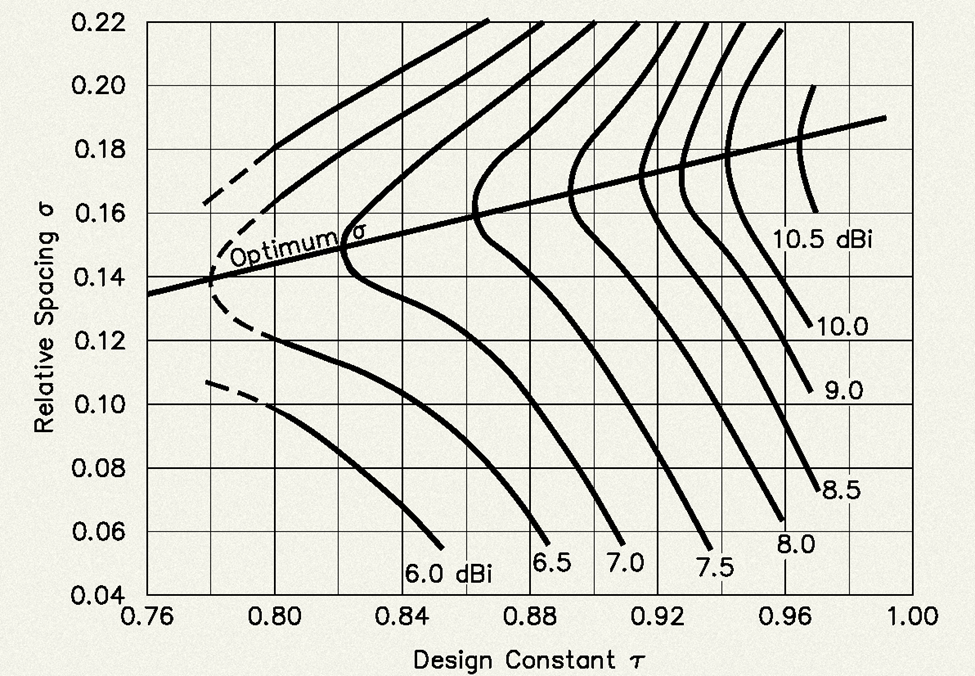
Reference: https://hamwaves.com/lpda/en/index.html
The size and spacing of the booms are related to the antenna’s impedance. The designer needs to run HFSS simulations to assemble a structure that achieves the desired impedance without the dipoles. Some designs vary the spacing between the two booms, with a wider spacing at the longest dipoles and a narrower spacing at the shortest dipoles.
Building the PyAEDT Script
Initialization and Parameters
First, start by initializing the codes:
from pyaedt import Hfss
import math
Next launch HFSSL
hfss = Hfss(projectname=”LPDA”, designname=”LPDA”, solution_type=”DrivenModal”, new_desktop_session=True)
Define the main parameters. These parameters need to be defined in the code before running it because the code has to perform many calculations to derive the dimensions of the antenna:
f_min = 300e6 # Hz
f_max = 3e9 # Hz
c = 3e11 # mm/s
tau = 0.9
sigma = 0.05
r = 1 # mm
Zshift = 3 (Pitch between the two booms and the dimension of the boom’s cross-section) # mm
Zgap = 1 (spacing between the two booms) # mm
Calculating Dipole Dimensions and Creating the Geometry
Now we start the calculation of the dipoles and the other dimensions:
L_max = c / (2 * f_min)
L_min = c / (2 * f_max)
N = int(math.ceil(math.log(L_min / L_max) / math.log(tau))) + 1
x_pos = 0 # X-position start
# Create Dipoles
dipole_names = []
for n in range(N):
L_n = L_max * (tau ** n)
d_n = sigma * L_n
half_len = L_n / 2
name1 = f”Dipole{n}_1″
name2 = f”Dipole{n}_2″
hfss.modeler.primitives.create_cylinder(cs_axis=”Y”,
position=[x_pos, -half_len, 0],
radius=r,
height=L_n,
name=name1,
matname=”copper”)
hfss.modeler.primitives.create_cylinder(cs_axis=”Y”,
position=[x_pos, half_len, 0],
radius=r,
height=-L_n,
name=name2,
matname=”copper”)
dipole_names.extend([name1, name2])
x_pos += d_n
Splitting Dipoles and Creating Booms
The above codes produce a log-periodic antenna with the dipoles attached to a single boom. We split them into two, then we move them by Zshift:
split_names = hfss.modeler.split(dipole_names, plane=”ZX”)
moved_objects = [name for name in split_names if “_Split1” in name]
hfss.modeler.move(moved_objects, [0, Zshift, Zshift])
We create the booms now:
Startofthebar = -r – Zshift
Lengthofthebar = x_pos + 2 * (r + Zshift)
StartofGap = (Zshift – Zgap) / 2
box1 = hfss.modeler.primitives.create_box(
[Startofthebar, 0, -(Zshift-Zgap)/2],
[Lengthofthebar, Zshift, Zshift-Zgap],
name=”Box1″,
matname=”vacuum”
)
hfss.modeler.change_material(“Box1”, “copper”)
hfss.modeler.duplicate_along_line(“Box1”, [0, 0, Zshift], 2)
Adding the Lumped Port
Now that we have an antenna, we need to add a port:
Endofthebar = x_pos + (r + Zshift)
HZshift = Zshift / 2
HZgap = Zgap / 2
EndofGap = StartofGap + Zgap
rectangle = hfss.modeler.primitives.create_rectangle(
position=[Endofthebar, 0, StartofGap],
dimension_list=[Zshift, Zgap],
cs_axis=”X”,
name=”Rectangle1″,
matname=”vacuum”
)
Assign lumped port:
hfss.create_lumped_port_to_sheet(sheet_name=”Rectangle1″,
axisdir=”Z”,
impedance=50,
start_point=[Endofthebar, HZshift, StartofGap],
end_point=[Endofthebar, HZshift, EndofGap])
And finally, we can close the project:
hfss.save_project()
hfss.release_desktop()
Parametrizing Dipole Lengths for Further Tuning
The user has an antenna designed for the required bandwidth. What if we want to parametrize the antenna to further optimize it? We want to optimize the dipole lengths while keeping the first and last ones fixed. So, we change the codes that create the dipoles to the following:
# Create Dipoles
dipole_names = []
for n in range(N):
L_n = L_max * (tau ** n)
d_n = sigma * L_n
half_len = L_n / 2
name1 = f”Dipole{n}_1″
name2 = f”Dipole{n}_2″
name3= f”DipoleLength{n}”
hfss[‘name3’] = L_n
hfss.modeler.primitives.create_cylinder(cs_axis=”Y”,
position=[x_pos, -half_len, 0],
radius=r,
height=”name3”,
name=name1,
matname=”copper”)
hfss.modeler.primitives.create_cylinder(cs_axis=”Y”,
position=[x_pos, half_len, 0],
radius=r,
height=”-name3”,
name=name2,
matname=”copper”)
dipole_names.extend([name1, name2])
x_pos += d_n
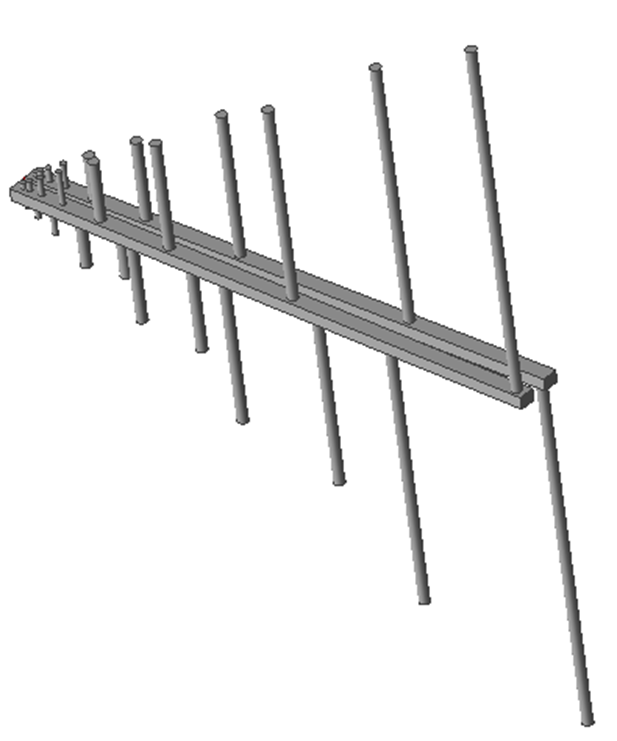
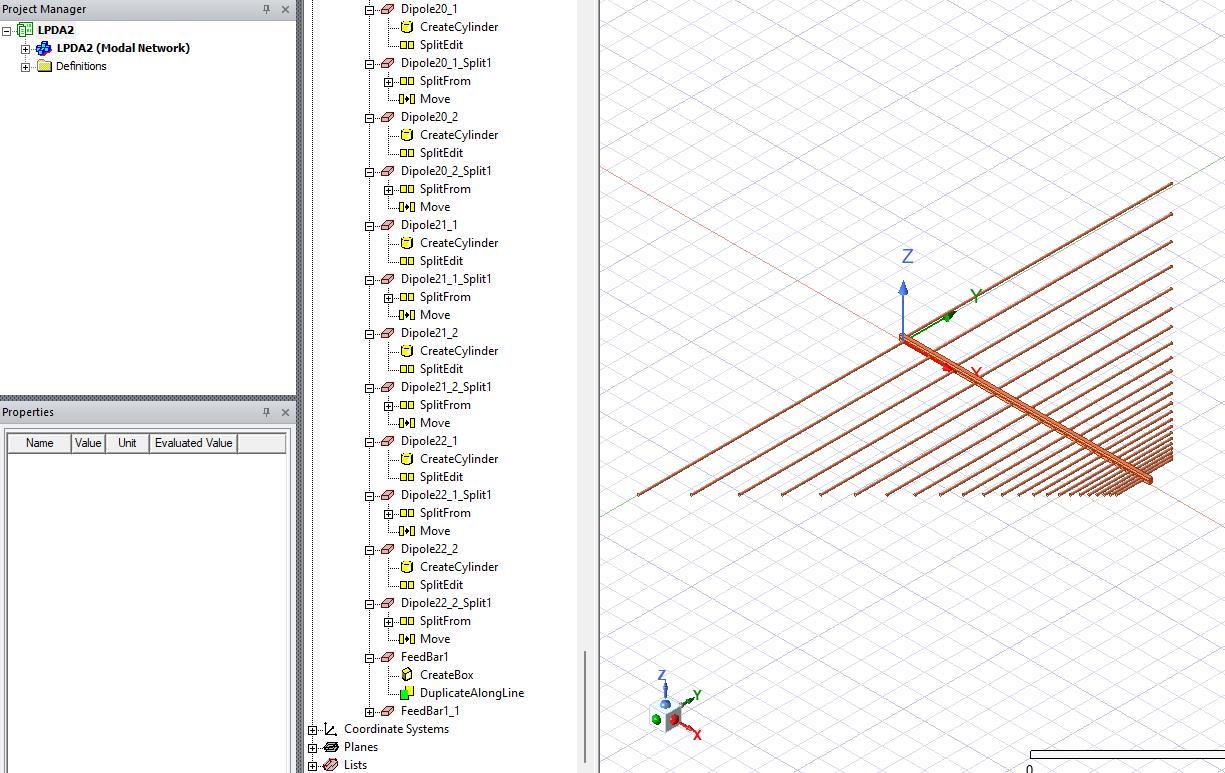
The final model, with parameterized dipoles, is shown below.
Downloadable Resources
PyAEDTFile
Designing broadband antennas or working with PyAEDT scripting in HFSS? SimuTech Group’s electromagnetic simulation consultants can help with antenna design, scripting, and simulation setup. For more on antenna simulation in HFSS, see our guide on antenna design using Ansys HFSS. Learn more about Ansys HFSS or contact us to discuss your project.