 Contact Us
Introduction to Symmetry
Using symmetry can significantly reduce model size and solve time in Ansys Mechanical, especially when rigid bodies are also used to simplify components that do not need detailed deformation results. In the example shown here, half symmetry reduces the node count by nearly 50% while maintaining very close agreement with the full model.
One complication is that a symmetry region cannot be scoped directly to a rigid body. This Ansys Mechanical symmetry example walks through a practical workaround: splitting the body near the symmetry plane so the symmetry condition can be applied to a flexible section, while bonded contact connects it to the rigid portion.
Simplifying your model to utilize half symmetry as well as using rigid bodies significantly reduces the mesh size and can allow you to solve models faster, reduce file sizes, or add higher mesh refinement. When working with large models that push the limits of your hardware, this can help simplify enough to successful solve or to be able to solve with the direct solver rather than the iterative solver which is significantly faster but requires sufficient available RAM.
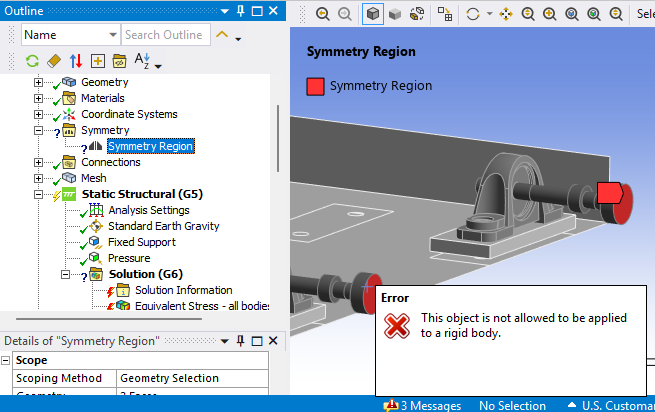
But what do you do when you get the following error message due to scoping a symmetry region to a face on a rigid body?
One workaround to this is to split the rigid body near the symmetry plane so a flexible body can be used to define the symmetry face. Bonded contact can be used to connect the rigid and flexible bodies as shown in the blue box in the example below.
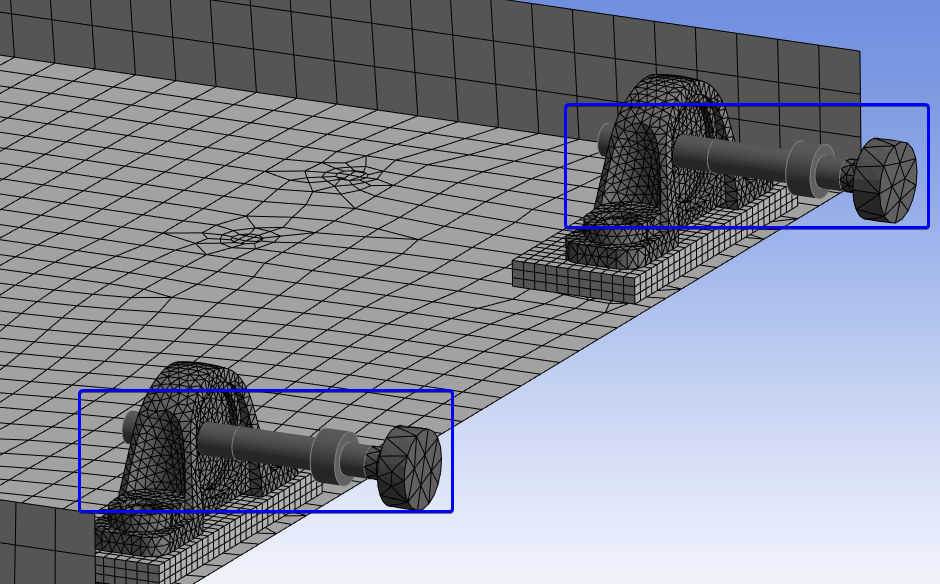
Now there is no question mark next to the Symmetry Region object in the outline tree.
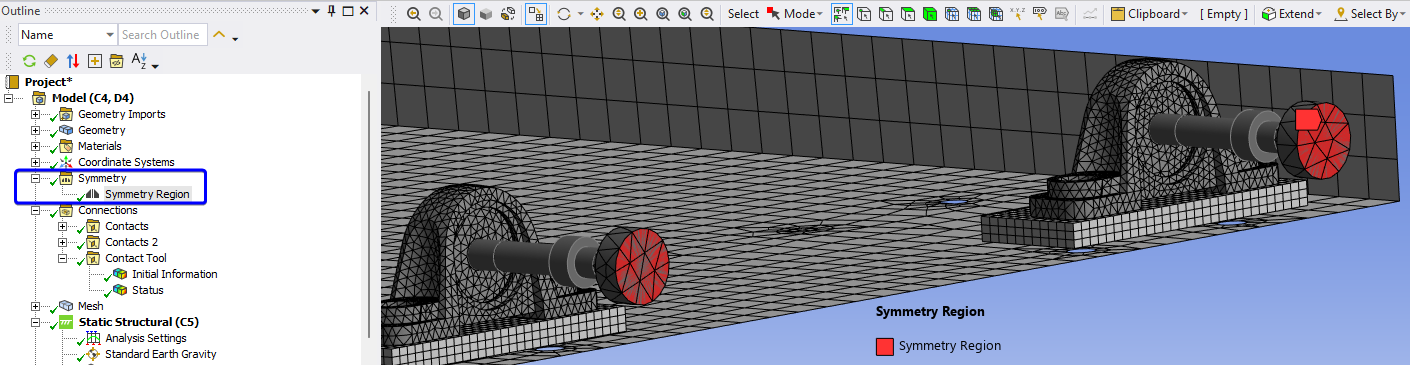
Note: this Ansys Mechanical symmetry workaround may not be as accurate if rigid bodies are used to replace bodies that are assigned a much more flexible material or if rigid bodies are used around the results of interest.
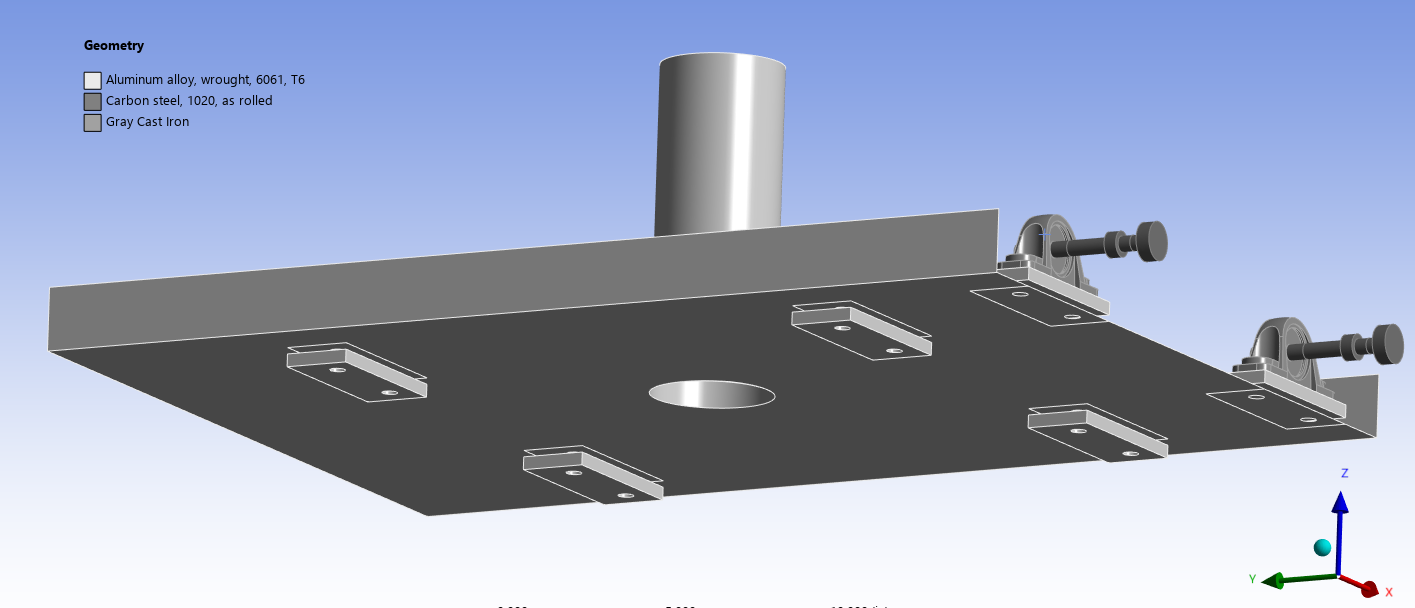
Material Assignments:
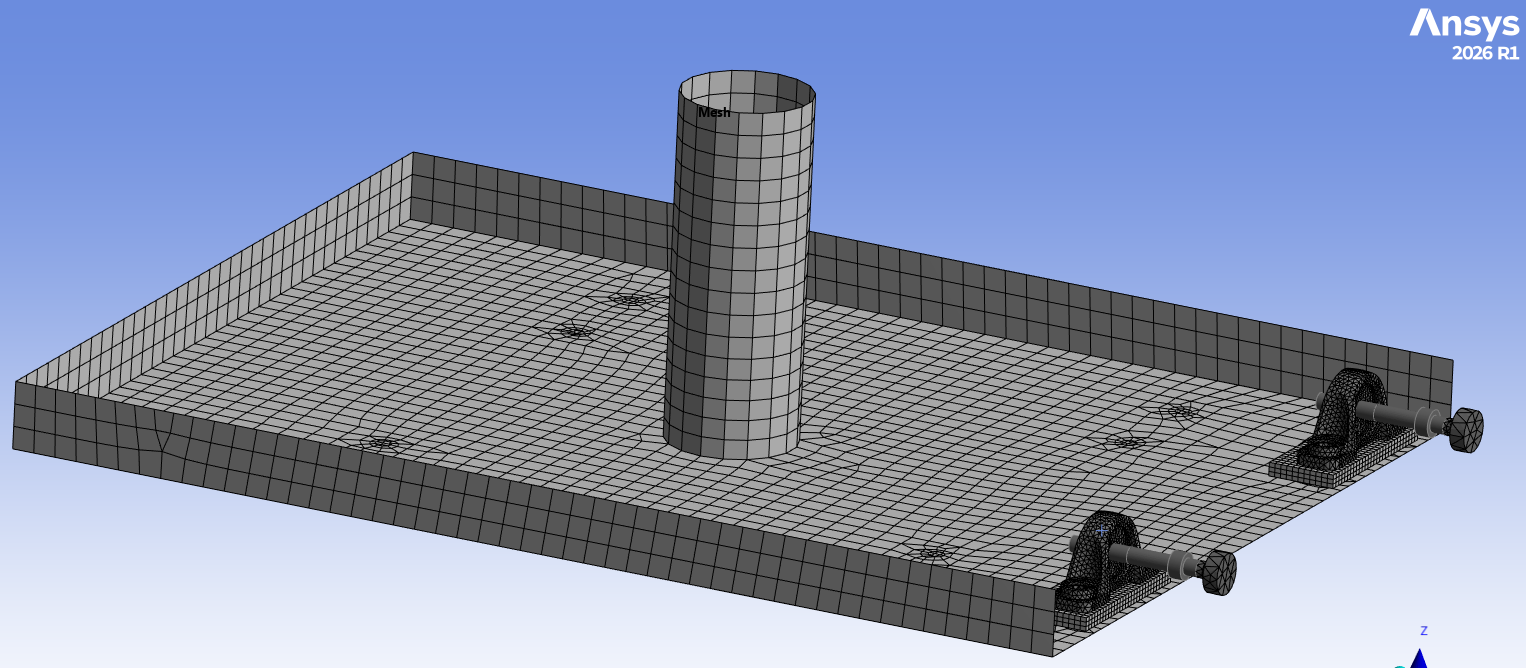
Mesh:
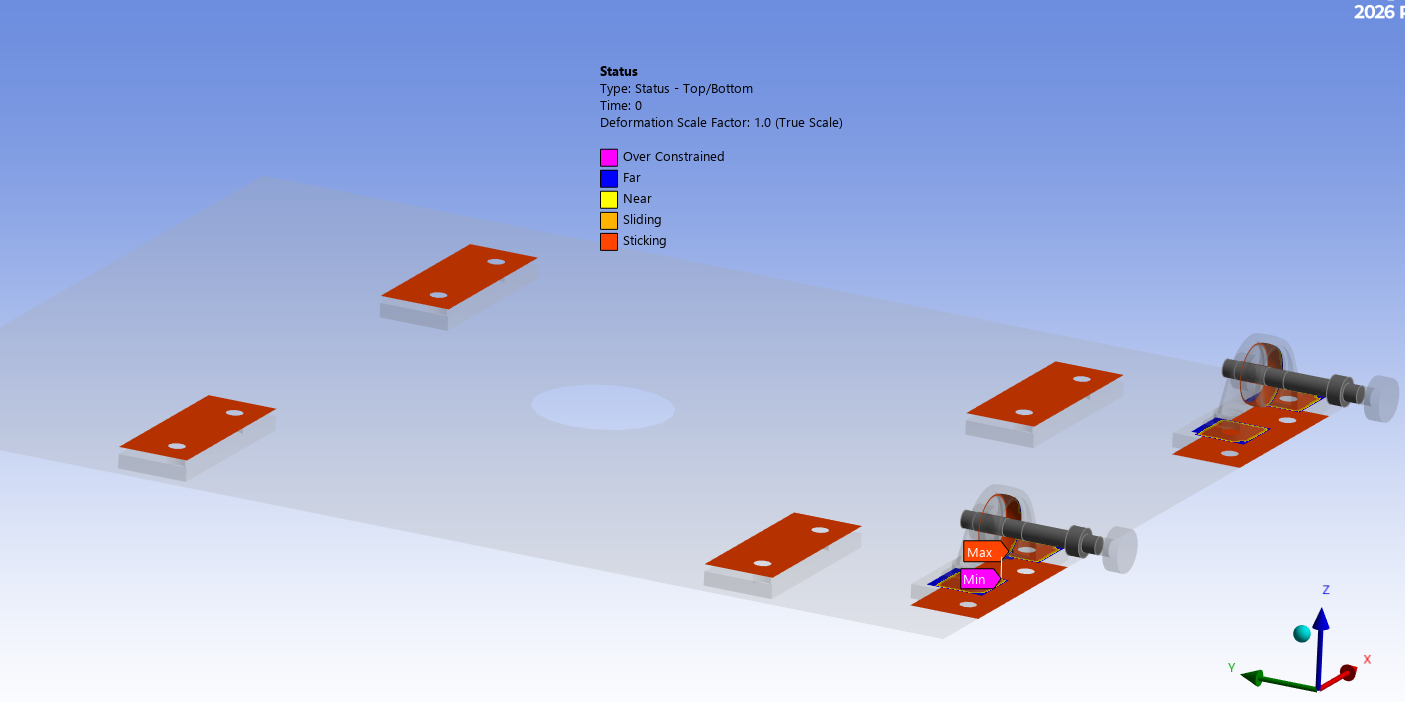
Bonded Contacts:
The model is constrained away from the symmetry location and rigid bodies.
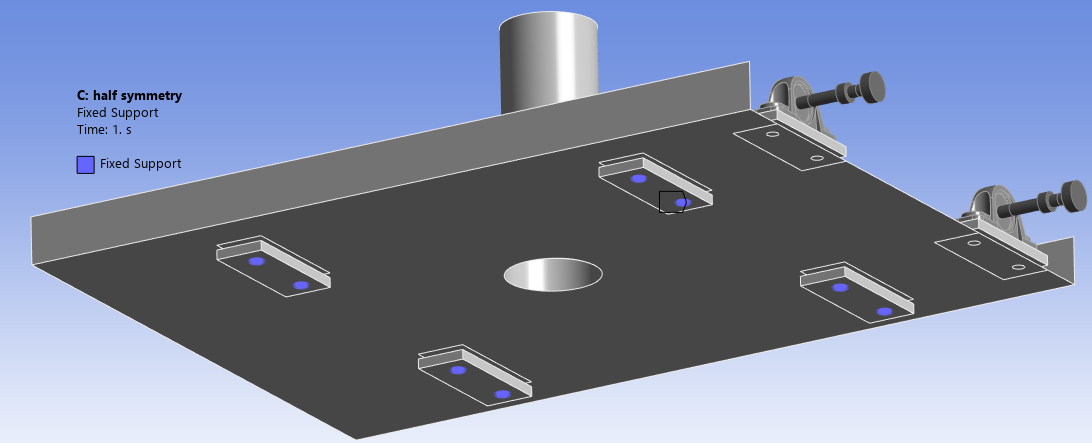
The following boundary conditions were applied to the model.
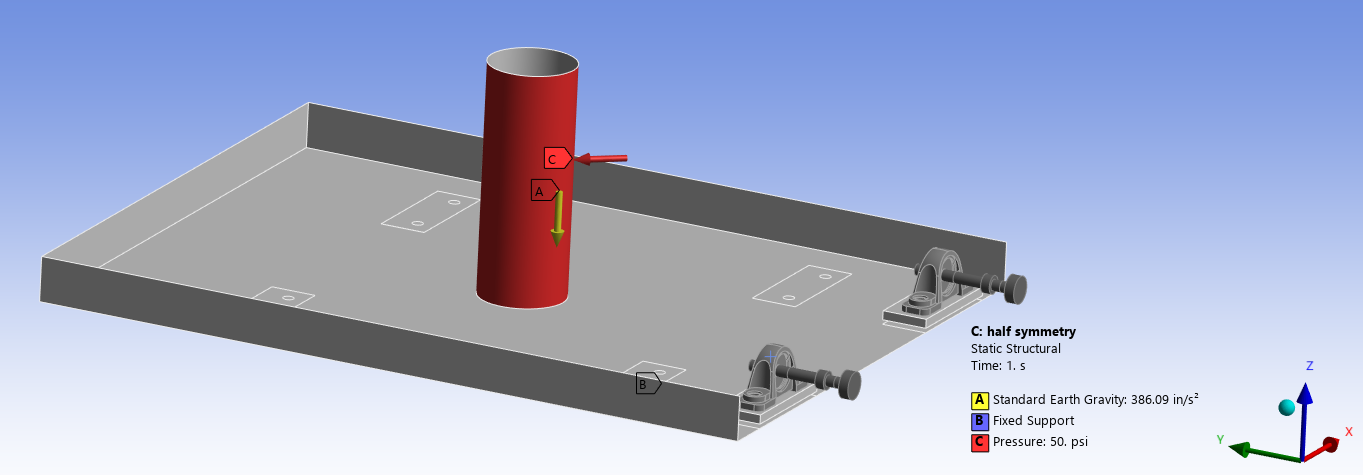
A modal analysis was also solved with the same fixed support (no pre-stress).
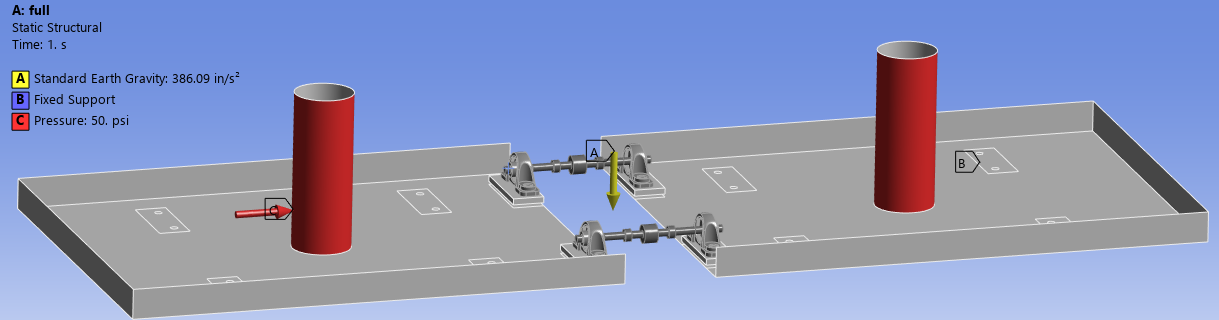
A full model was also created to compare the half symmetry results. The center pin is assumed to be rigid, so the entire pin body is set to rigid behavior.
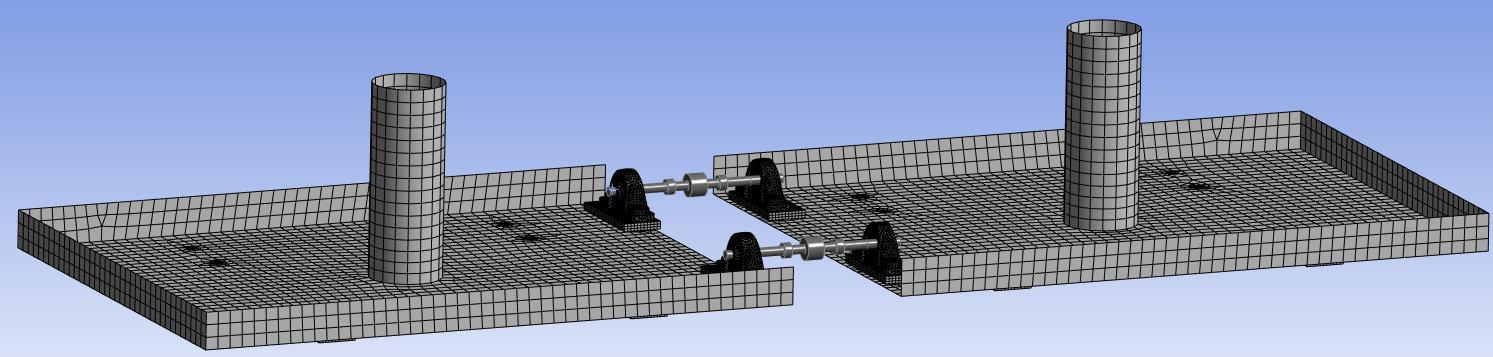
The same boundary conditions were applied as in the half symmetry.
Below is a summary comparing the mesh size, model solve time and result file size. By utilizing half symmetry with rigid bodies the mesh node count was nearly half the size of the full model. The result file sizes were also cut in half. These Ansys Mechanical symmetry models were solved in core with the direct solver using 4 cores.
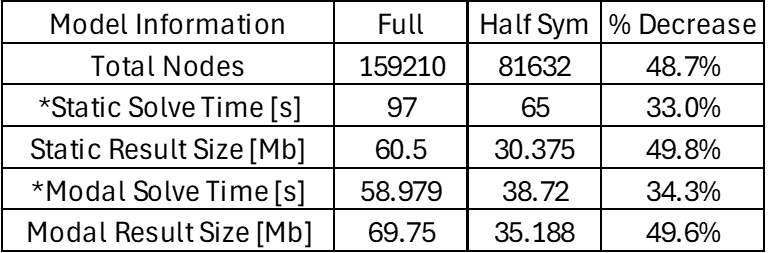
*More significant improvements to solve time may be seen with larger models, especially if the half symmetry allows you to solve “in-core” with the direct solver compared to solving out of core or with the iterative solver if the full model mesh is too large to solve with the direct solver
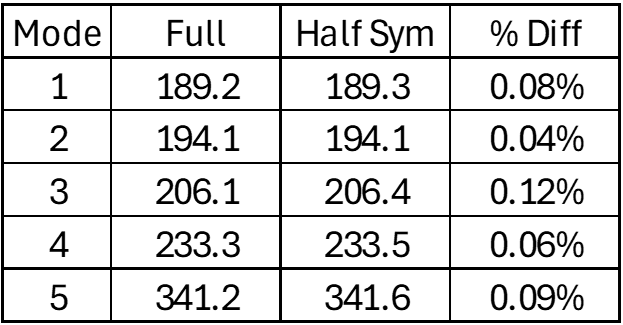
This table shows there was less than 0.12% difference between the first five modes between the two models.
The following table in our Ansys Mechanical symmetry example shows a comparison of the results between the two models. The deformation was less than 0.2% different, and most of the stress results were less than 1.5% different. In this example the focus was on the surface bodies away from the symmetry and rigid bodies. At the bottom of the table we can see those surface body results showed less than 0.02% difference.
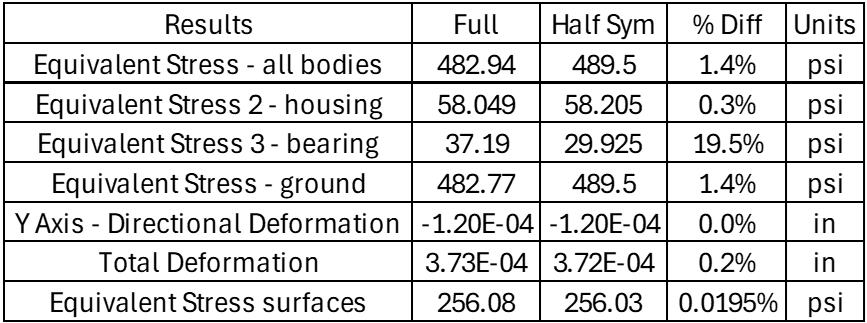
The large difference between the bearing result is likely due to a contact + corner stress singularity as explained further in the next bullet.
The max bearing stress occurs at a contact boundary and sharp corner. This stress singularity is not an accurate result. If this was a result of interest result probes could be used to probe results in certain areas such as the fillet. Additional mesh refinement would also be advised but for this example the bearings and shafts are not of concern.
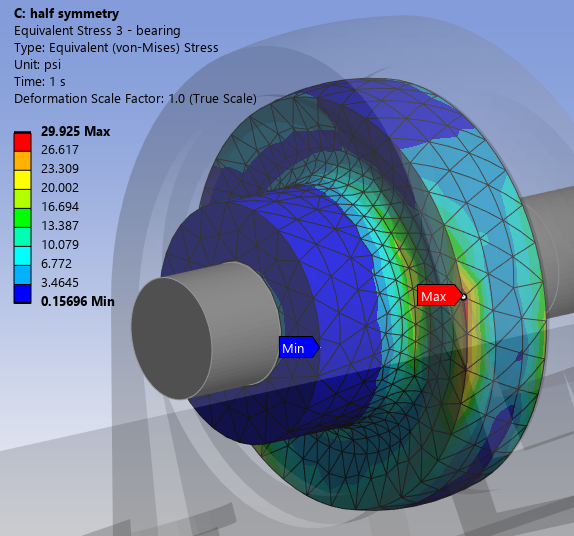
Comparison of the result of interest (surface bodies) shows nearly identical (<0.2% difference) results in the bodies of interest.
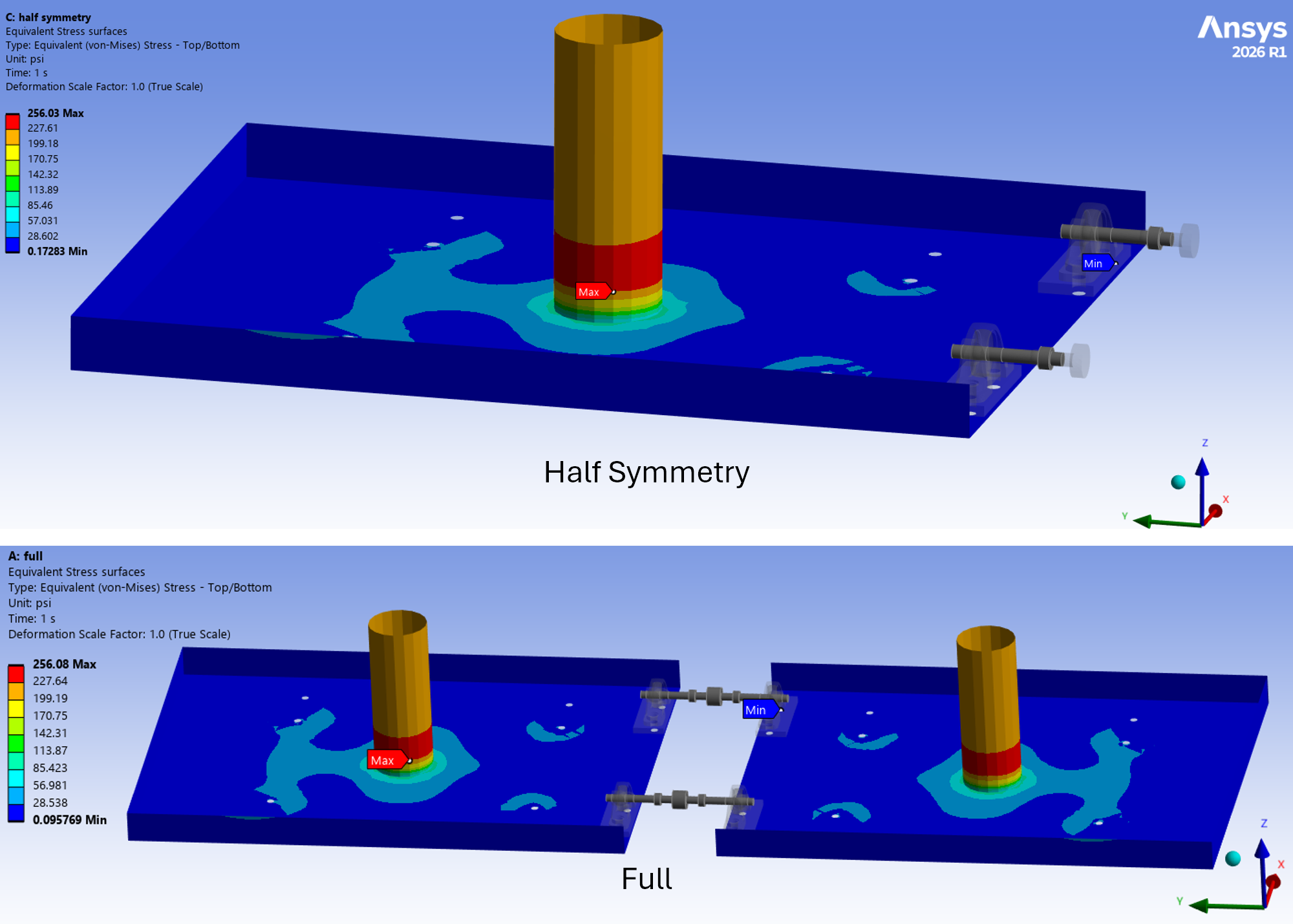
Ansys Mechanical Symmetry: In Summary
- Symmetry regions scoped to rigid bodies gives an error.
- Workaround to split bodies to have a combination of rigid and flexible bodies with the portion scoped to the symmetry region being a flexible body to avoid the previous error.
- Comparing Full and half symmetry models shows:
- Nearly 50% reduction in mesh count and file size and about 33% faster solve.
- Result of interest in the surface bodies away from the symmetry region and rigid bodies show less than 0.02% difference in the max stress result.
For large models, combining Ansys Mechanical symmetry with rigid-body simplification can provide meaningful reductions in mesh size, result-file size and solve time without materially changing the results that matter. In this example, the half-symmetry model solved about 33% faster, cut mesh and file size by roughly half, and produced less than 0.02% difference in the maximum stress result of interest.
The key is to apply the simplification carefully: keep the symmetry-scoped portion flexible, use rigid bodies only where their added stiffness will not affect the results of interest, and validate the reduced model against the full model when practical.
Need help simplifying a challenging Ansys Mechanical model? Talk with a SimuTech engineer about your setup.

Kohl Schoensee
Staff Engineer
Kohl Schoensee is a Staff Engineer at SimuTech Group with a bachelor’s degree, with honors, in mechanical engineering from the University of Utah. He specializes in topology optimization, structural nonlinearities, and aerospace applications. His notable project experience includes topology optimization mentoring for 3D-printed Formula SAE suspension uprights, large-deformation analysis of hyperelastic pipeline cleaning PIGs and seal mechanisms, fatigue analysis of helicopter components, and shock and random vibration analysis of missile components.