Contact Us
How Rays and Surfaces Work in Zemax
OpticStudio Zemax is a geometrical ray-tracing software. When we look at light as a wave, it becomes easier to propagate light through different optical elements by using rays. A ray travels along the Z-axis, from left to right. Rays represent the direction the wavefront is propagating and are defined from the normal at a particular location on the wave. When the ray encounters the surface of an optical element, we can use the angle of incidence and the indices of refraction of the media to determine the angle of exitance via Snell’s Law.
To get started in Ansys Zemax, you do not need to understand all 50+ surface types to design lens systems. This document will summarize the basic surface types to help you get started.
We will look at:
- Standard
- Even Asphere
- Toroidal
- Standard: using a Conic
- Coordinate Break
How the Lens Data Editor Uses Surfaces in Sequential Mode
Each row in the Lens Data Editor is a surface where light can reflect, refract, or diffract (scatter, split, but that is for more advanced optical systems).
The purpose of an Optical System is to record the scene exactly as it really is. However, there are limiting factors that create blur. The image of a perfect point source is not possible. There are two sources of blur that spread light (the point spread function, PSF): diffraction and aberrations. Diffraction is a physical blur that the laws of physics dictate, and it can be summarized as light bending around corners, causing blur. Aberrations arise from imperfections in optical elements that cause deviations from a perfect spherical wavefront (converging to a focus) and result in blur. Diffraction-limited means you are a great lens designer. Aberration-limited means the optics could be better.
Rays leave the source and are bent when incident on an optical surface. The amount of bending is a function of the angle of incidence and the index of refraction of the optical glass. A spherical lens will have a radius of curvature, and that radius of curvature creates a focus. More curvature means more optical power and a faster focus (faster focus means the focal length is short – small F/#=effective focal length/entrance pupil diameter, slower focus means the focal length is long – large F/#).
In Zemax, the rays representing the wavefront converging to a focus are compared to a perfect reference sphere in the exit pupil (the image of the stop in Image Space). This is a great place to compare your optical system because it is the last defined location before the focus. The Optical Path Difference of each ray is compared to its corresponding ray of a perfect reference sphere (a perfect wavefront converging to a focus is a sphere).
1. Standard Surface
- Default Surface Type in Zemax
- It can be Flat or Spherical and we can adjust the Radius, which adjusts the focal length.
- Used for most lenses, windows, and mirrors.
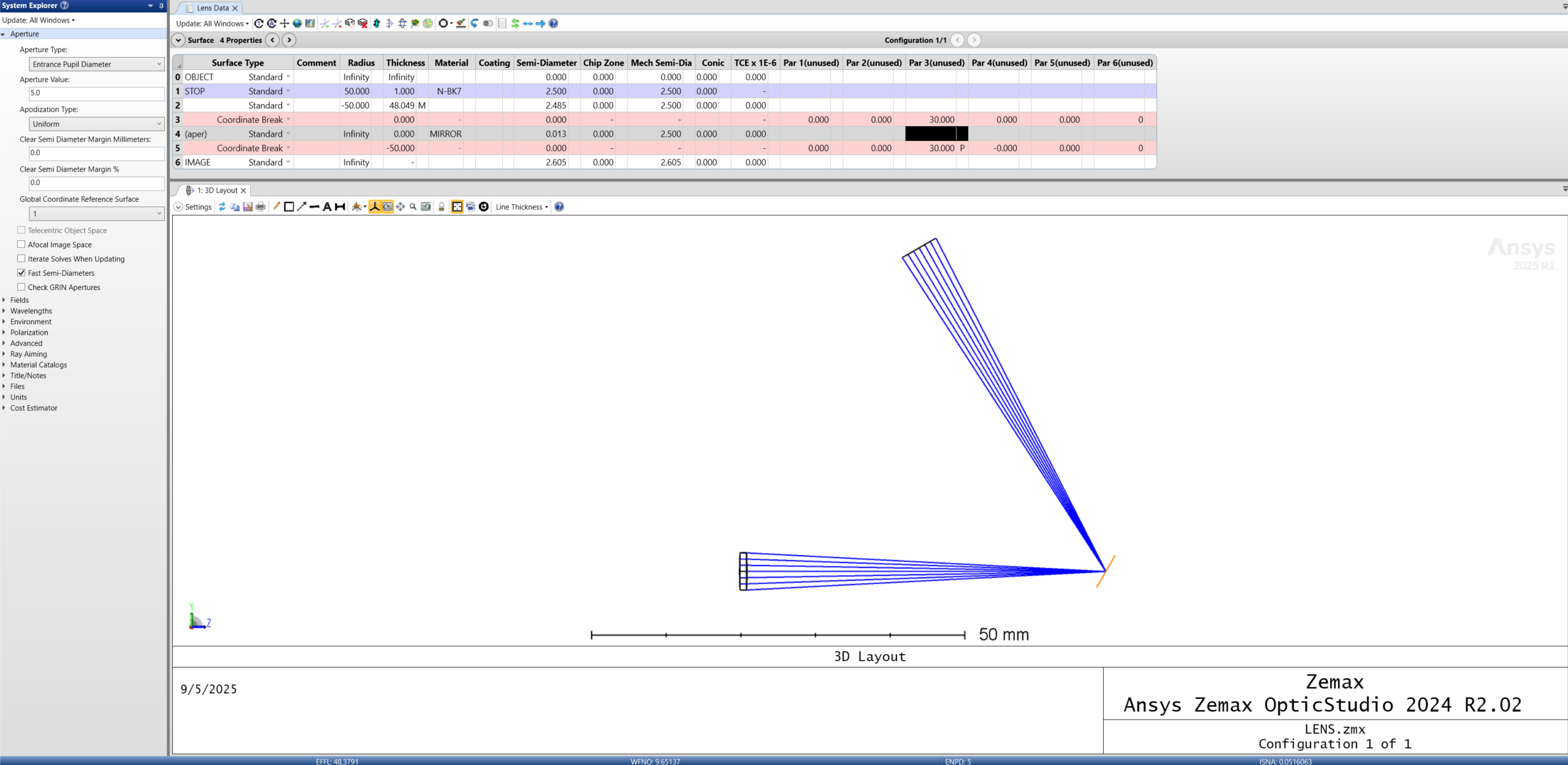
Using the Standard surface, we created a singlet lens and a scanning Mirror.
2. Even Asphere
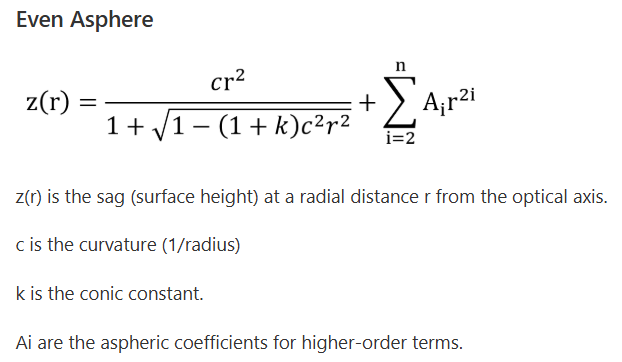
- Deviates from a spherical radius (curvature) by adding higher-order polynomial terms to reduce aberrations.
- Useful when spherical surfaces can’t meet performance needs.
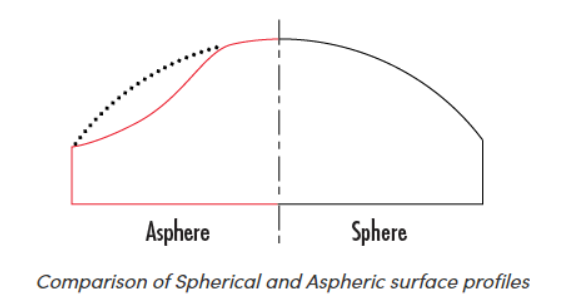
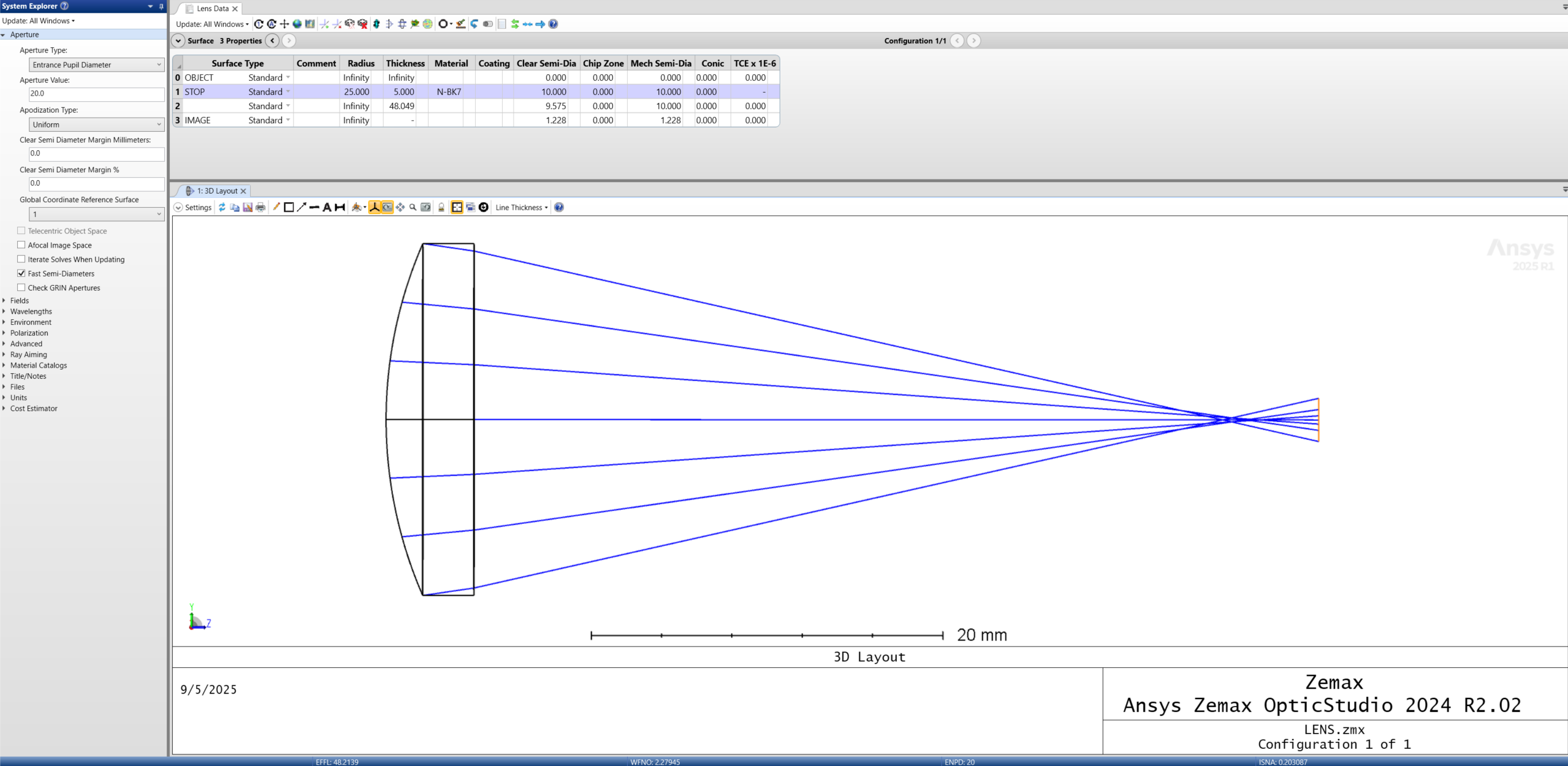
Here, we use a Standard surface to create a Plano-Convex Lens. You can see that the Spherical Aberration is strong. That is when rays near the edge of the pupil focus faster than rays near the center.
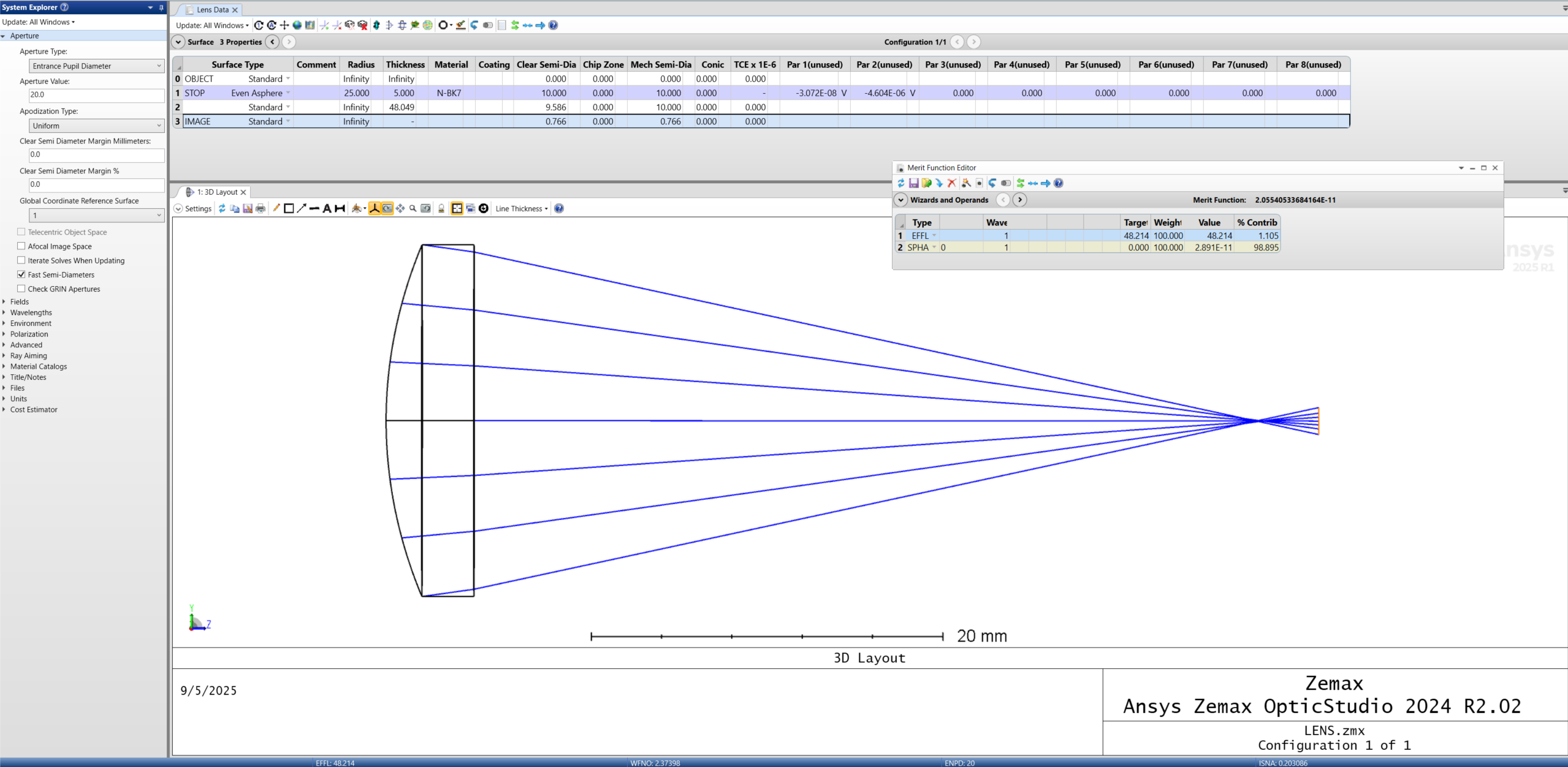
One way of fixing this is to change the surface type to Even Asphere. We want to release the 2nd-order and 4th-order terms to correct for spherical aberration using a custom Merit function for EFFL at the same focal length and for SPHA at 0. The result is a much tighter focus, with all rays in the pupil converging at the same point. See below.
3. Toroidal
- Allows for different curvatures in X and Y directions.
- Used when you need a line on target, not a spot.
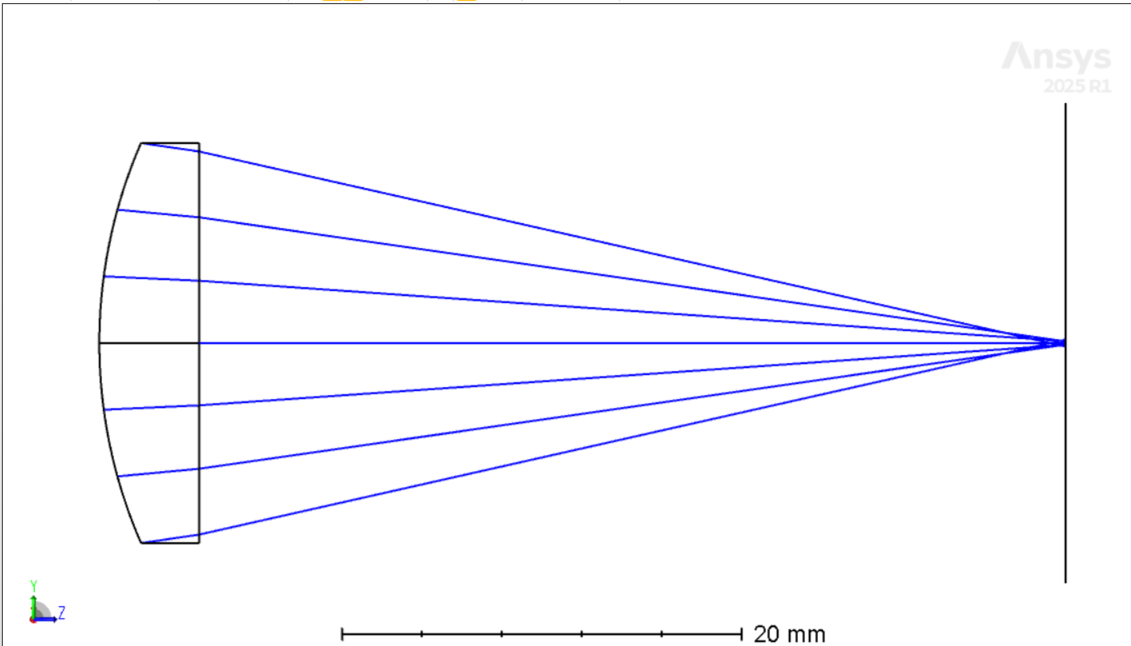
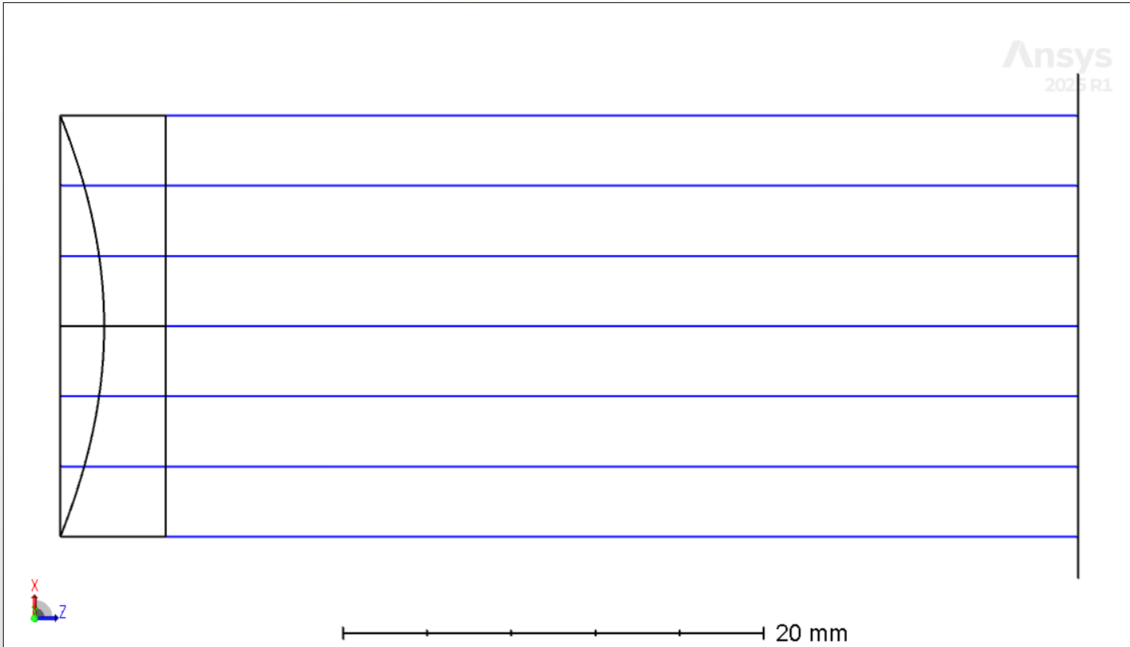
This allows you to create a focus in the X-axis that is different than the Y-axis.
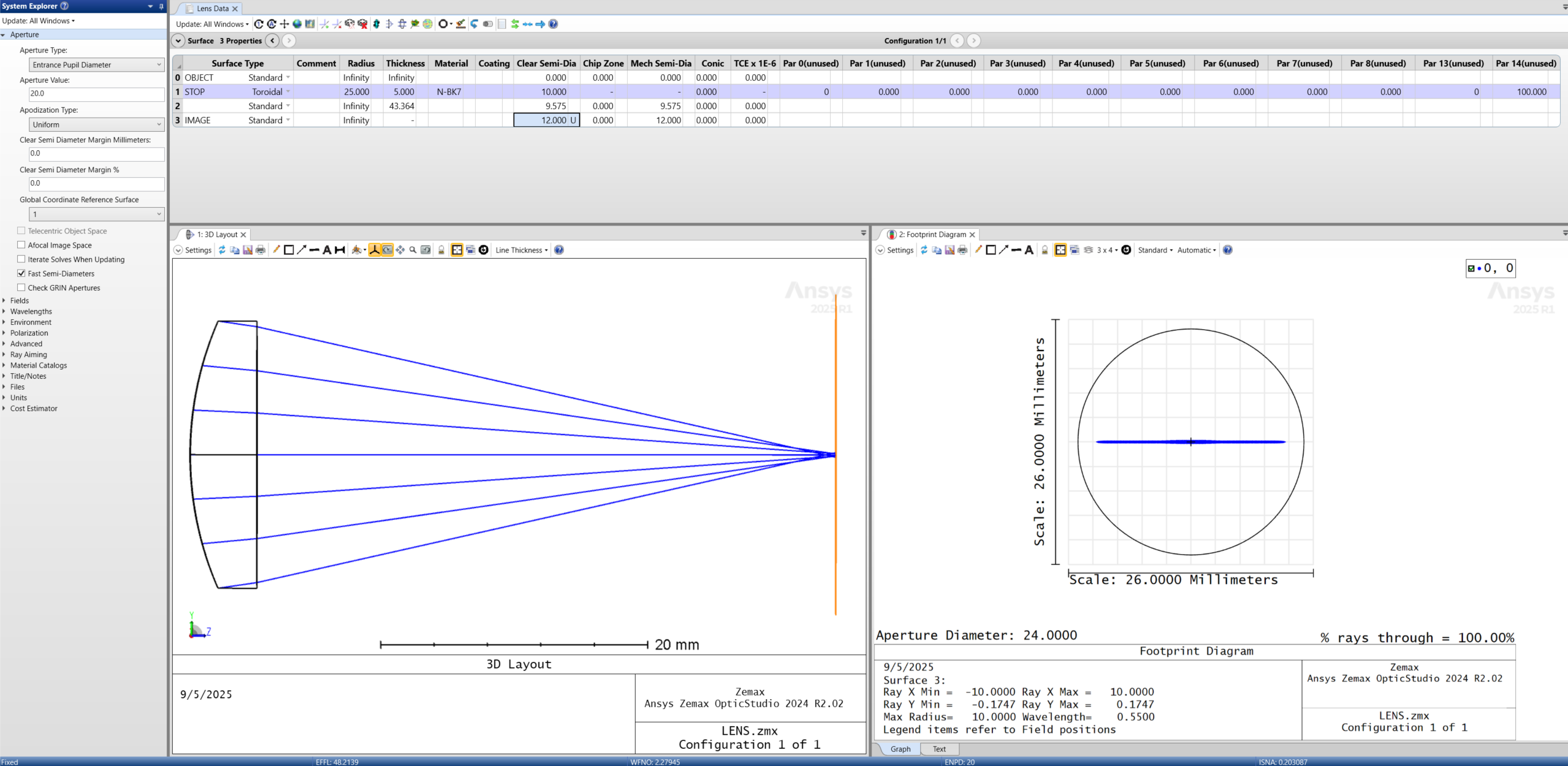
In the Y-Z Plane (Left) we have a Standard Spherical surface and in the X-Z Plane (Right) we have a Planar surface with no curvature and therefore no power to bend the light. The result is the strip or line of light on the target.
4. Conic Surface
- This is a Standard Surface, but with a Conic constant applied.
- Handles paraboloids, ellipsoids, and hyperboloids (great for mirrors).
- Conic values:
- K = 0 -> Spherical
- -1 < K < 0 -> Elliptical (prolate)
- K = -1 -> Parabolic
- K < -1 -> Hyperbolic
- K > 0 -> Elliptical (oblate)
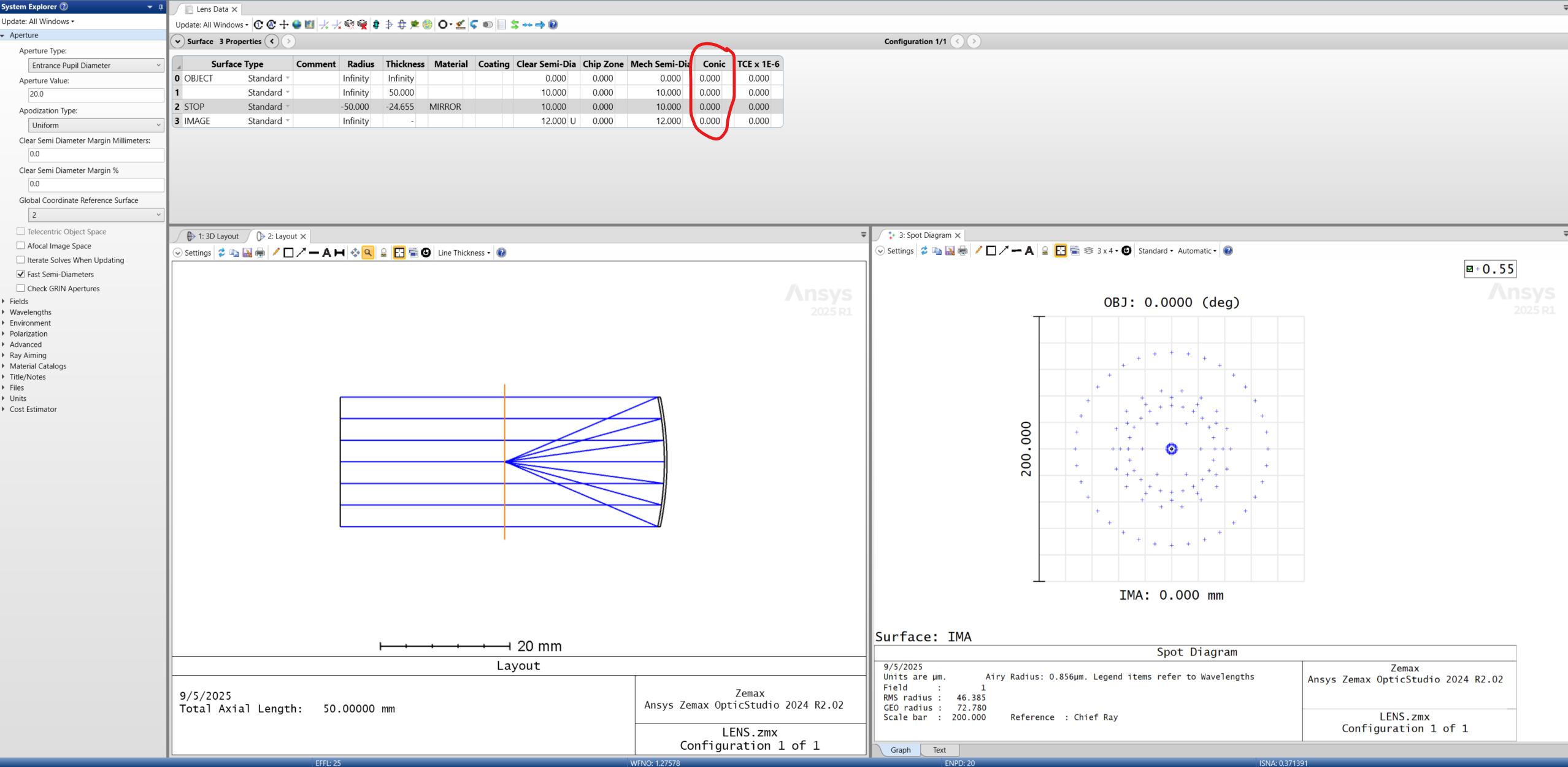
A great example of this is when we use the Standard Surface with a Conic = 0, which yields a focus much larger than the Airy disc (it is not diffraction-limited).
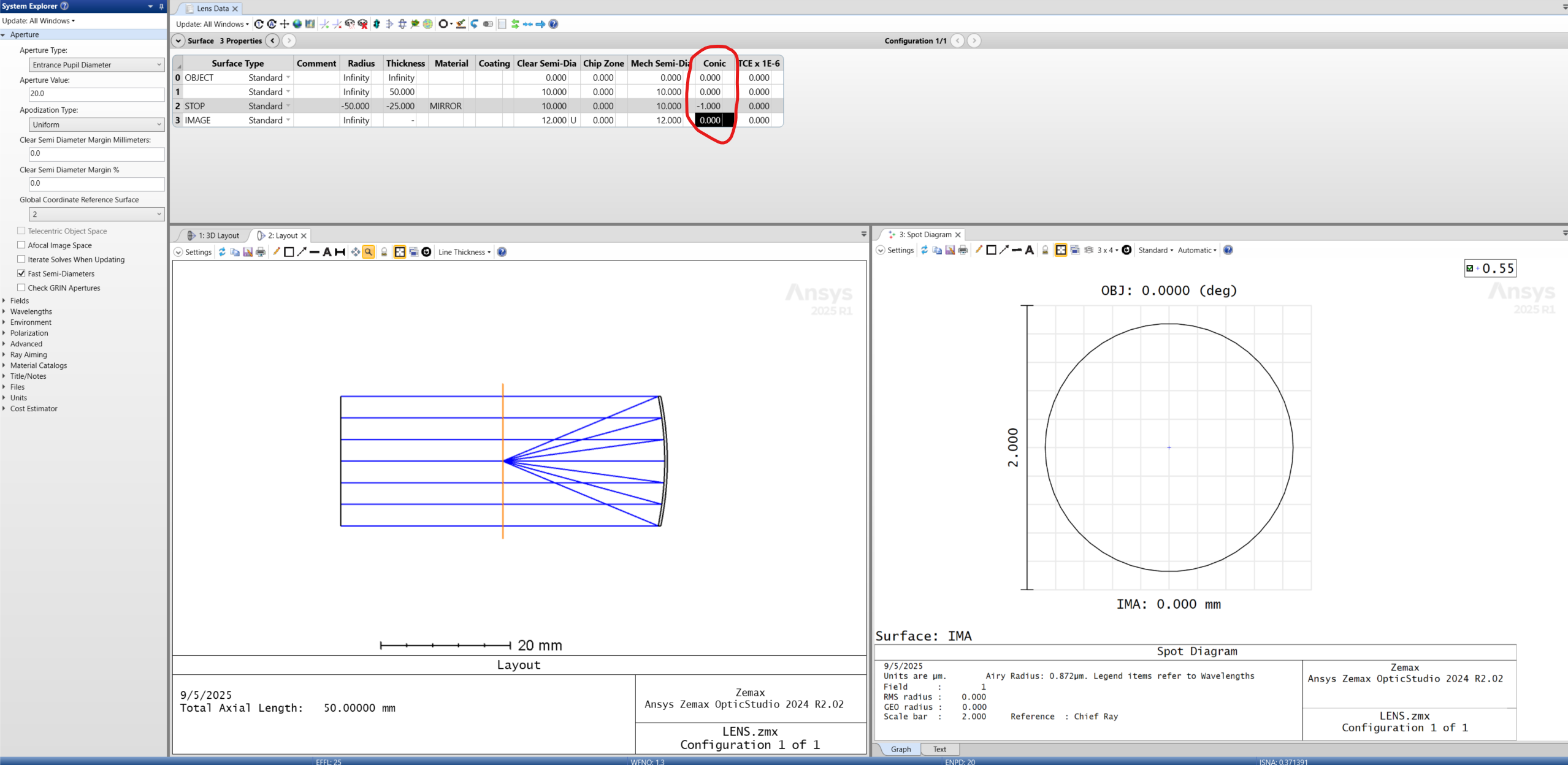
When we apply a parabolic Conic = -1, we can significantly improve the Blur Spot and achieve a diffraction-limited design, see below.
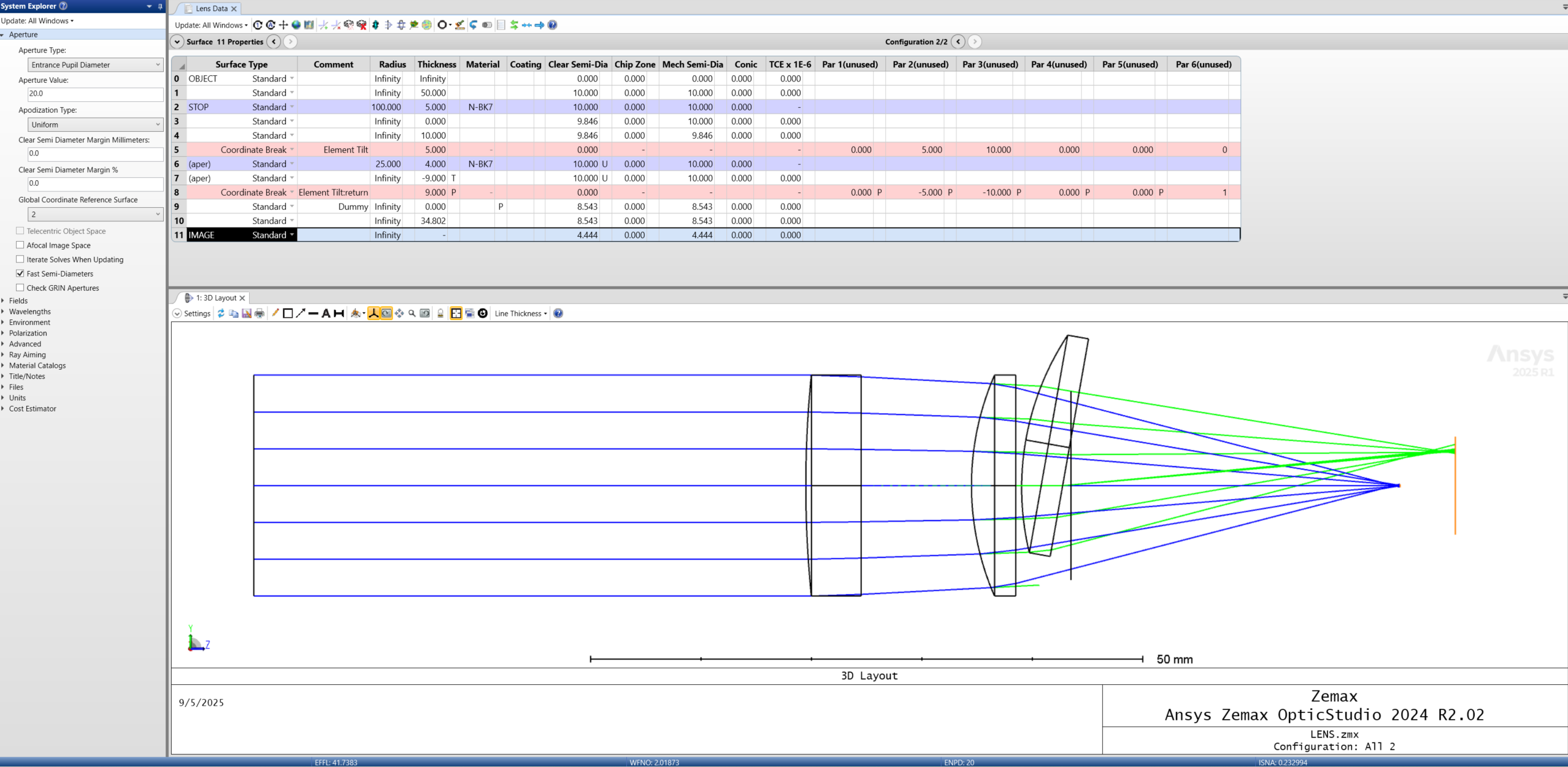
5. Coordinate Break
- Not a physical surface. This is a dummy surface used to create a local coordinate system for an optical element. Used in combination with a return coordinate break gets you right back to the global coordinate system.
- What this does is define a new coordinate system that subsequent surfaces will follow.
- Used for tolerancing, applying turn mirrors, pivot points, and more.
Below is an example of using coordinate breaks in their most simple function. The Layout shows the decentered and tilted Lens 2 and overlays it with the unperturbed system.
When to Move Beyond the Five Basic Surface Types
Start with the 5 basic surface types first and master them. If these don’t meet your needs, use the help in Zemax to understand the different options. There are many advanced surface types (Freeform, Binary, Diffractive, User DLLs, etc.)
Working on lens design or optical system simulation? SimuTech Group’s optics and photonics consultants work with Ansys Zemax OpticStudio across sequential and non-sequential workflows. For more on Zemax, see our article on geometric image analysis in Ansys Zemax OpticStudio. Learn more about Ansys Zemax OpticStudio or contact us to discuss your project.