
 Contact Us
Introduction
Electric motor optimization often requires evaluating numerous design variables and performance constraints, making traditional simulation-driven approaches computationally expensive. By combining Ansys optiSLang with Ansys Motor-CAD, engineers can use surrogate modeling to explore design alternatives more efficiently.
Building on our previous article about sensitivity analysis in Ansys optiSLang, this tutorial demonstrates how to construct and refine a Metamodel of Optimal Prognosis (MOP) to support electric motor optimization.
This article covers:
- Interpreting sensitivity analysis results
- Understanding metamodels and their role in optimization
- Building and refining a Metamodel of Optimal Prognosis (MOP)
- Evaluating model quality using Coefficients of Prognosis (CoP)
Video: Building a Metamodel for Electric Motor Optimization
The following video demonstrates how to build and refine a metamodel using Ansys optiSLang and Motor-CAD. Learn how to interpret sensitivity analysis results, identify and remove failed designs, and evaluate model accuracy using Coefficients of Prognosis (CoP) to prepare for efficient electric motor optimization.
Understanding Metamodels and MOPs
MOP stands for “Metamodel of Optimal Prognosis,” and it’s a key concept in efficient design optimization. In essence, a metamodel is a “model of a model”—a simplified mathematical representation that approximates the behavior of a more complex system.
Rather than running full Motor-CAD simulations for every design iteration (which would be computationally expensive), we create a surrogate model that can predict outcomes almost instantly. This approach is particularly valuable when dealing with complex engineering systems like electric motors.
Here’s how surrogate modeling works:
- Sample the design space using a limited number of full simulations (our sensitivity analysis)
- Based on these samples, construct mathematical functions that approximate the relationship between input parameters and output responses
- Use these approximations to evaluate thousands of potential designs in seconds, rather than the hours or days required for full simulations
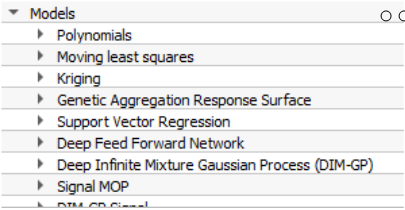
The “Optimal Prognosis” part of MOP refers to OptiSLang’s ability to automatically select the best mathematical approach for approximating each response. It might use polynomial regression for one output, radial basis functions for another, and neural networks for a third—all selected to maximize predictive accuracy.
Reviewing Sensitivity Analysis Results
After running our sensitivity analysis, we’re presented with a table of results showing multiple designs and their performance characteristics. Looking at the “Feasible” column, you’ll notice that the majority of designs show “False” – this is completely normal. The feasible designs are those that meet all the constraints we defined when setting up our sensitivity analysis.
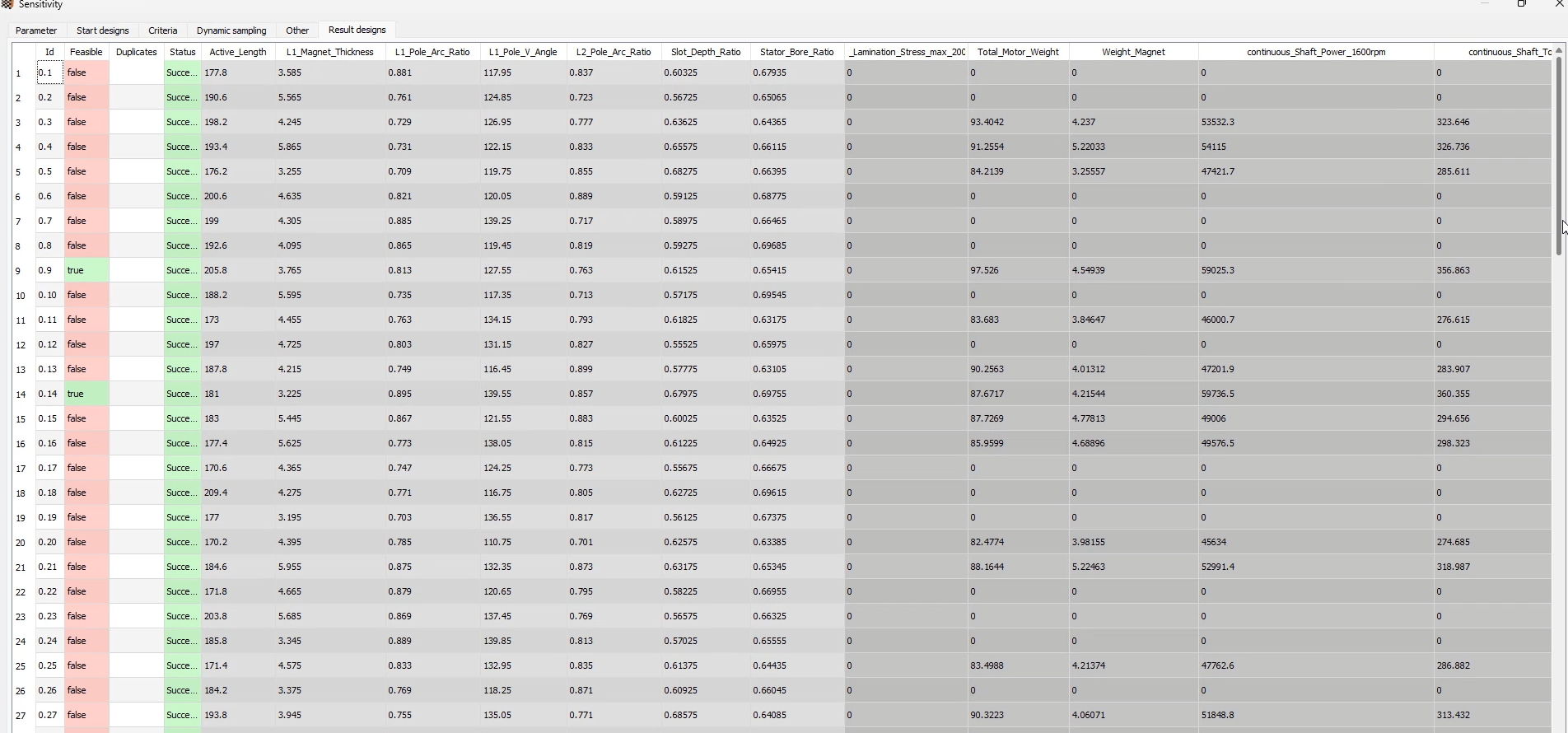
You’ll also notice some designs have zeros across all result columns. These are designs that failed during the analysis, likely due to combinations of variables resulting in non-physical or broken geometry. When creating our metamodel, we need to either investigate each failed design to determine the root cause or, more practically, omit when we build our MOP.
Building the Metamodel
To build our electric motor optimization metamodel, we first need to activate the MOP node if it was previously deactivated. This is done by clicking on the MOP node then using the keyboard shortcut by pressing Ctrl+E. After reactivation, we run OptiSLang to build the MOP based on our sensitivity analysis data.
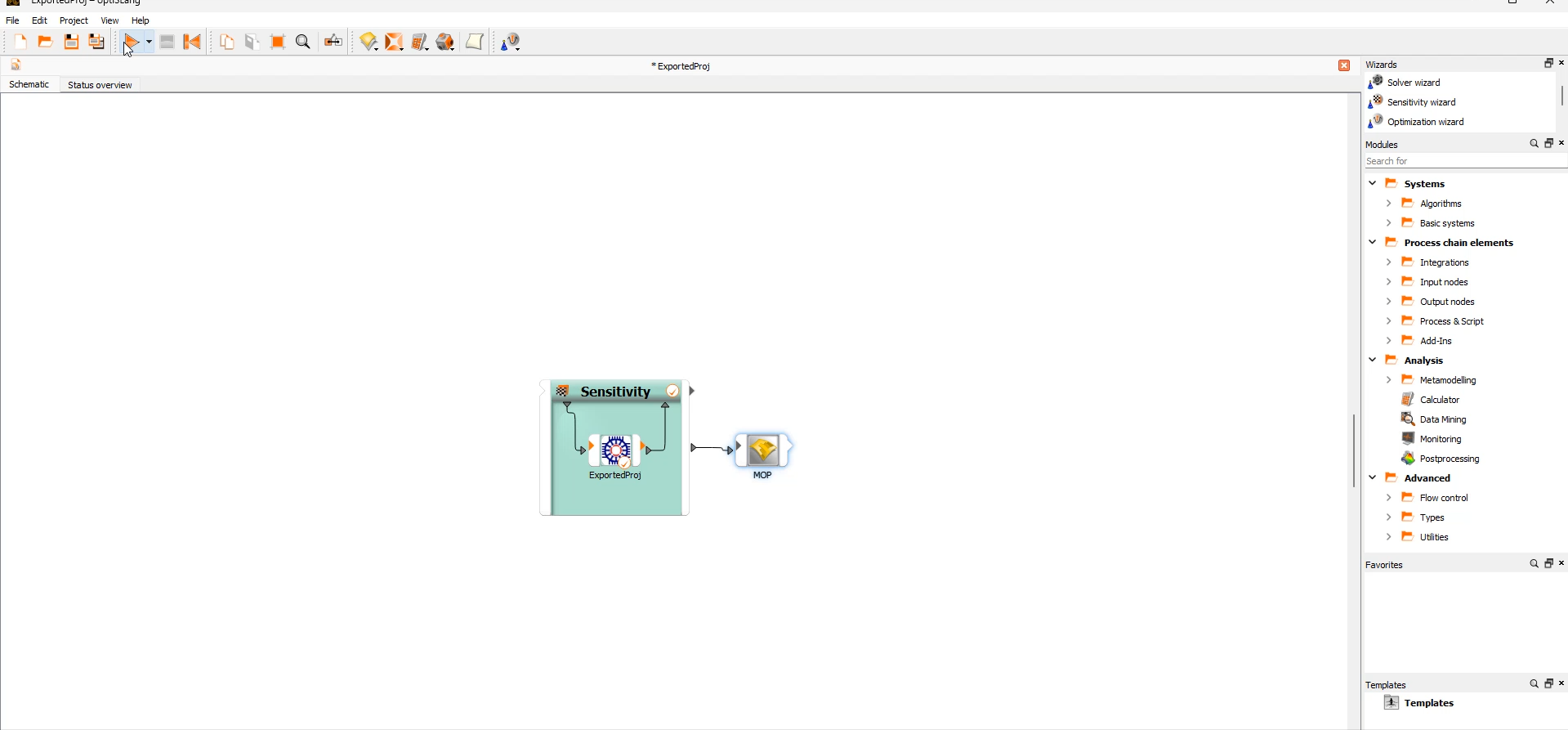
Once the MOP is built, we can examine the results by opening the postprocessing window.
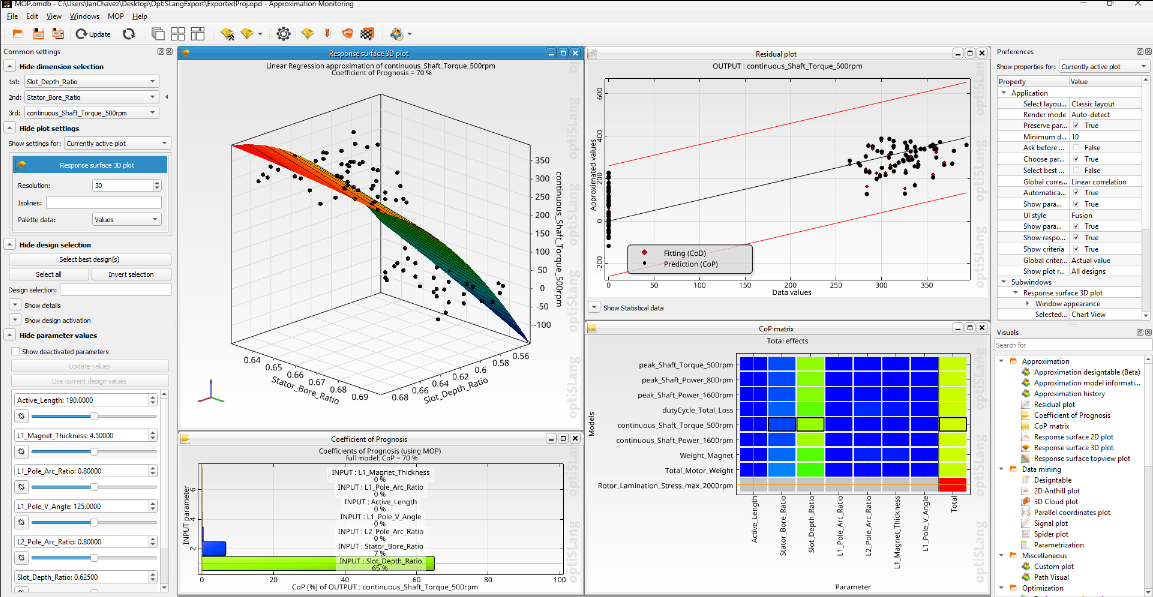
Looking at the response surface and residual plot, we can immediately spot a group of designs that are separated from the others: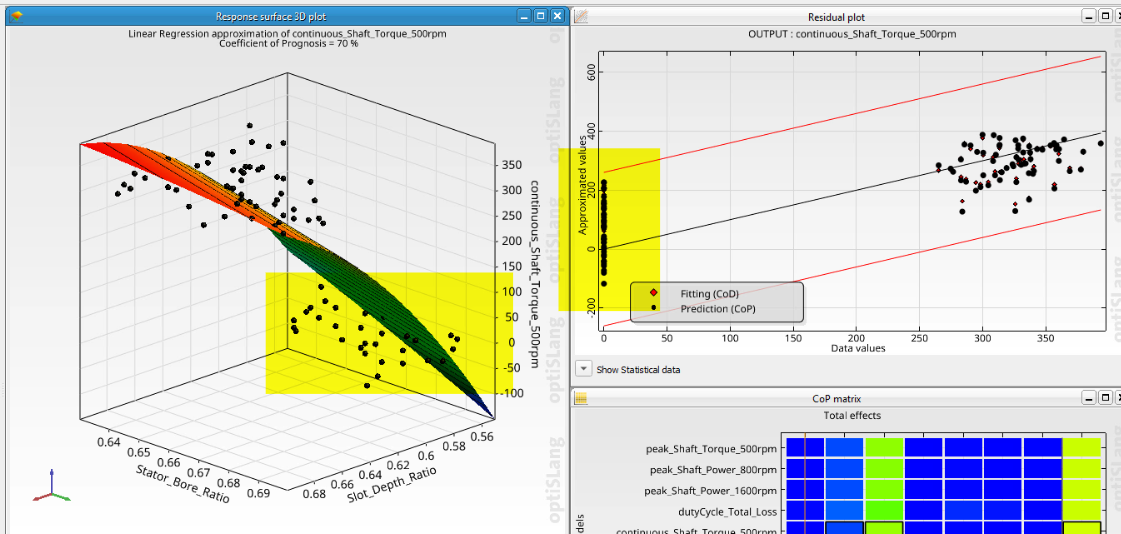
The response surface is plotting torque at 500 rpm on the z-axis, and these outlier designs all show values of zero. In the residual plot, these designs appear all the way on the left side where the “Data Values” on the x-axis is zero—these are clearly our broken designs.
The CoP Matrix: Evaluating Model Quality
The CoP matrix, or Coefficients of Prognosis matrix, is a powerful tool for measuring the quality of our mathematical model. The right column shows how well each output parameter is predicted by our metamodel. Additionally, the matrix shows the quantitative influence of each input parameter on the variation of our results.
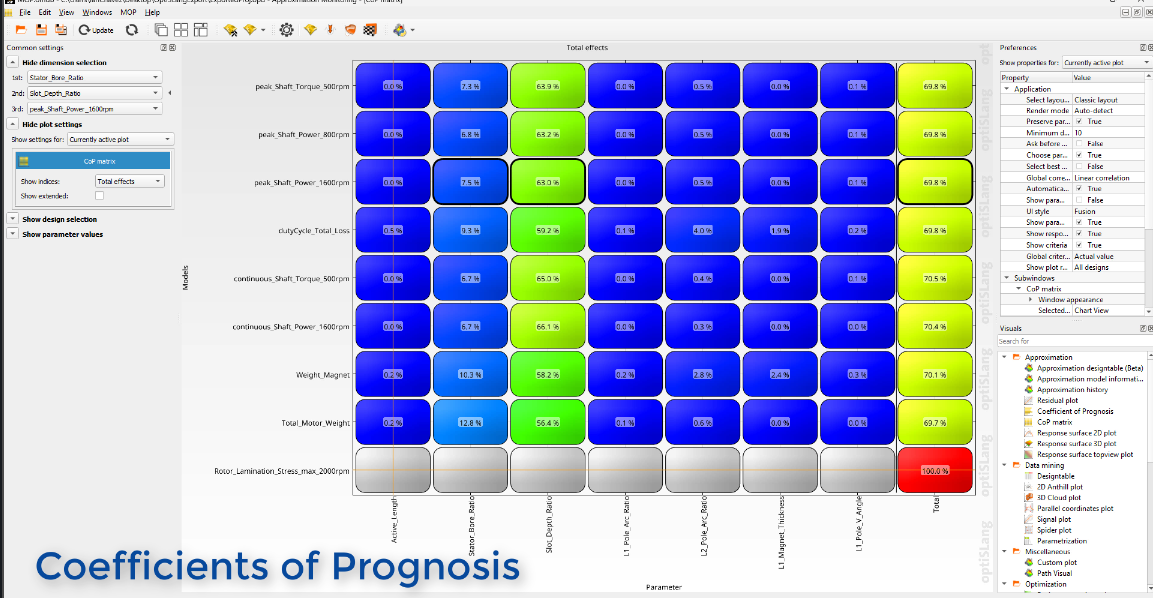
Using the CoP matrix, we can:
- Determine the most important input parameters
- Evaluate the forecast quality of our surrogate models
- Decide whether to proceed with optimization or improve the model with additional sampling
Currently, our CoP values are around 70%, but for a robust optimization, we want these as close to 100% as possible.
Removing Failed Designs to Improve the Model
To clean up our electric motor optimization metamodel, we need to remove the failed designs that are skewing our results. In the residual plot, we simply drag over the outlying designs to select them all at once, then right-click and select “Deactivate.”
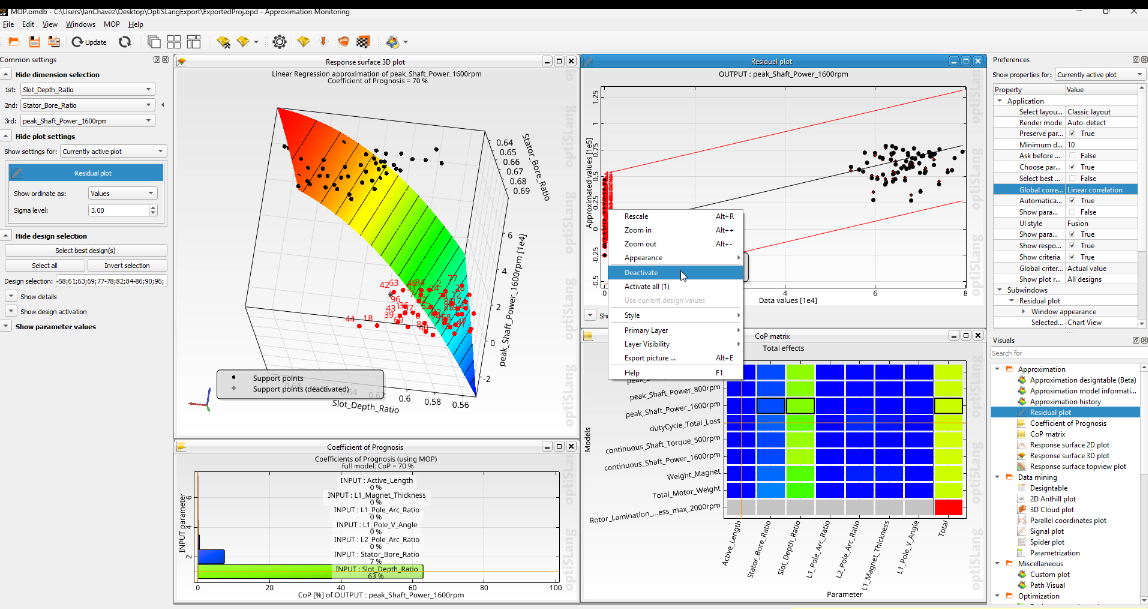
Now we rebuild our MOP using only the remaining valid designs by clicking on the “Build MOP” button. Once the model rebuilds, the postprocessing windows refresh with our new data.
Evaluating Our Improved Metamodel
Looking at the updated CoP matrix, we can see dramatic improvement—most values in the right column now show over 99%, with the lowest value at 95.3%.
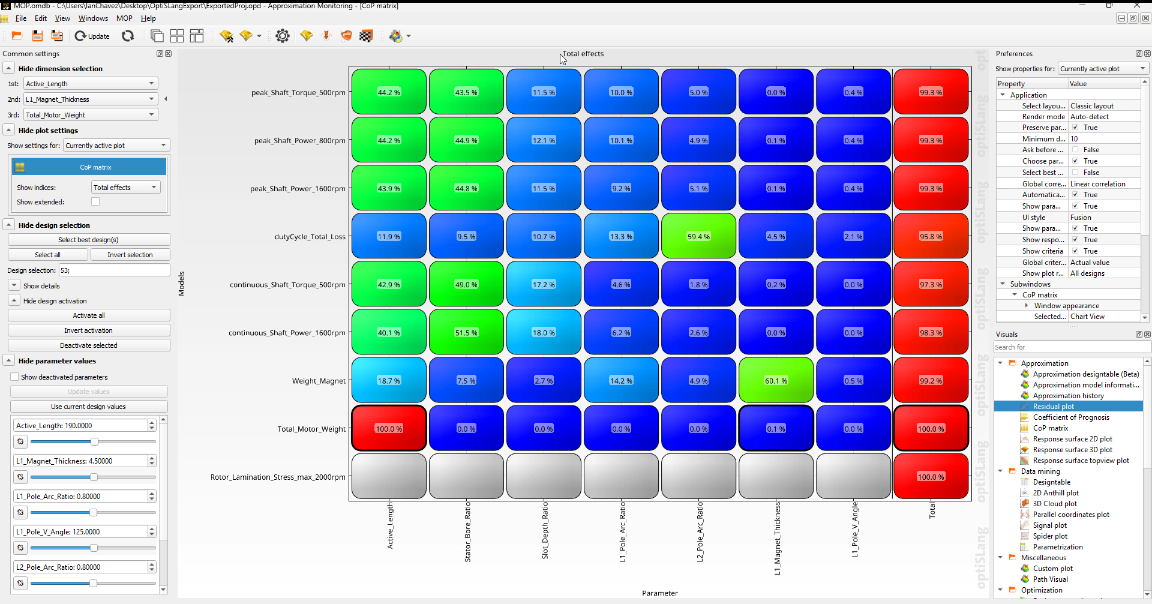
These high CoP values indicate that our metamodel can accurately predict the performance of our motor across the design space, giving us confidence in the optimization results we’ll obtain in the next step.
At this point, we could try to remove additional outliers to further improve our model, but we need to be cautious not to over-estimate the approximation quality. With a larger sample size, this would be less risky, but our current CoP values are more than adequate for optimization.
Leveraging Our Metamodel for Electric Motor Optimization

The true power of our MOP becomes apparent in the optimization phase. Once we have a high-quality metamodel, we can connect it to an optimizer that will explore tens of thousands of potential designs without running a single additional Motor-CAD simulation.
Because evaluating the metamodel is computationally inexpensive, we can explore far more designs than would ever be feasible with direct simulations. This approach drastically reduces the time required to find optimal designs while also providing valuable insights into design trade-offs.
Improving Electric Motor Optimization with Metamodels
In this article, we’ve learned how to build and refine a high-quality metamodel based on sensitivity analysis results. This surrogate model will allow us to efficiently explore our design space without the computational expense of full simulations.
Explore Simulation-Driven Electric Motor Optimization
Discover how SimuTech Group can help you streamline electric motor design with Ansys optiSLang and Motor-CAD, combining simulation, sensitivity analysis, and optimization to evaluate designs more efficiently.