Contact Us
SUMMARY
In this blog post, the use of the Ansys LS-DYNA capability ‘Adaptive Solid to SPH’ as an object in Ansys Mechanical is presented. The use of SPH formulation combined with classic solid elements is explained, and through a simple example, the setup and its main parameters are developed.
What Is SPH (Smoothed Particle Hydrodynamics)?
Smoothed Particle Hydrodynamics (SPH) is a computational technique employed in structural analysis to simulate the behavior of complex structures subjected to dynamic loads, such as impacts or explosions. In SPH, the structure is represented by a collection of particles, each with attributes such as position, velocity, and stress. The method evaluates structural properties at any point by averaging over neighboring particles within a defined smoothing length. This approach allows modeling irregular geometries and dynamic interactions between structural components without the constraints of a fixed grid, making SPH particularly advantageous for simulating scenarios where traditional grid-based methods struggle, such as large deformations or material failure.
Why Connect SPH Particles to Solid Elements?
Even if you love solid elements and continuum theory, there are some cases where limitations arise. In structural analysis involving large deformations, such as material failure or impact simulations, maintaining mesh quality and avoiding element distortion becomes challenging for FEM. Simulating crack propagation and fracture mechanics are additional challenges.
SPH, being a Lagrangian method, naturally handles large deformations by tracking the motion of individual particles, making it well-suited for simulating material failure and impact scenarios, due to its ability to handle material discontinuities and fragmentation. This makes it valuable for analyzing failure mechanisms in materials and structures, such as brittle fracture and fatigue, where crack propagation plays a significant role.
In failure analysis, it is important to maintain the highest accuracy possible. When a classic Lagrangian element is too distorted, it can be eroded from the analysis to simulate cracking. But this method will reduce the total mass, affecting accuracy. Replacing the element with mass equivalent particles will help maintain accuracy.
Example: Rigid Sphere Impact on a Flexible Steel Disc
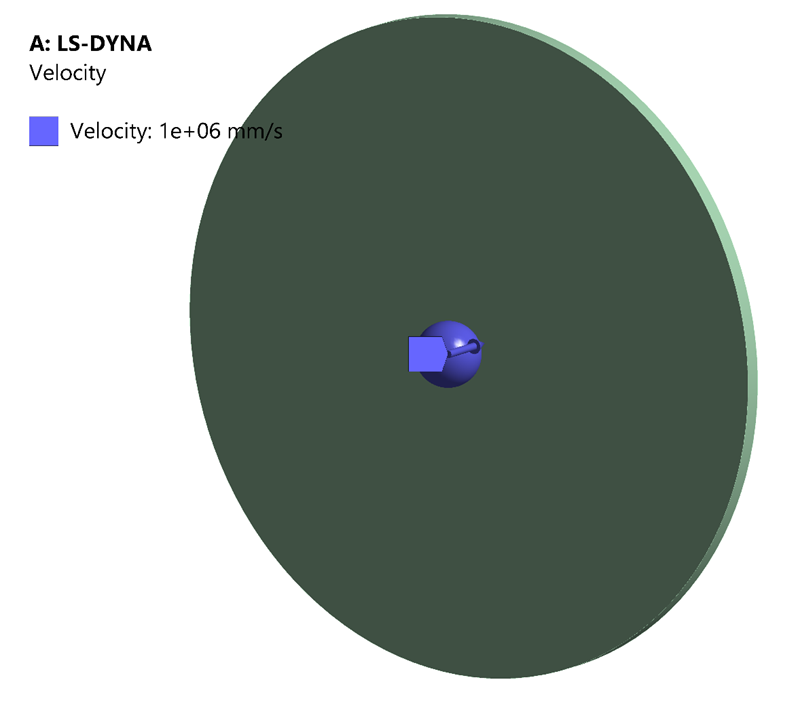
A rigid sphere impacts a flexible steel disc fixed by its perimeter. The initial velocity is high enough to traverse the disk, causing failure.
Adaptive Solid to SPH:
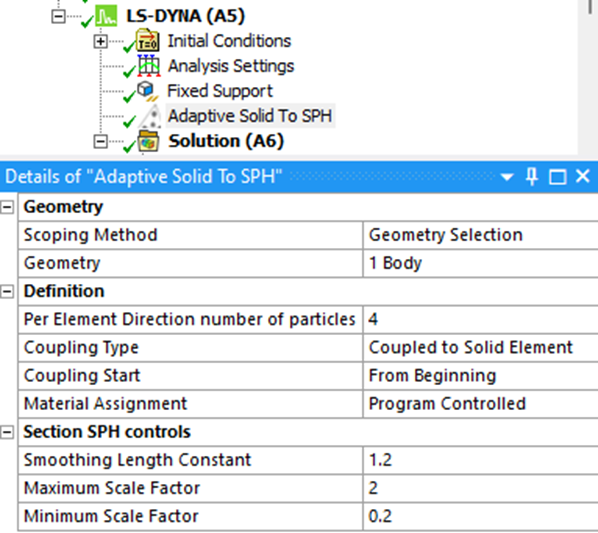
This object allows the user to create particles to subsequently replace solid elements. It’s possible to use scope to create particles in intended bodies. The number of particles per element is important to maintain similar accuracy relative to solid elements. Using the option ‘Coupled to Solid Element’ will create the transition from eroded solid to particle.
The SPH particles replacing the failed solid Lagrangian elements inherit all the Lagrange nodal quantities (like displacement, velocity, and acceleration) and all the Lagrange integration point quantities (like stress and strain) of these failed solid elements. Those properties are assigned to the newly activated SPH particles. The newly created SPH part can have different material properties using the Material Assignment field.
Material and Erosion Setup
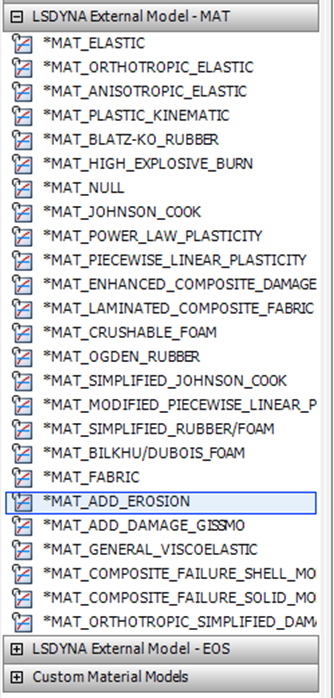
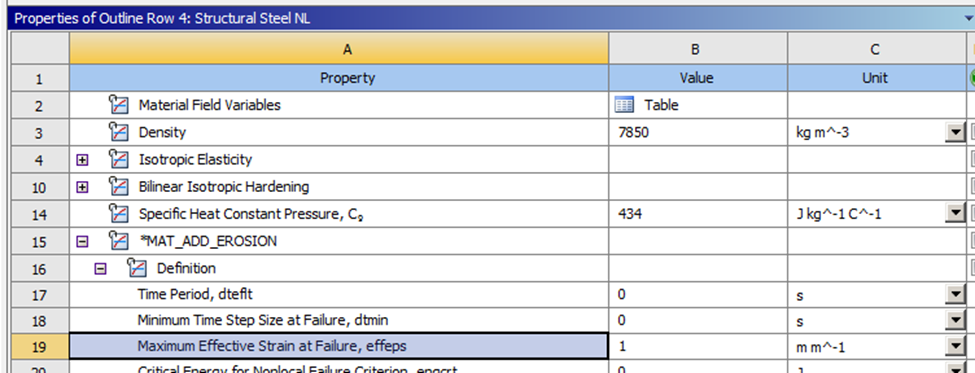
The other half of the adaptation from solid to particles is the erosion of the solid elements. It’s necessary to add the erosion definition to the Engineering data and apply criteria to eliminate the initial elements. In this example, effective strain is used, but several additional options are available.
RESULTS
Once the simulation starts, a message indicates that the erosion criteria have been met.
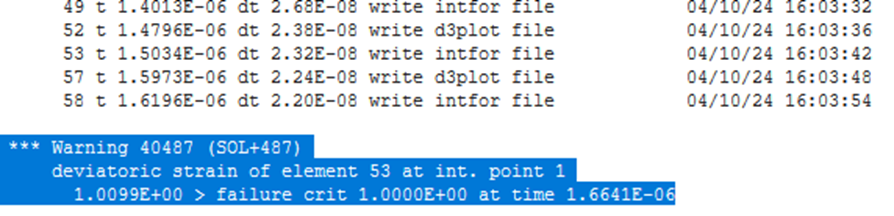
That means the first solid element has been replaced by its equivalent particles. In the next timestep, some elements have been eliminated, and the resulting values are visible in the particles.
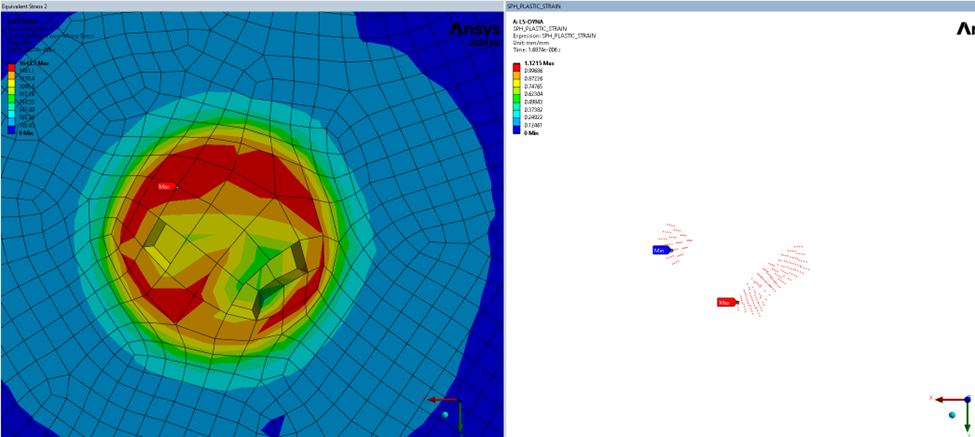
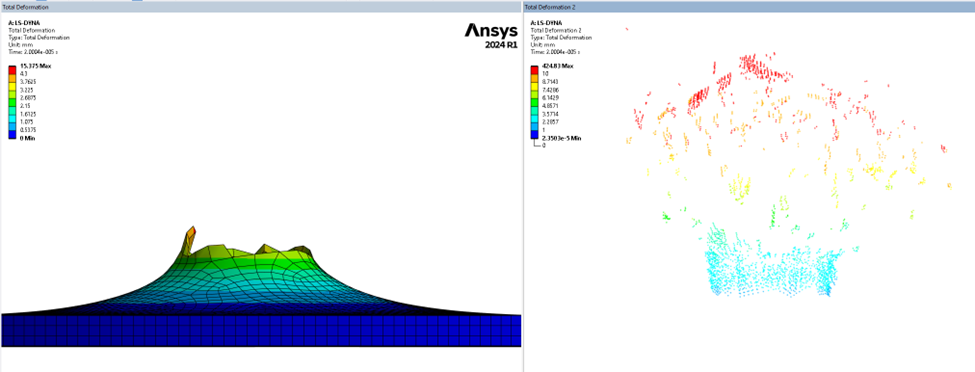
A displacement plot shows how the particles are separated from the main body; their energy is taken into account throughout the analysis, improving the accuracy of the solid model.
Additional Notes
When Material Assignment is set to Program Controlled, the SPH part will have the same material as the solid part. Is possible to use any material available in Engineering Data.
Shell and beam elements are not allowed for this object.
Conclusions
The “Adaptive solid to SPH” model in Mechanical LS-DYNA offers several advantages for structural analysis. Firstly, it enhances accuracy by dynamically converting solid elements to Smoothed Particle Hydrodynamics (SPH) elements as needed, ensuring precise simulations. Secondly, its versatility enables seamless simulation of complex structural behavior, making it applicable across a wide range of engineering scenarios. Additionally, it minimizes the need for manual intervention, streamlining the simulation process and saving time. Lastly, it provides a more realistic representation of material response under varying conditions, contributing to more reliable results in structural analysis simulations.
Working with impact, failure, or large deformation simulations? SimuTech Group’s LS-DYNA training course (FEA 302) covers explicit dynamics analysis methods, element types, and material models. For more on how LS-DYNA is used in real-world applications, read about how Ansys LS-DYNA is making an impact on sports equipment design. Contact us to discuss your explicit dynamics simulation needs.