
 Contact Us
Introduction
Electric motor stress analysis helps engineers evaluate the structural integrity of motor components under demanding operating conditions. In high-speed electric motors, centrifugal forces can generate significant stresses within the rotor, magnets, and shaft, making mechanical performance an important consideration alongside electromagnetic and thermal behavior.
Ansys provides multiple approaches to evaluating rotor stress and deformation. This tutorial compares two methods: detailed finite element analysis using Ansys Mechanical and motor-specific structural analysis using the Mechanical module in Ansys Motor-CAD. Both workflows are demonstrated using a high-speed permanent magnet synchronous motor operating at 15,000 rpm.
-
Ansys Mechanical – a general-purpose structural FEA tool offering detailed modeling and customization.
-
Motor-CAD Mechanical Module – a dedicated electric motor design tool with a streamlined mechanical analysis workflow.
You can download the files used in this project here: ElectricMotorStressFiles.zip
1. Ansys Mechanical Workflow
1.1 Importing Geometry
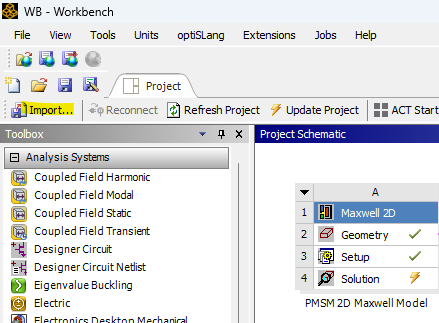
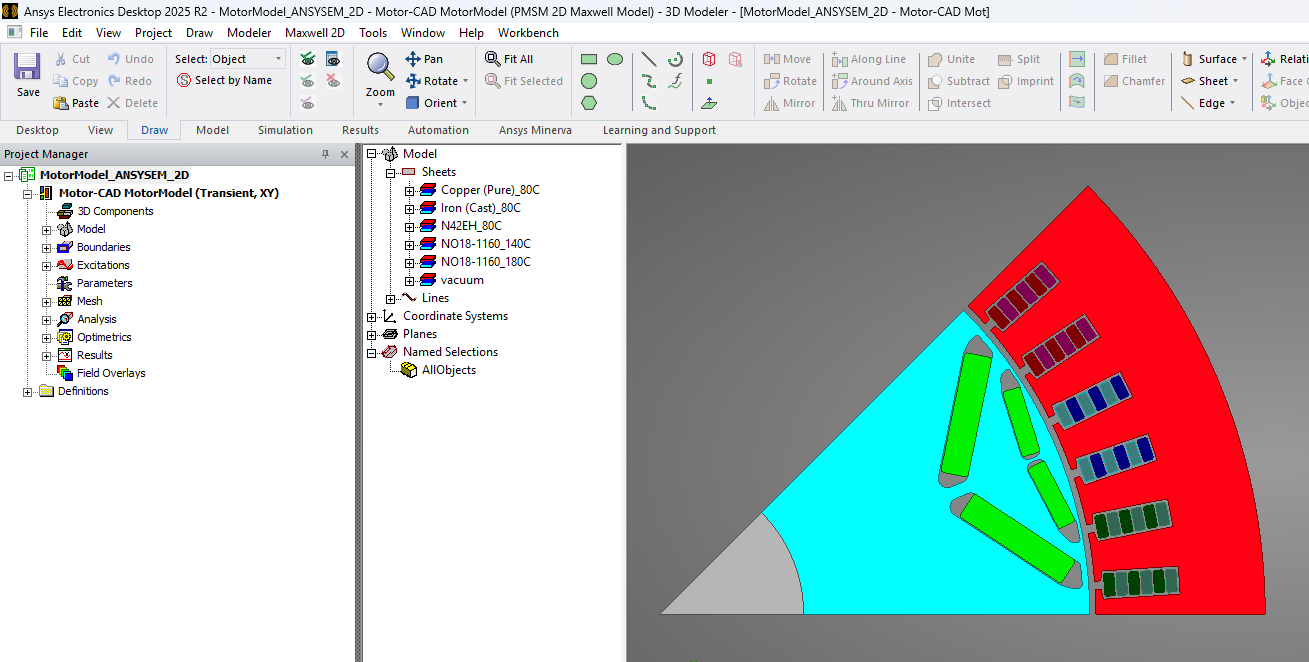
In this example, we import the geometry directly from Ansys Maxwell (created using the Motor-CAD e10 IPM template).
-
Open an Ansys Workbench project.
-
Import the Maxwell 2D model into the workspace.
-
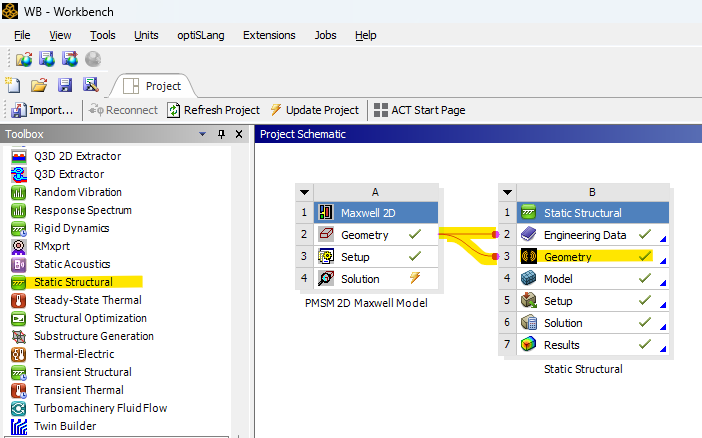
Drag a Static Structural block next to the Maxwell block and couple the geometry.
(Alternatively, you can right-click Geometry → Import Geometry to load a model directly.)
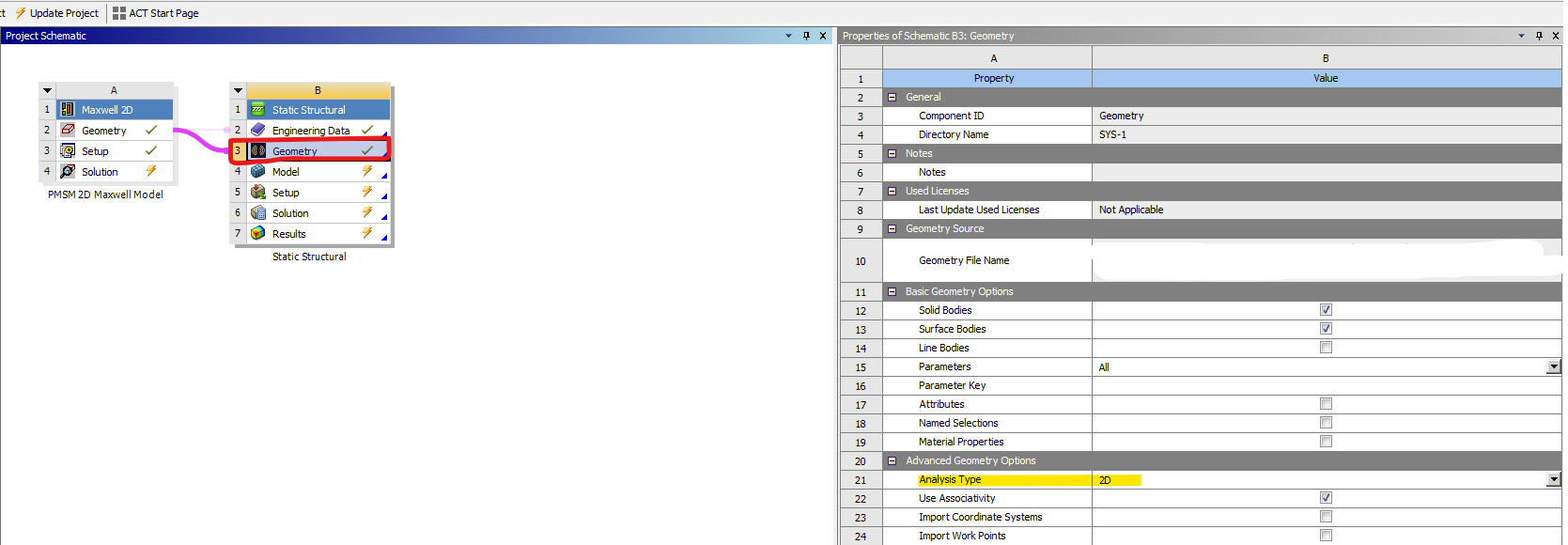
Ensure the Analysis Type is set to 2D for a 2D model, or 3D if running a full 3D simulation.
1.2 Electric Motor Stress Analysis Parts & Materials
Open Mechanical (Model):
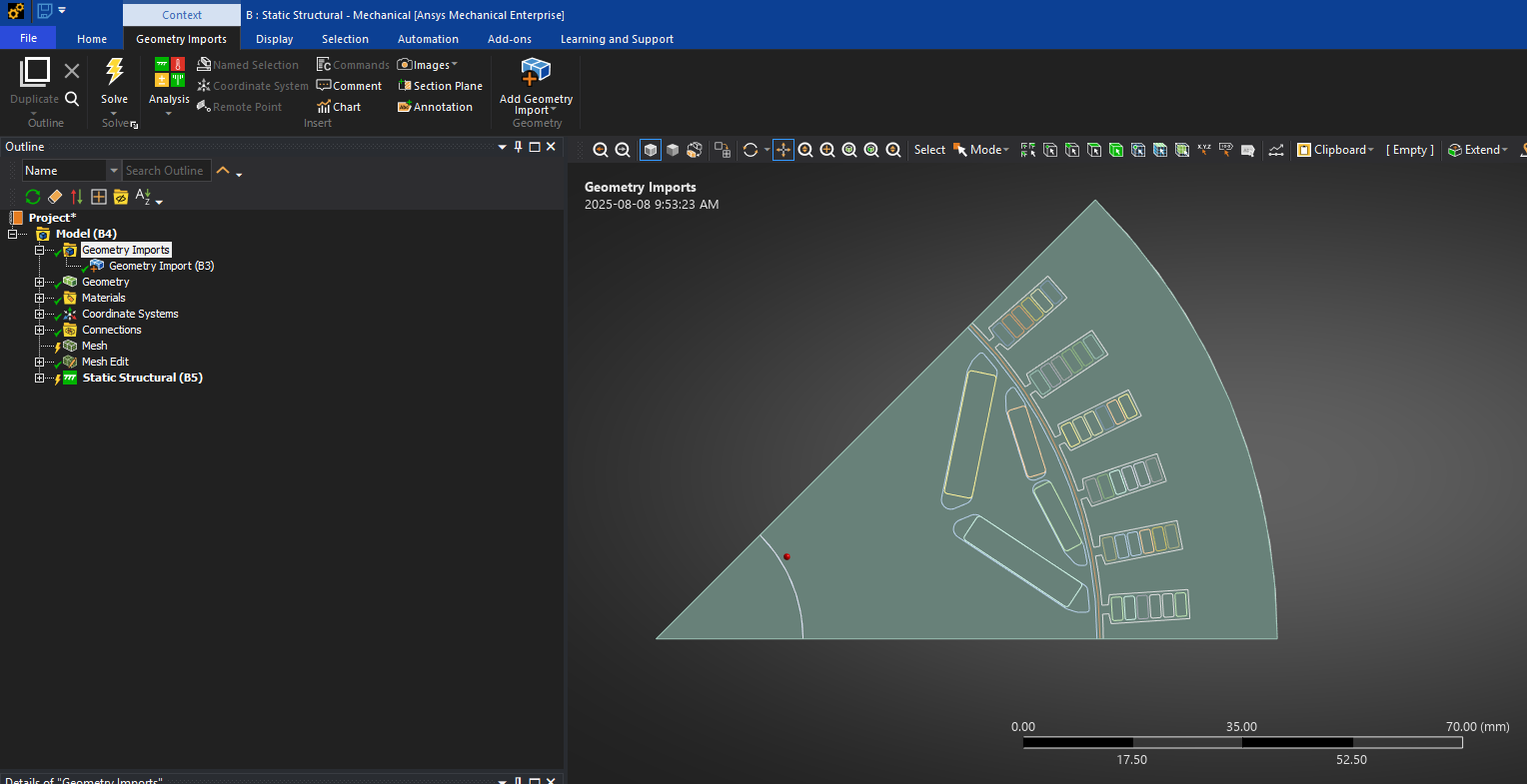
-
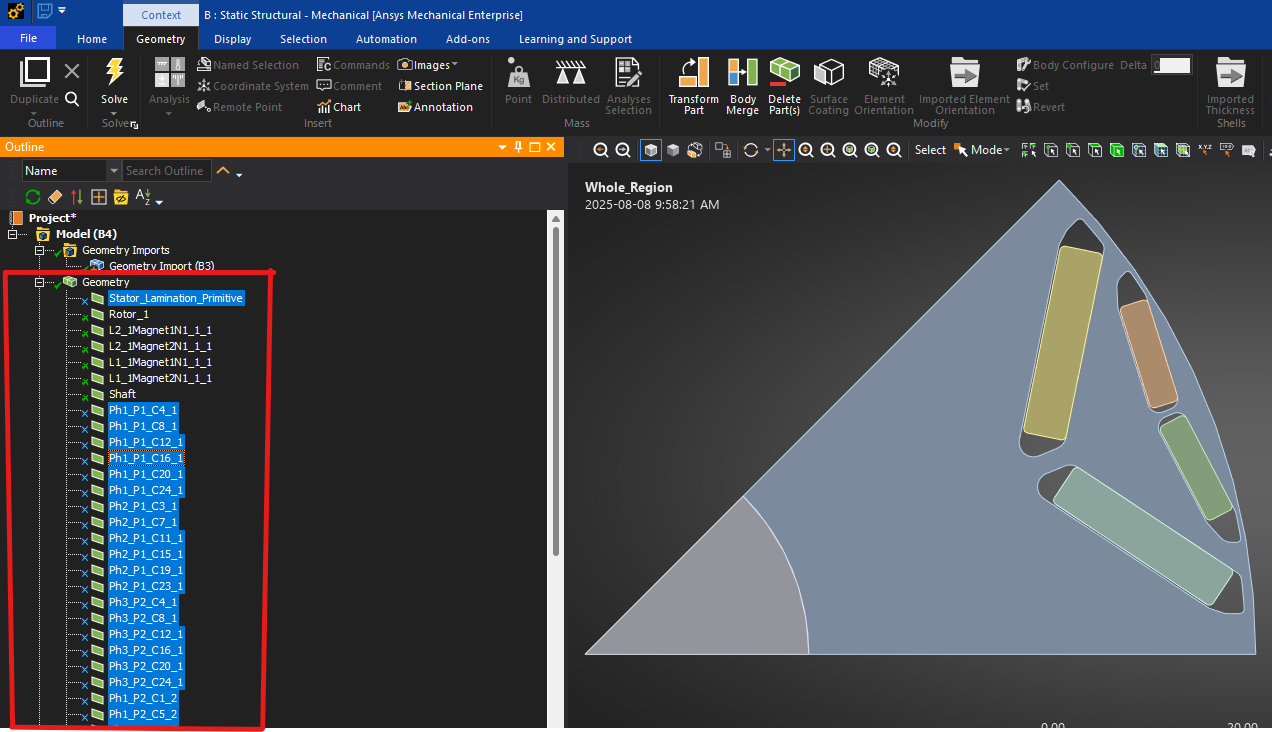
Suppress non-rotating parts (stator, coils, etc.). Keep only the rotor, magnets, and shaft.
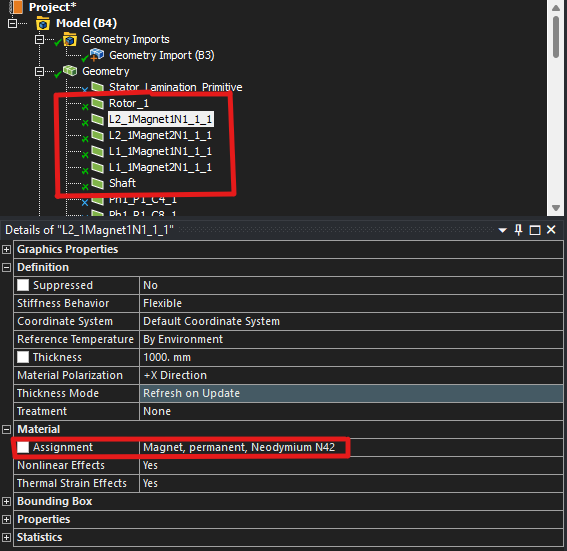
Assign materials (editable in Engineering Data; temperature dependence can be added):
-
Rotor laminations: Laminated steel (NO18)
-
Magnets: N42
-
Shaft: Cast iron
1.3 Contacts (Magnets ↔ Rotor/Shaft)
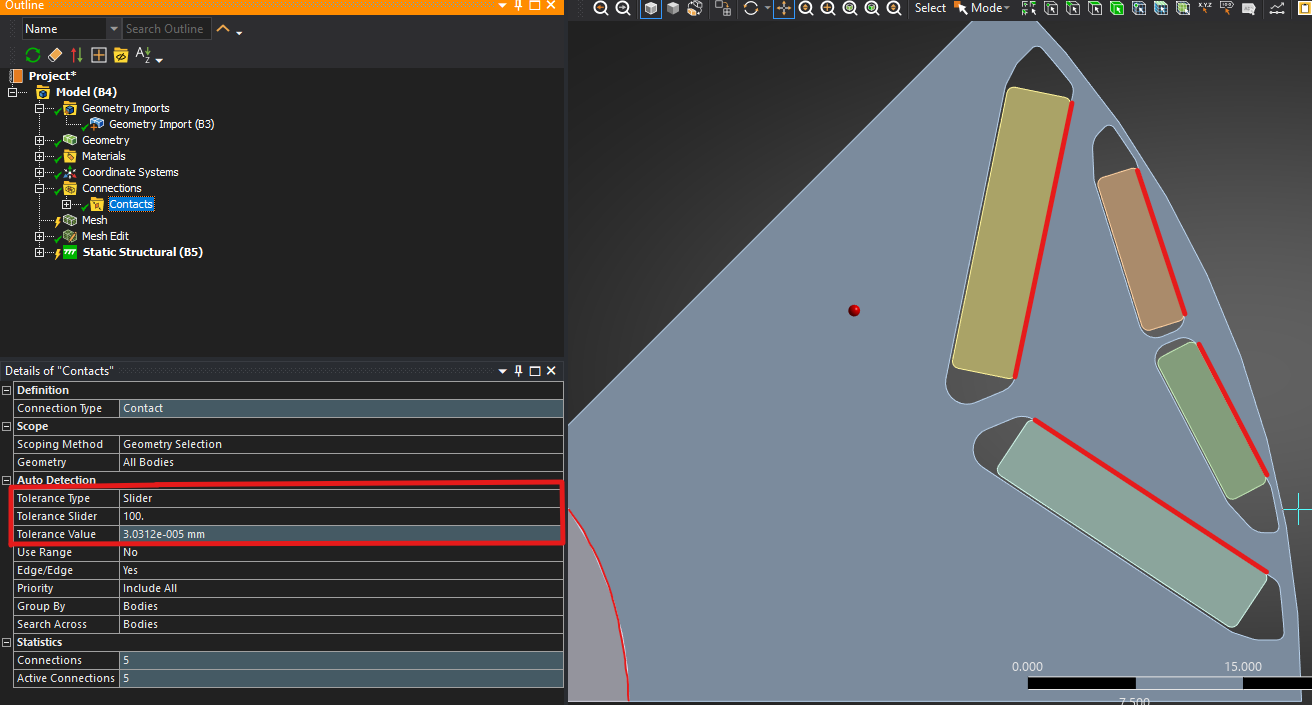
By default, contact detection can connect parts across small gaps. To prevent this:
-
Set the Contact Detection Slider to 100% so only touching bodies are connected.
-
Right-click Contacts → Create Automatic Connections to regenerate the contacts.
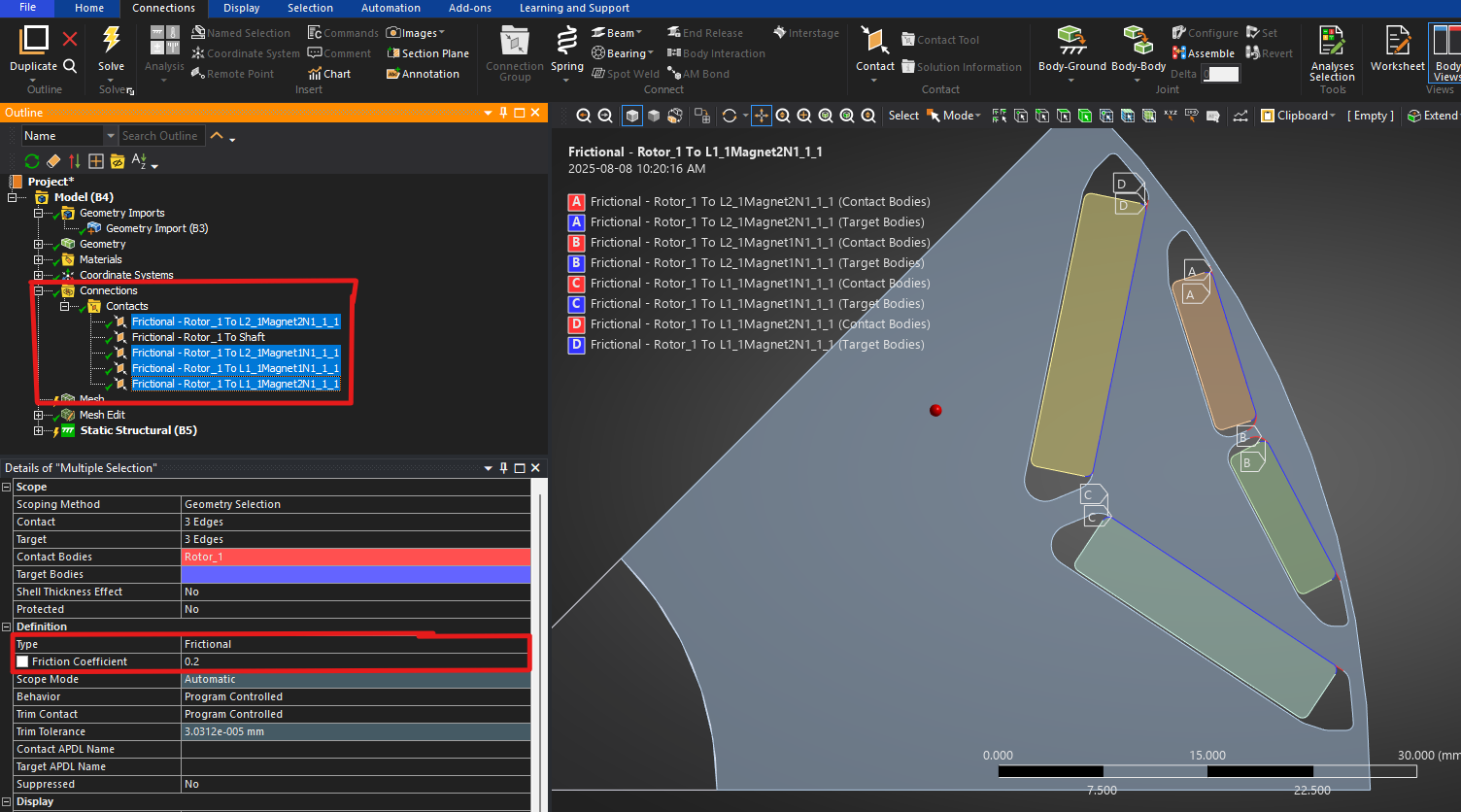
What we’re modeling here: the magnet outer edge is attached to the rotor OD, while the other side has a 0.2 mm gap to reflect manufacturability (a “hanging” fit). Alternatively, you can fill with epoxy/adhesive and set those interfaces to bonded.
-
For magnet–rotor interfaces, set Frictional contact and use these typical coefficients (Carvill, Mechanical Engineer’s Data Handbook, 1994):
-
Epoxy-bonded Magnet–Rotor: 0.1–0.3
-
Steel–Cast Iron (dry): 0.4–0.5
-
1.4 Electric Motor Stress Analysis Meshing
-
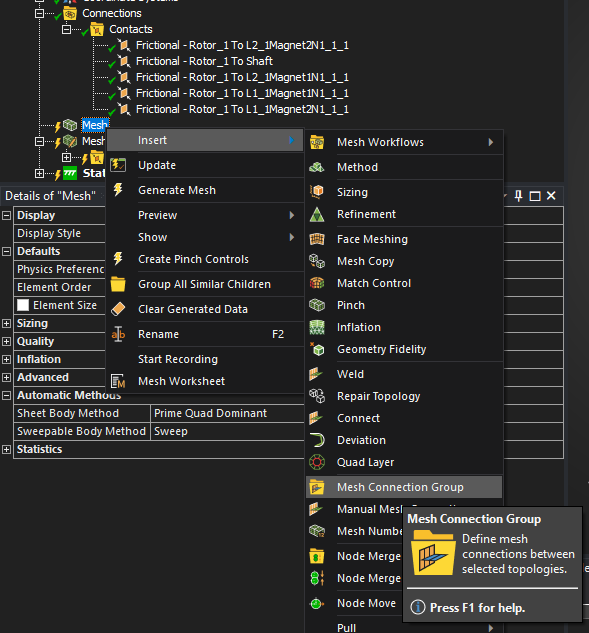
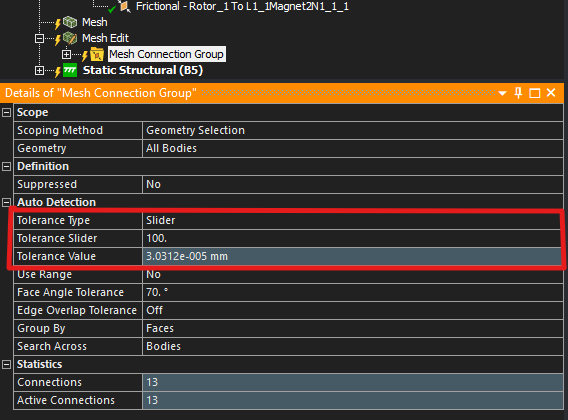
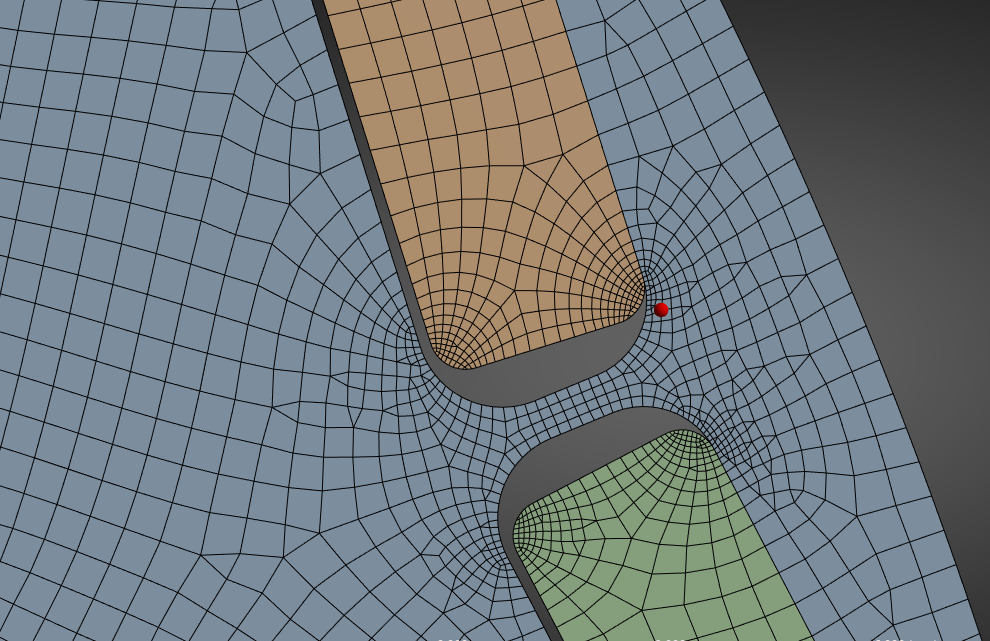
Insert a Mesh Connection Group to resolve magnet–rotor interfaces; set its tolerance slider as tight as possible to avoid unintended connections. Then Detect Connections.
-
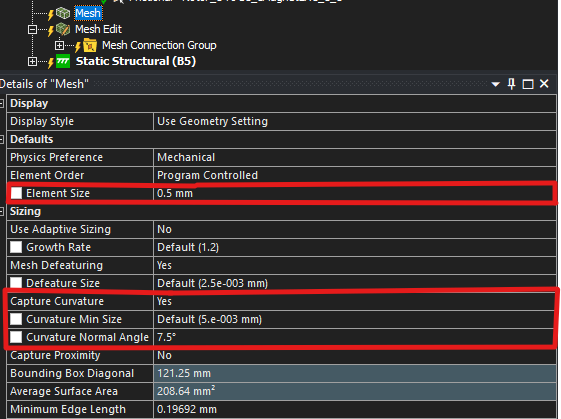
Enable Capture Curvature and reduce Curvature Normal Angle to refine corners.
-
Adjust element size as needed and visually inspect the mesh quality.
-
Note: If you see mesh-connection errors, reduce element size around the interfaces.
-
1.5 Loads, BCs & Requests
-
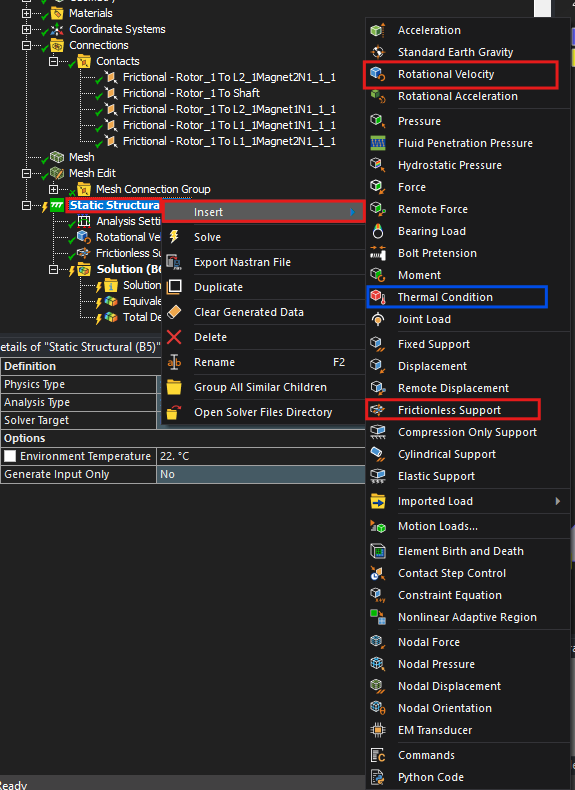
Right-click Static Structural and insert:
-
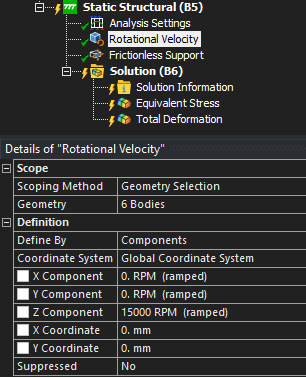
Rotational Velocity: 15,000 rpm about the Z-axis (applied to all rotor bodies)
-
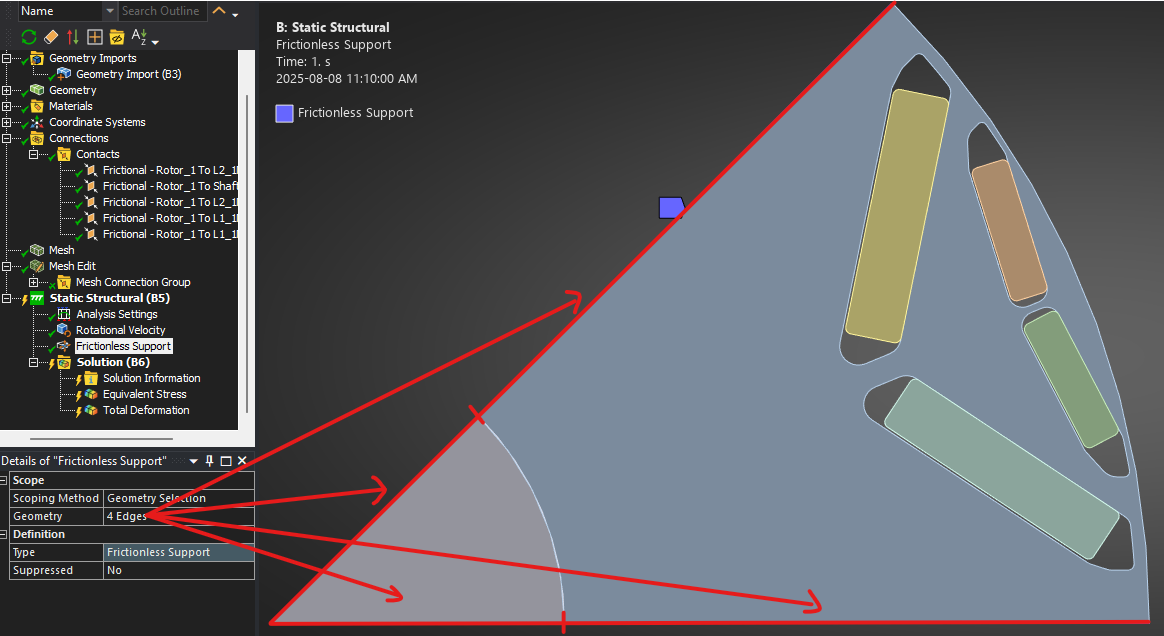
Frictionless Support: apply on appropriate edges to constrain motion
-
Thermal Condition (optional) if you’re doing temperature-dependent stress
-
Under Solution, request:
-
Equivalent (von Mises) Stress
-
Total Deformation (optional)
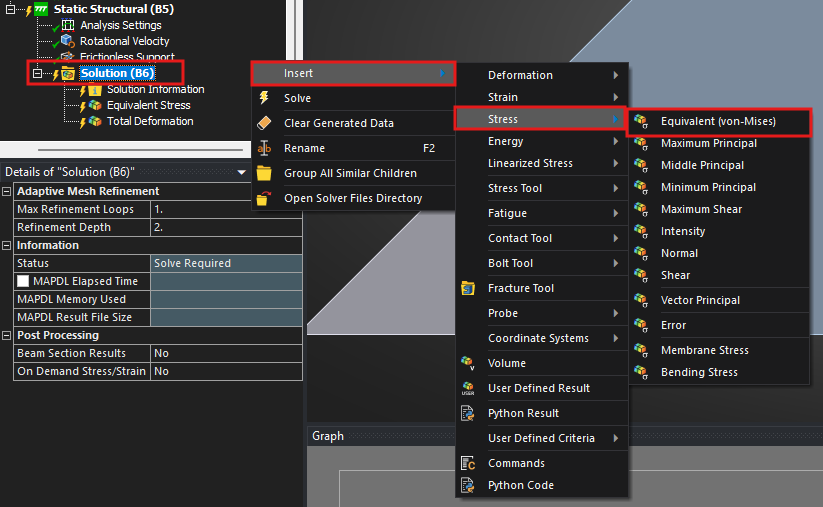
1.6 Solve & Results
Run the analysis (typically 1–10 minutes, depending on complexity).
Results:
-
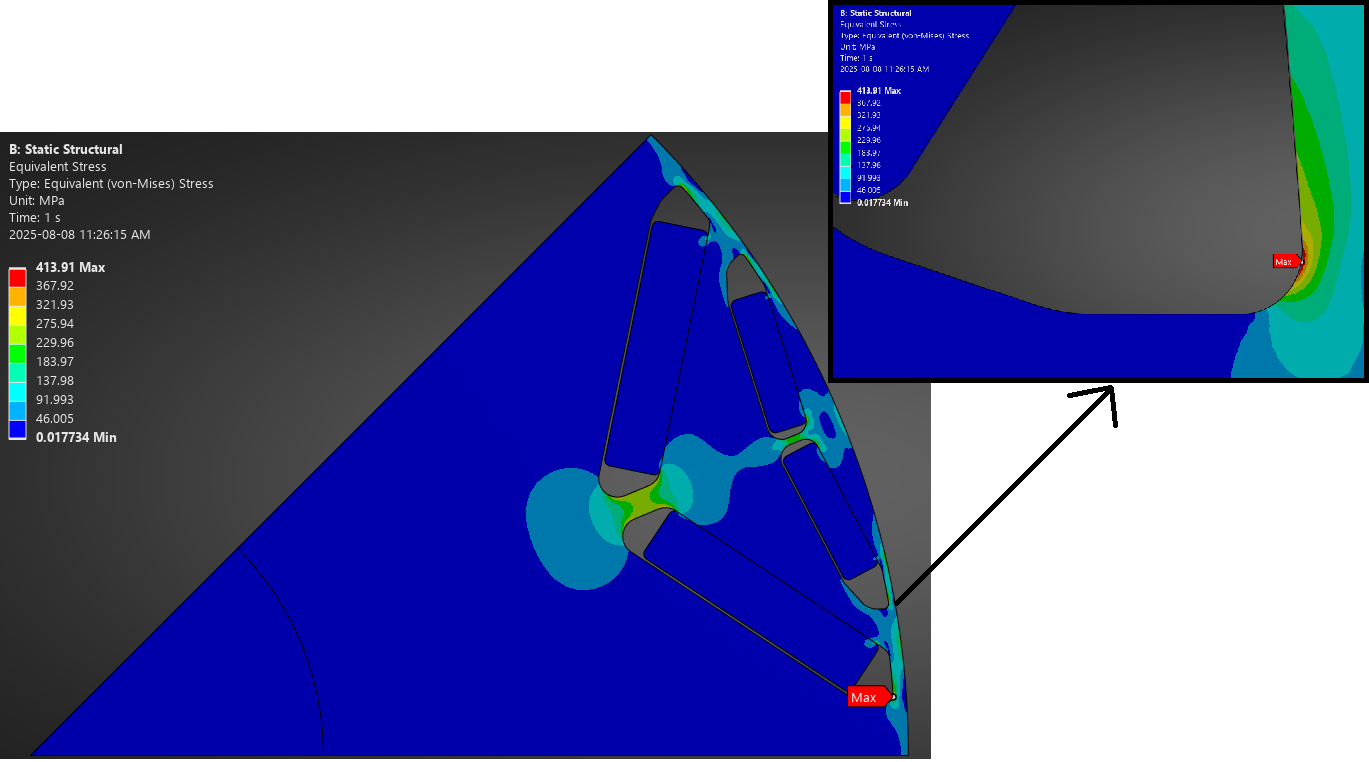
Max von Mises stress: 413.91 MPa, concentrated near magnet slot corners
-
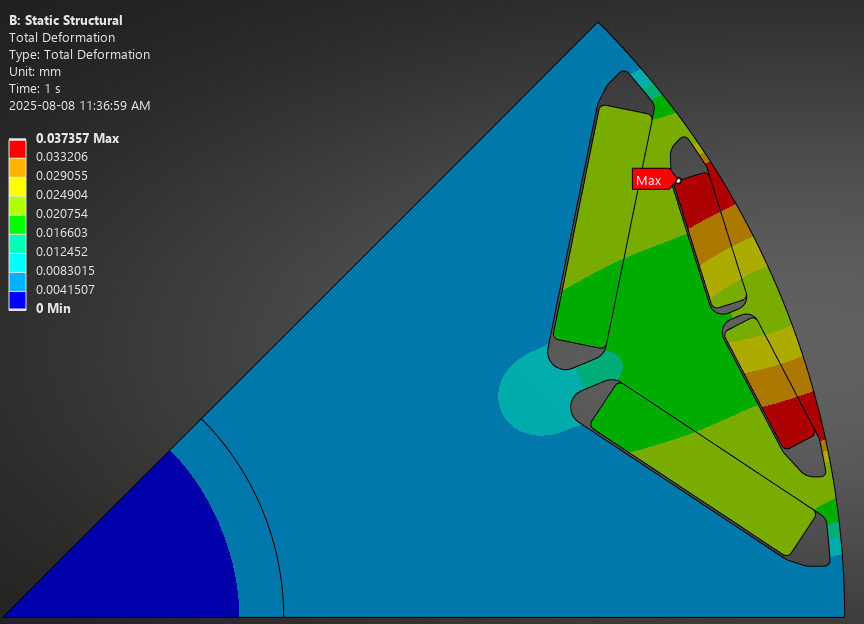
Max deformation: 0.03757 mm at the outer side of the rotor
2) Motor-CAD Mechanical
For our electric motor stress analysis simulation example, Motor-CAD provides a direct, motor-specific workflow.
2.1 Setup
-
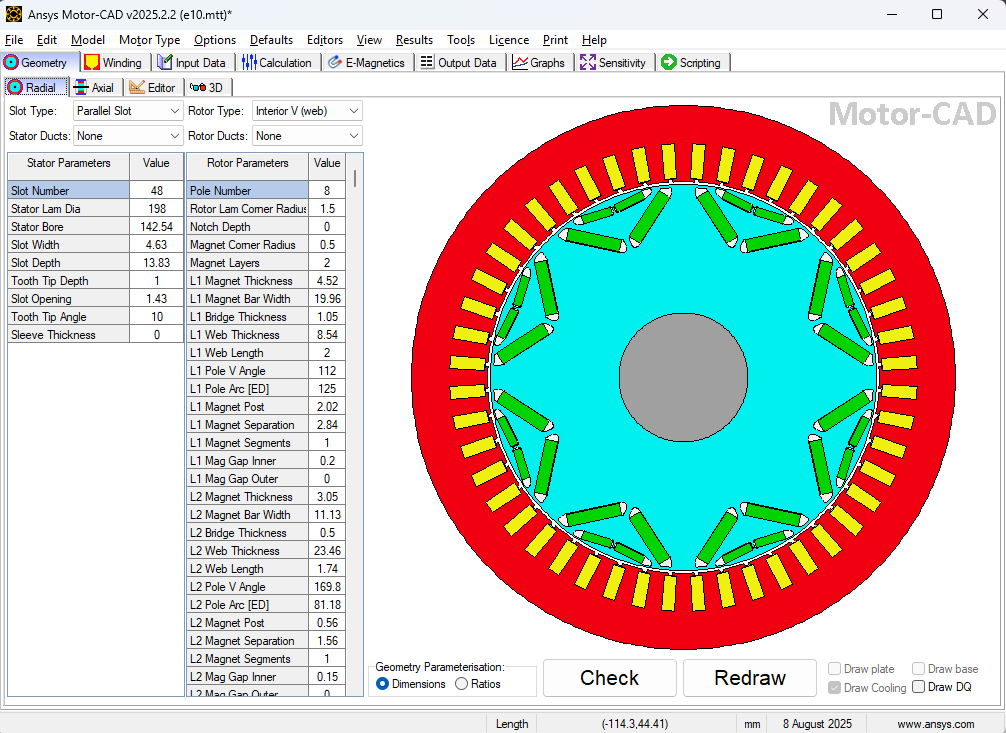
Open the e10 PMSM example (8 poles, 48 slots; 200 kW, 15,000 rpm max).
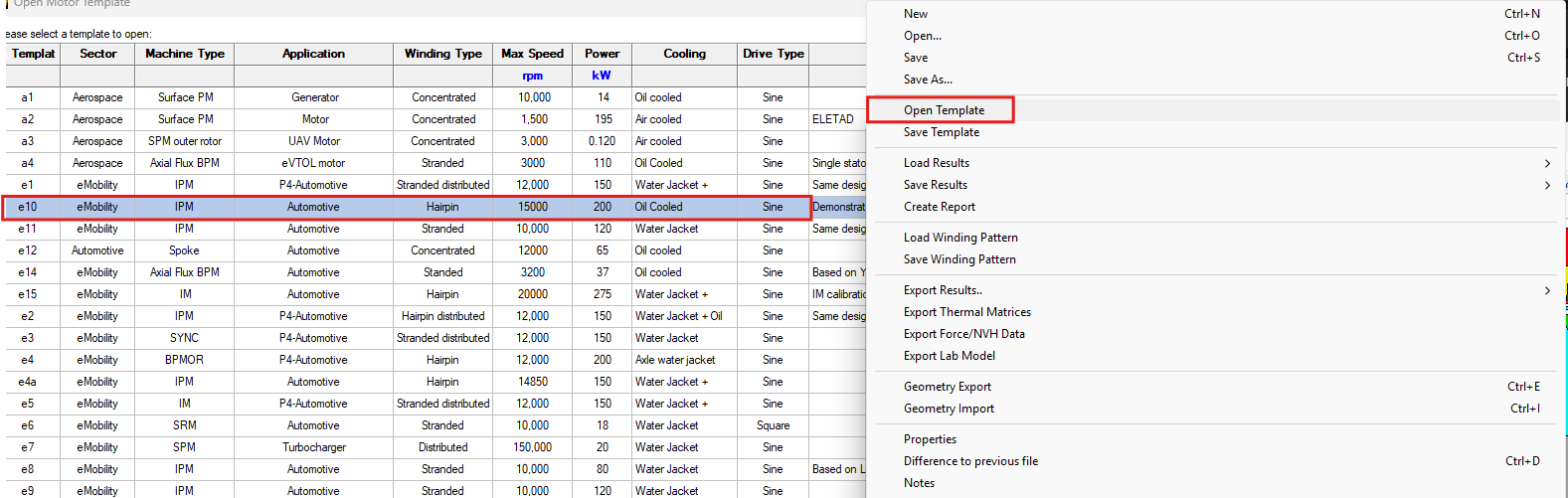
e10 200kW PMSM model,8 pole 48slots design. 15000 maximum rpm.
-
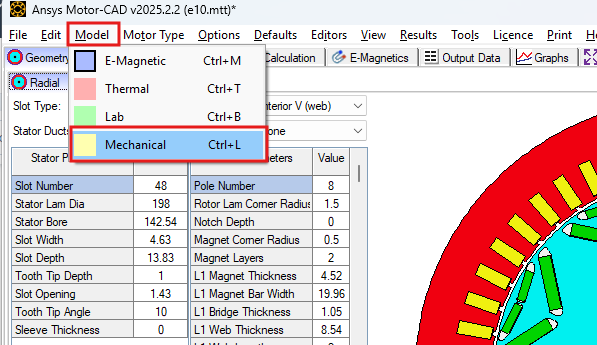
Go to Mechanical Model.
-
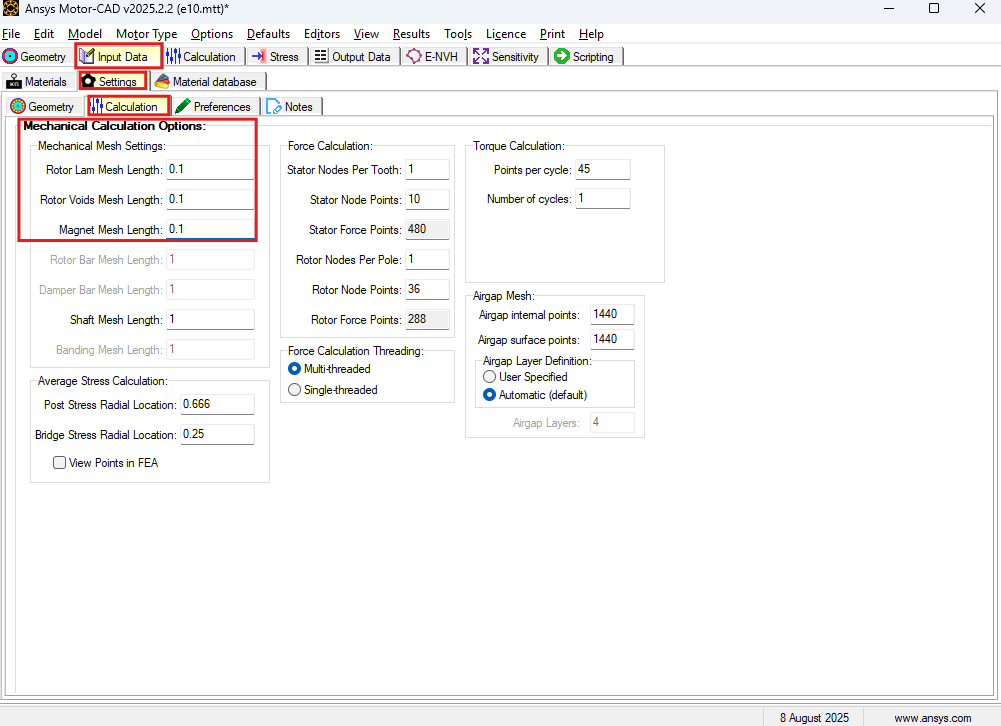
Under Input Data → Settings, set Maximum Mesh Length = 0.05 mm for higher mesh density.
-
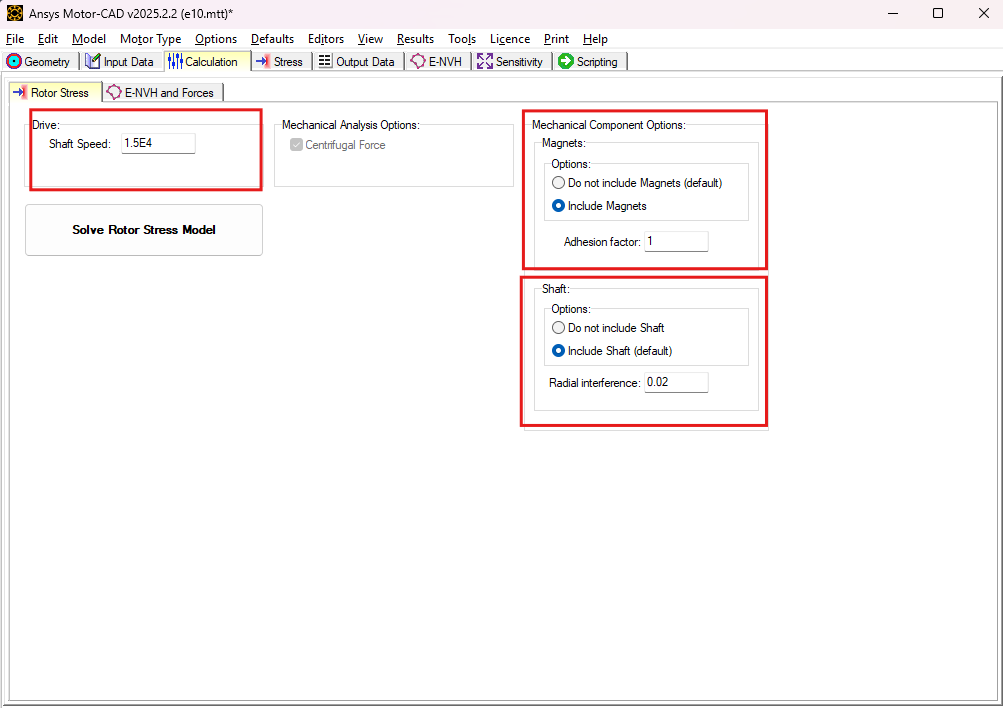
In Calculation:
-
Set Shaft Speed = 15,000 rpm
-
Include magnets with Adhesion Factor = 1
-
(25R2 update) Include shaft
-
Set Radial Interference = 0.02 mm to simulate press fit between rotor and shaft
-
-
Run the model.
2.2 Electric Motor Stress Analysis Results
-
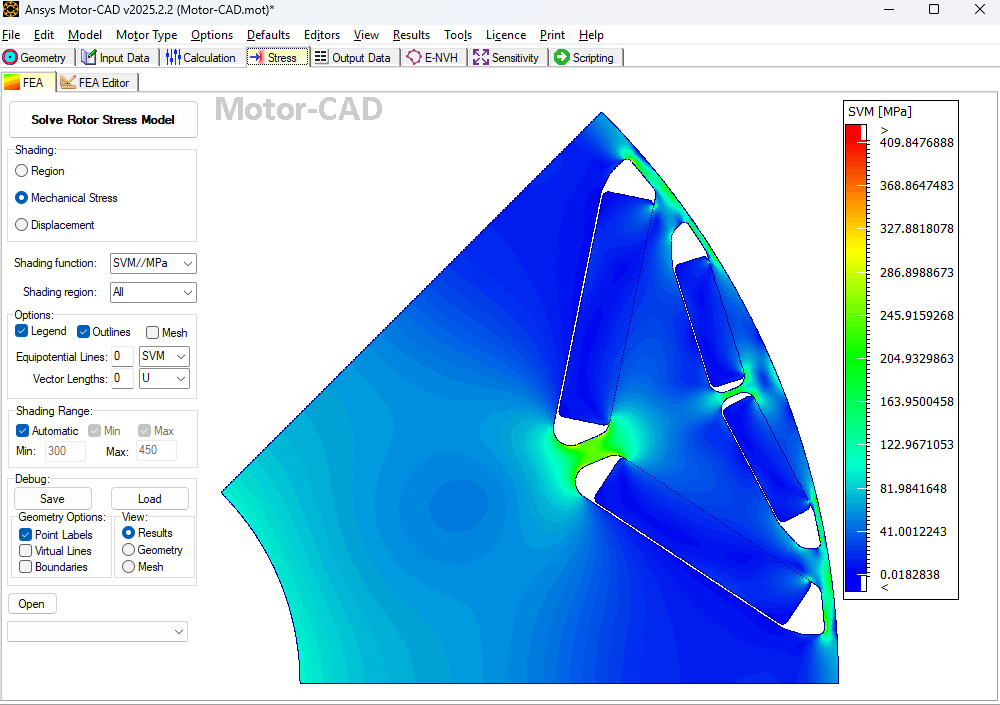
Stress: Maximum at magnet slot edges (same location as Mechanical).
-
Peak stress = 409.84 MPa.
-
-
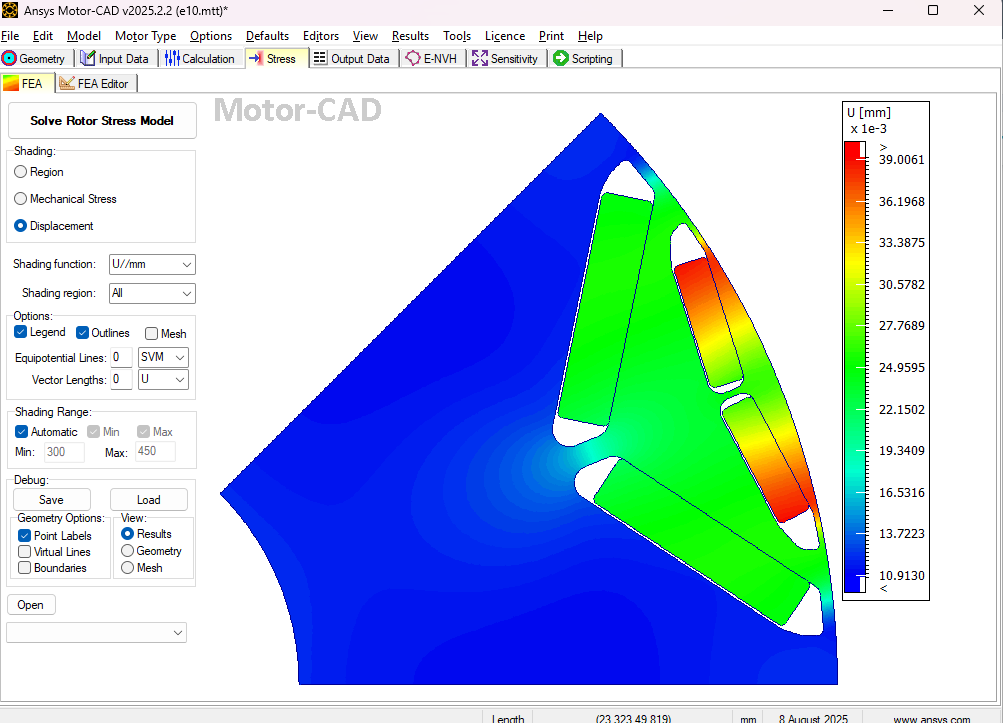
Deformation: Maximum at outer center of rotor = 0.039 mm (very close to Mechanical’s 0.03757 mm).
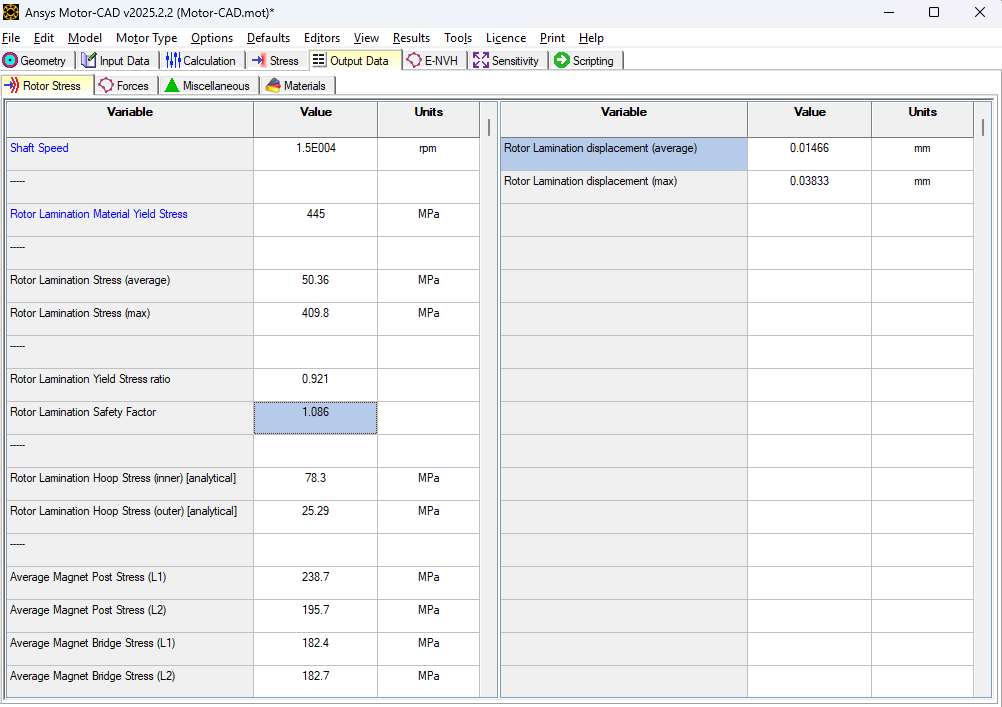
Safety Factor (Yield / Max Stress):
-
Motor-CAD: 1.08
-
Mechanical: 1.075
Both indicate the rotor lamination remains below yield at 15,000 rpm, so the design is structurally sound.
Video: Electric Motor Stress Analysis with Ansys Mechanical and Motor-CAD
The following video demonstrates electric motor stress analysis using Ansys Mechanical and Motor-CAD. It walks through rotor geometry preparation, material assignments, contact definitions, meshing, and rotational loading before comparing stress and deformation results from both simulation workflows.
Comparing Electric Motor Stress Analysis Methods
Ansys Mechanical and Motor-CAD provide complementary approaches to evaluating mechanical stress and deformation in high-speed electric motors. While Motor-CAD offers a streamlined workflow for motor-specific structural analysis, Ansys Mechanical provides greater flexibility for detailed contact definitions, meshing, and complex structural conditions.
In this example, both approaches produced closely matching stress and deformation results, demonstrating how engineers can use these tools to evaluate rotor behavior and inform design decisions. Selecting the appropriate workflow depends on model complexity, analysis requirements, and the level of detail needed.
SimuTech Group supports electric motor development through electromagnetic and structural simulation, helping engineering teams assess performance, reliability, and mechanical design requirements.